
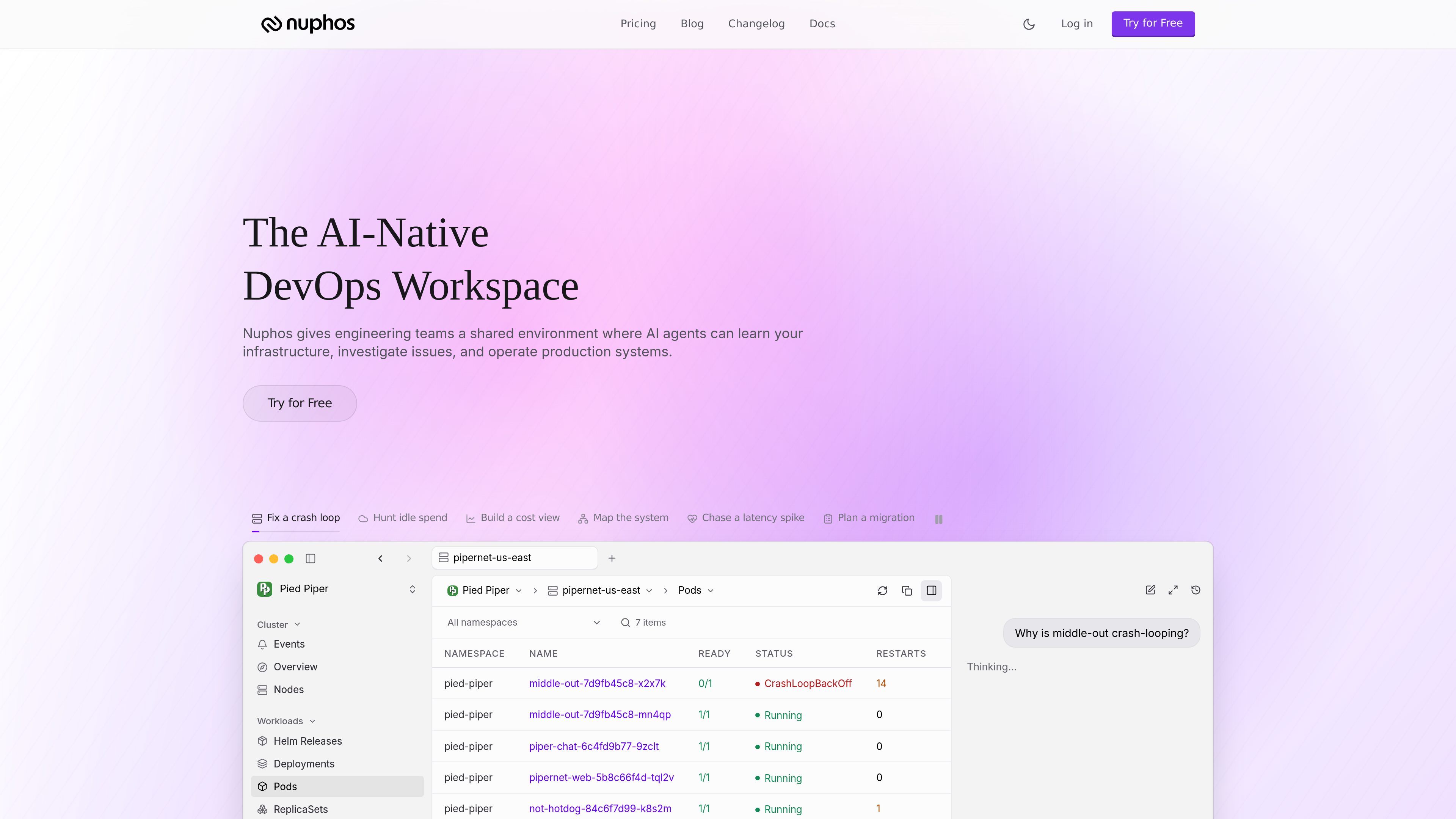
Shared agent workspace
Teams work in one workspace where AI agents and humans share the same operational context instead of using separate point tools.

Nuphos é um espaço de trabalho DevOps nativo de IA para equipes de engenharia. Ele oferece um ambiente compartilhado onde agentes de IA podem aprender a infraestrutura, investigar problemas e operar sistemas de produção com aprovação humana e trilhas de auditoria.
Nuphos is a DevOps workspace built for engineering teams that want AI agents to participate in production work with human oversight. It combines a shared environment, infrastructure connectors, IAM-scoped sessions, approval flows, and audit trails so agents can investigate and act within defined permissions.
The product is aimed at operational workflows such as incident response, cloud migration, deployment planning, and production health checks. The site presents Nuphos as a place where teams can connect cloud and tool surfaces, share agent usage across the workspace, and keep the same safety controls across plans.
Teams work in one workspace where AI agents and humans share the same operational context instead of using separate point tools.
Agents operate through IAM-scoped sessions with human approval steps, so actions are constrained by permissions and reviewable before execution.
Every plan includes audit trails, with longer history available on higher tiers for reviewing what agents and users did in production.
Nuphos supports cloud and tooling connectors such as AWS, GCP, Kubernetes, Zeabur, Slack, GitHub, and PagerDuty, with connector limits increasing by plan.
Agent usage is pooled across the workspace rather than billed per seat, and paid plans can keep running past the included amount with controlled overage.
The product provides downloads for macOS, Windows, and Linux, with separate builds for Apple Silicon, Intel Mac, and Windows ARM or x64.
Use agents to inspect cluster state, follow alerts, and help trace failures such as crash loops or latency spikes while keeping approvals in place.
Teams can ask agents to map infrastructure and plan migrations across cloud and Kubernetes environments before making changes.
The homepage highlights workflows like hunting idle spend and building a cost view, which suits teams reviewing cloud usage and waste.
Nuphos can support everyday work around deployments, service surfaces, and production health checks across connected infrastructure.
Paid plans are built for workspace-wide use, making it possible for several teammates to connect their accounts and work from the same agent pool.
Nuphos is an AI-native DevOps workspace where engineering teams can connect infrastructure, let agents investigate issues, and manage production systems with human approval and auditability.
The download page lists builds for macOS, Windows, and Linux, including Apple Silicon and Intel Mac, plus Windows and Linux x64 and ARM options.
No. The pricing page says Dev includes up to three members and the paid plans above it are unlimited for members, with pricing based on the workspace rather than individual seats.
On Team and higher, agents can continue working with overage billing and a monthly cap you control. The FAQ says an incident in progress will not be interrupted mid-task.
The pricing page mentions cloud connectors for AWS, GCP, Kubernetes, and Zeabur, plus tool connectors such as Slack, GitHub, and PagerDuty. It also mentions bots in Slack, Lark, Discord, and iMessage on the Dev plan.
Os dados de tráfego são apenas para referência.
| mai. | 0 |
|---|---|
| jun. | 0 |
| jul. | 0 |
As análises de tráfego ainda não estão disponíveis.
As análises de tráfego ainda não estão disponíveis.
www.coldtea.ai
Coldtea é um ambiente de entrega de software com tecnologia de IA para equipes que querem gerenciar QA, monitoramento de produção, detecção de bugs, criação de tarefas e correções em um só lugar. Ele roda na sua máquina e ajuda a identificar regressões e problemas de produção depois que o código é escrito.

canyontechs.ai
CanyonTechs AI é um produto de correção automática com tecnologia LLM que analisa logs de produção, detecta incidentes e envia correções como pull requests assinadas. Oferece um serviço baseado em espaços de trabalho, com cadastro e login para usuários individuais e empresas.

rootly.com
Gestão de incidentes nativa de IA para equipes de engenharia

middleware.io
Observabilidade full-stack para logs, métricas, traces, infraestrutura, aplicações e experiência do usuário, com OpsAI para detectar problemas e apoiar a remediação.

trysoup.dev
Soup CLI é uma ferramenta de linha de comando de código aberto para pós-treinamento e fluxos de trabalho relacionados a modelos, incluindo ajuste fino, treinamento por preferência, avaliação, combinação de modelos, implantação e preparação de dados. É voltada a quem quer gerenciar o treinamento e a entrega de modelos com uma única CLI offline, em hardware próprio ou emprestado.

antideploy.com
Antideploy é uma plataforma de implantação que analisa o código da aplicação, determina o runtime e a infraestrutura necessários, cria tudo e disponibiliza o serviço via HTTPS. Faça deploy pelo GitHub, uma pasta local, uma API ou agentes de programação sem escrever um Dockerfile ou uma configuração YAML.