
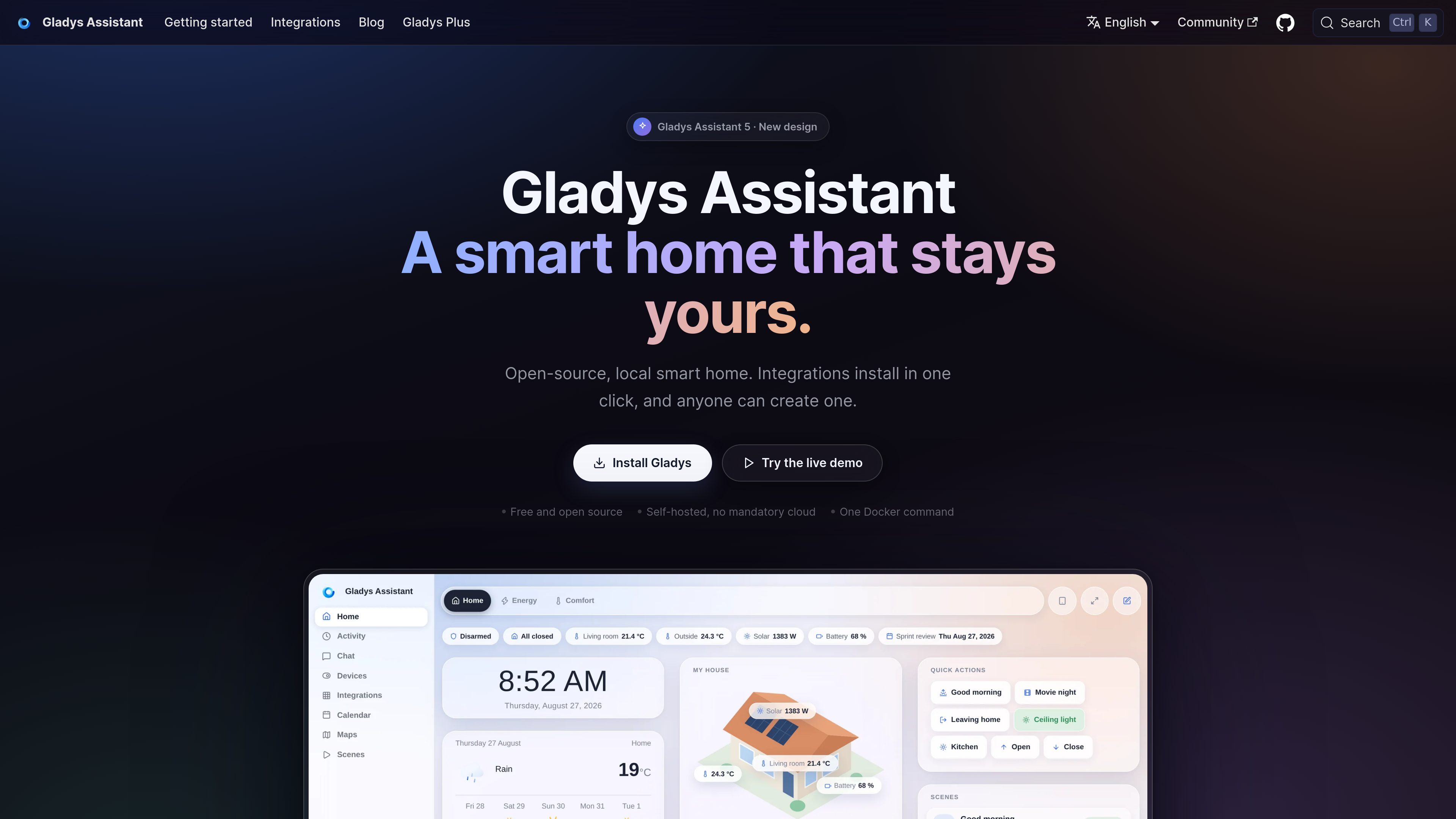
Local dashboard
Monitor temperatures, security cameras, presence, and other connected-home information from a single interface.

Gladys Assistant is free, open-source, self-hosted smart home software for managing devices, scenes, energy data, and voice or message-based controls from hardware you operate. It is designed for people who want local operation and privacy, with optional paid services for remote access and additional integrations.
Gladys Assistant is free, open-source smart home software that runs on a local home automation hub. It combines device control, dashboards, scenes, energy monitoring, and assistant-based commands while keeping the core smart home data on hardware operated by the user.
The system is installed through Docker on compatible Linux hardware such as a mini-PC, NAS, Raspberry Pi, server, or older computer. Its primary purpose is to provide a local alternative to cloud-dependent home automation, with optional Gladys Plus services for encrypted remote access and additional capabilities.
Monitor temperatures, security cameras, presence, and other connected-home information from a single interface.
Build routines for lights, music, coffee preparation, heating, alerts, and other actions without writing code.
Follow electricity consumption, solar production, and home-battery data in real time when compatible devices or integrations are configured.
Connect through Zigbee, Z-Wave, Matter, MQTT, and integrations for products and services such as Hue, SmartThings, Shelly, Sonos, and Reolink.
Control devices by voice through the built-in assistant or by sending messages from a phone; optional Gladys Plus extends voice and AI integrations.
Run Gladys on hardware you control, with core smart home data kept on the local machine and no mandatory cloud service.
Create scenes that coordinate lights, music, coffee preparation, heating, or other devices at selected times or in response to home events.
Use cameras, presence information, intrusion alerts, water-leak alerts, and remote controls to keep track of the home during travel or absence.
Combine electricity, solar, battery, temperature, and device data to identify usage and automate actions such as switching off unused equipment or managing heating.
Install the system on a local mini-PC, NAS, Raspberry Pi, or Linux server for people who prefer to keep smart home data on hardware they operate.
The core Gladys Assistant software is free and open-source, with no subscription, credit card, or mandatory cloud service required. Gladys Plus is an optional paid service for remote access and additional capabilities.
Gladys can run on a Docker-compatible Linux machine, including a mini-PC, Synology or Unraid NAS, Linux server, Raspberry Pi, or an older computer. The documentation recommends a mini-PC with an SSD and at least 8 GB of RAM for a long-term installation. Raspberry Pi support covers Pi 3, 4, and 5 through an official 64-bit image.
The core system is designed to run locally on the user's own hardware, and the product site states that it can work offline. Features that depend on external services, remote access, or optional Gladys Plus integrations may require connectivity.
Gladys supports Zigbee, Z-Wave, Matter, and MQTT, along with integrations for products and services including Philips Hue, SmartThings, TP-Link Kasa and Tapo, Shelly, Sonos, Reolink cameras, and LG ThinQ. Community-built external integrations provide additional options, but coverage varies by device.
Users can subscribe to Gladys Plus for encrypted remote access without opening a port, or configure their own VPN or reverse proxy. The latter keeps Gladys free but requires more technical setup.

1x.tech
NEO is 1X’s humanoid home robot for scheduled chores and voice interaction. Early Access begins with basic autonomy and optional remote expert help.

www.flunkey.space
Flunkey is a free, MIT-licensed voice AI assistant for Windows that turns speech into dictated text, AI answers, and in-place text edits through three hotkeys. It is designed for developers, students, writers, and professionals who want to work by voice without a Flunkey account or first-party server.