Flunkey logo

Flunkey

Freemium
Visitar

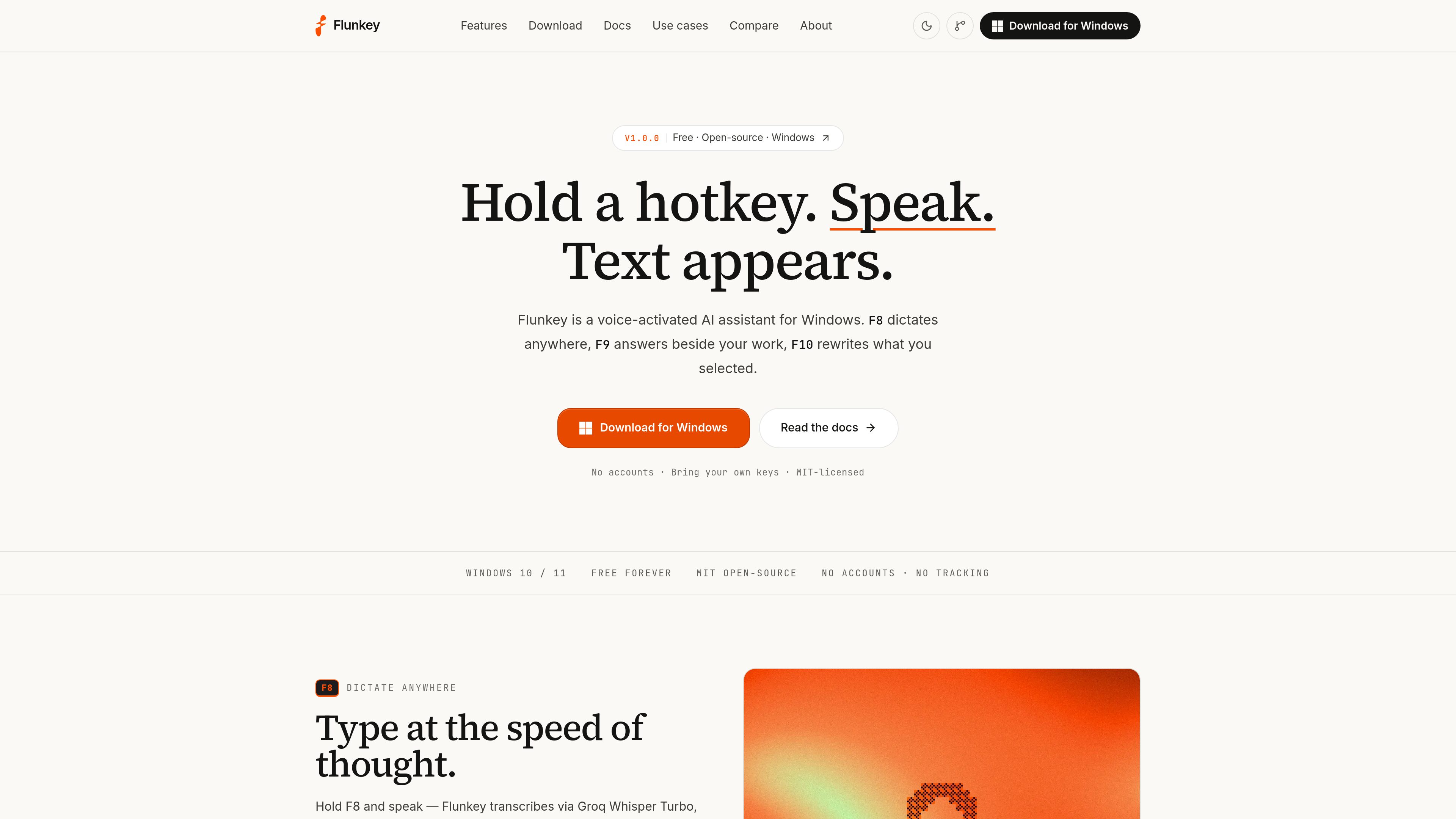
Flunkey is a free, MIT-licensed voice AI assistant for Windows that turns speech into dictated text, AI answers, and in-place text edits through three hotkeys. It is designed for developers, students, writers, and professionals who want to work by voice without a Flunkey account or first-party server.

O que é Flunkey?

Flunkey is a free, open-source voice AI assistant for Windows 10 and 11 (64-bit). It uses three hotkeys for separate tasks: F8 dictates into the active text field, F9 opens a side overlay for AI questions, and F10 transforms selected text in place. The product is intended for people who regularly write in email, documents, browsers, chat, notes, terminals, and development tools.

Flunkey does not require a Flunkey account or route requests through Flunkey servers. Users provide a key for Groq, OpenAI, Gemini, or OpenRouter; the key is stored in Windows Credential Manager, while local history is stored in the Windows AppData location and can be wiped from Settings. Provider terms and charges still apply where relevant.

O que Flunkey pode fazer?

F8 voice dictation

Hold F8, speak, and release to transcribe through a configured provider. Flunkey polishes grammar, removes filler, and pastes the result at the cursor. It includes a custom dictionary, per-app paste profiles, and clipboard restoration after pasting.

Hands-free dictation

Double-tap F8 to record without holding the key. The on-screen pill provides confirm and cancel controls for longer dictation sessions.

F9 AI side overlay

Hold F9 to ask a question without moving the cursor. The answer streams into a side overlay supporting Markdown, tables, code copying, and KaTeX math. Continuous mode retains context for follow-up questions, and local history is searchable.

F10 in-place transformation

Select text, hold F10, and describe an edit such as making it formal, shortening it, or translating it to German. The selection is replaced in place, with normal undo available. Tone, grammar, brevity, and translation are supported.

Local-first storage and provider routing

Requests go from the PC to the selected provider, with no Flunkey accounts, first-party servers, or analytics. API credentials are kept in Windows Credential Manager rather than configuration files, and local data can be wiped from Settings.

App-aware workflows

Flunkey provides 26 per-app profiles for IDEs, Office, browsers, chat, notes, and other applications, including code-aware rules for text transformation. Hotkeys can be remapped if they conflict with another application.

Casos de uso

“Developer prompts and documentation”

Dictate prompts, pull-request text, reviews, and technical documentation in an IDE or terminal, then use F10 to adjust wording or structure without leaving the development workflow.

“Student essays and notes”

Capture essay drafts, lecture notes, and emails by voice in Windows text fields, then use transformation commands for editing or translation.

“Writer and creator drafts”

Produce first drafts by speaking naturally, including pauses and corrections, and use grammar, tone, or brevity transformations for later polishing.

“Professional email and reports”

Dictate replies, follow-ups, and reports directly into work applications. F9 can provide an adjacent AI answer while leaving the active cursor in place.

“Browser and note-taking workflows”

Use F8 and F10 in browsers, notes, and chat applications where selecting text and replacing it is more efficient than retyping it.

Perguntas frequentes

What is required to run Flunkey?

You need Windows 10 or 11 (64-bit), a working microphone and speakers, the WebView2 runtime, and at least one provider API key from Groq, OpenAI, Gemini, or OpenRouter. WebView2 is preinstalled on most up-to-date Windows systems.

How do I install and start using it?

Download and open the Windows installer, follow the SmartScreen prompt with “More info” and “Run anyway” if it appears, add a provider key in Settings, and test F8 in a text field. The first-run setup also lets you pin the application and configure its key.

Why does Windows SmartScreen show an unknown publisher warning?

The releases are not code-signed yet, so Windows may flag the installer. The documented installation path is to select “More info” and then “Run anyway.”

Where are API keys and history stored?

Keys are stored in Windows Credential Manager under the Flunkey service. History is stored locally under `%LOCALAPPDATA%\\com.flunkey.desktop`, and all local data can be wiped from Settings. Requests are sent directly to the provider selected by the user.

Is Flunkey free?

Flunkey is free and MIT-licensed. Users may still incur usage charges from their chosen provider, depending on that provider’s pricing or free tier.

Informações rápidas

Category
Voice AI; Productivity; Developer Tool
Platform
Windows 10/11, 64-bit
Primary workflow
F8 dictate, F9 ask AI, F10 transform selected text
Provider setup
Bring a Groq, OpenAI, Gemini, or OpenRouter API key
License
MIT open-source
Data model
No Flunkey account or first-party server; keys and history stored locally

Análise de tráfego de Flunkey

Os dados de tráfego são apenas para referência.

Classificação do domínio
1

Alternativas ao Flunkey

Gladys Assistant logo

Gladys Assistant

gladysassistant.com

Gladys Assistant is free, open-source, self-hosted smart home software for managing devices, scenes, energy data, and voice or message-based controls from hardware you operate. It is designed for people who want local operation and privacy, with optional paid services for remote access and additional integrations.