Bundi logo

Bundi

Freemium
Visitar

Bundi monitors websites, TCP services, scheduled jobs, and server health, then alerts designated people when incidents occur. It is built for small teams, self-hosted infrastructure operators, and client-facing hosting workflows.

O que é Bundi?

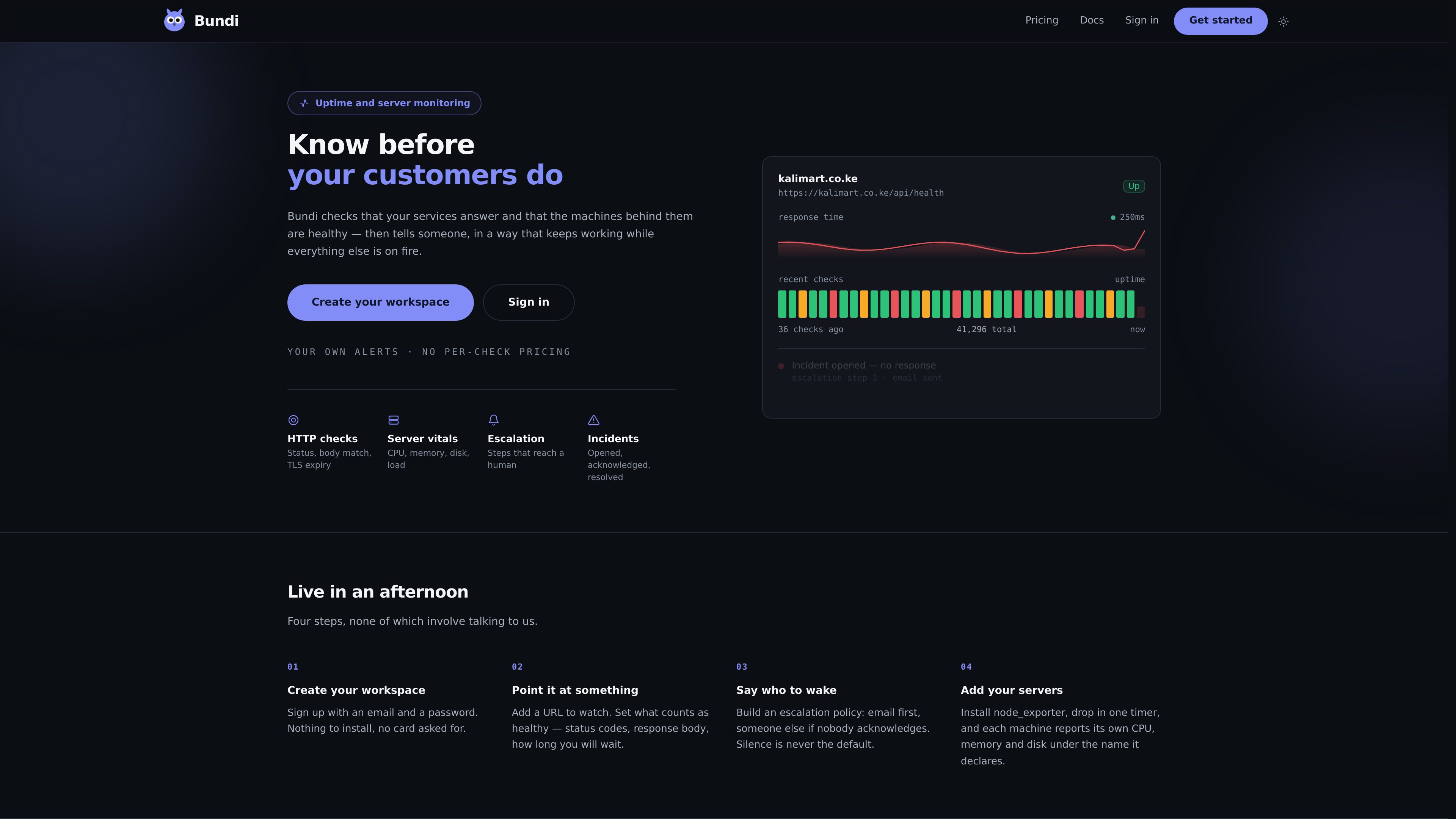
Bundi is an uptime and server monitoring service that checks websites, TCP services, scheduled jobs, and server health. It is designed to tell a responsible person when a monitored system stops responding or a scheduled task fails.

The service combines external availability checks with server-side reporting from node exporter. It groups repeated failures into incidents, supports acknowledgement and escalation, and provides email or webhook notifications. Dashboards and reports show current status, response times, uptime history, and incident activity.

O que Bundi pode fazer?

HTTP and TCP monitoring

Check websites and APIs over HTTP, or services such as databases and mail servers over TCP. HTTP monitors evaluate successful status responses, response time, and TLS certificate expiry; the Monitoring API adds options such as body matching, alternate status codes, methods, and timeouts.

Heartbeat monitoring for scheduled jobs

Create a heartbeat from a cron expression, grace period, and timezone, then have a job call its ping URL when it starts or finishes. Bundi opens an incident when the expected ping does not arrive or a job reports failure.

Server vitals from node exporter

Servers report CPU, memory, and disk readings approximately every minute through an API endpoint. Bundi does not connect to the machine directly; a server can be marked down after no reading for two minutes, and usage limits can be configured.

Incident grouping and escalation

A monitor must fail its configured number of consecutive checks before an incident opens. Repeated failures remain within the same incident, while escalation steps can notify another person if the initial alert is not acknowledged.

Email and webhook alerts

The signup email works as an alert channel without additional setup. Additional email destinations and HTTPS webhooks can receive incident notifications, and sent notifications are recorded in the alert history.

Dashboards and historical reports

The overview shows uptime, average response time, open incidents, response-time charts, recent incidents, and slow monitors. Monitor pages and analytics provide response metrics and uptime history across selectable time ranges.

Casos de uso

“Monitor a public website or API”

Add an internet-reachable URL and define the confirmation threshold for failures. Bundi can identify unavailable endpoints, unexpected HTTP responses, slow responses, and approaching HTTPS certificate expiry.

“Watch backups and other cron jobs”

Use a heartbeat for a nightly backup, import, report, or other scheduled task. The job calls its private ping URL on completion, so an absent or explicit failure signal can create an incident.

“Track self-managed servers”

Install node exporter on a machine, give it a declared name, and periodically post its metrics with API credentials. This lets operators watch server resource limits alongside service availability without granting Bundi direct access to the host.

“Give a small team an escalation path”

Configure an initial email recipient and an additional escalation step so an unacknowledged incident reaches another person. This supports teams that need basic human notification without a dedicated on-call rota.

“Share service status with hosted clients”

Use status pages on your own domain to provide clients with a place to check service availability, reducing the need to answer repeated status questions manually.

Perguntas frequentes

What types of monitors can Bundi create?

The documented monitor types are HTTP, TCP, heartbeat, and server monitoring. HTTP is for websites and APIs, TCP is for reachable host-and-port services, heartbeats verify scheduled jobs, and server monitors receive node exporter readings.

Can Bundi monitor an internal-only address?

Standard HTTP and TCP addresses must be reachable from the internet. Addresses such as localhost or private network addresses cannot be monitored through those checks.

How are incidents opened and resolved?

A monitor opens an incident after failing its configured number of consecutive checks. Alerts are sent once per incident rather than once per failed check, and the incident resolves on the next successful check; users can also acknowledge or resolve it manually.

What notification channels are available?

The account email is available automatically. Bundi also supports additional email addresses and HTTPS webhooks for incident-opened notifications. Webhook endpoints should return HTTP 200 within 10 seconds; Bundi retries an unavailable endpoint for about 30 minutes.

What happens when a payment stops or a plan is downgraded?

If payment stops, the workspace moves to the Free plan and continues running and alerting. A workspace above the Free limits becomes read-only until it is within those limits or subscribed to a suitable plan.

Informações rápidas

Category
Uptime and infrastructure monitoring
Monitor types
HTTP, TCP, heartbeats, and servers
Alert channels
Email and HTTPS webhooks
Server collection
Node exporter readings sent through API credentials
Plans
Free, Team, Business, and Custom tiers
Pricing model
Alerts are not metered by volume

Análise de tráfego de Bundi

Os dados de tráfego são apenas para referência.

Classificação do domínio
0

Alternativas ao Bundi

OutageDeck logo

OutageDeck

outagedeck.com

OutageDeck monitors official status feeds for cloud and software providers, then shows current incidents and sends change-based alerts. It helps individuals and teams determine whether a service problem is external before troubleshooting their own systems.

Pulsetic logo

Pulsetic

pulsetic.com

Pulsetic is a website and infrastructure monitoring service that checks uptime, performance, certificates, ports, APIs, scheduled jobs, and dependencies. It confirms failed checks from additional regions before alerting teams and provides status pages for communicating incidents.

HyperMonitor logo

HyperMonitor

hypermonitor.elemento.cloud

HyperMonitor is a cloud incident intelligence dashboard that collects, classifies, and correlates provider status and outage feeds in one place. It helps teams monitor cloud services, understand incident impact, and receive real-time notifications when a provider reports a problem.