
AI Clip Generation
Upload a long recording and let Recast identify moments worth turning into short-form clips and social assets.
Recast Studio is an AI-powered video editor for marketing teams that turns long recordings into clips, captions, and written assets. It supports transcript-based editing, repurposing, and direct publishing to major social platforms.
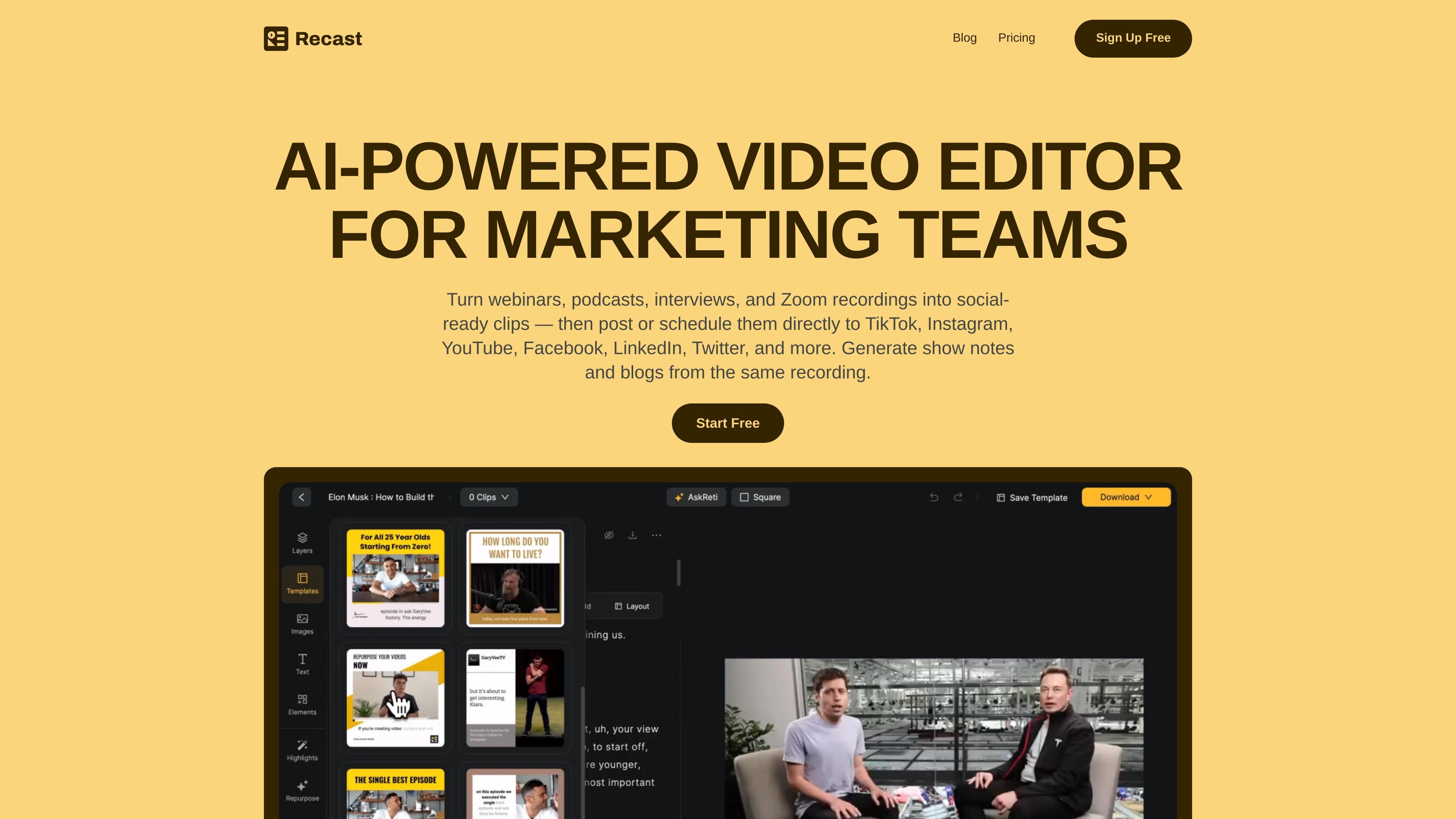
Recast Studio is an AI-powered video editor for marketing teams that repurposes long-form recordings into shorter clips and related content. The site positions it for webinars, podcasts, interviews, live events, and Zoom recordings, with a workflow that moves from one source video to multiple outputs.
In the editor, users can cut video by editing transcript text, apply captions and brand styling, reframe footage automatically, remove filler words, and generate written assets such as show notes or blog drafts. Recast also supports direct publishing or scheduling to major social platforms, so teams can move from editing to distribution without exporting to separate tools.
Upload a long recording and let Recast identify moments worth turning into short-form clips and social assets.
Edit video by highlighting transcript text, which lets you trim footage without relying on a traditional timeline.
Automatically detect faces and important scenes, then resize the frame to keep the subject in view.
Remove filler words and pauses such as “um,” “uh,” and awkward silences to clean up audio.
Generate blog drafts, show notes, LinkedIn posts, email copy, and summaries directly from the transcript.
Connect social accounts to post immediately or schedule clips from inside the editor.
Turn webinars into short clips, captions, and supporting posts so a single recording can fuel social distribution after the live event.
Convert podcast episodes into audiograms, clips, show notes, and blog drafts without moving the source material into separate editing and writing tools.
Pull highlight moments from interviews, refine them with transcript editing, and publish them as social-ready clips.
Edit recorded Zoom sessions into shorter clips and written summaries, then schedule the outputs to social platforms from inside Recast Studio.
Use the team workspace to share videos, leave feedback, and manage projects collaboratively when multiple people touch the same content.
Recast Studio is designed to turn long-form recordings into shorter clips and written assets from the same source file. The site specifically mentions webinars, podcasts, interviews, live events, and Zoom recordings as inputs.
The pricing page shows Free Trial, Starter, and Professional plans. It also indicates that credits are tied to upload minutes, with yearly plans receiving credits upfront at the start of the billing cycle.
According to the site, you can connect TikTok, Instagram, YouTube, Facebook, LinkedIn, Twitter, and X for direct publishing and scheduling from inside Recast Studio.
The site describes transcript-based editing, AI clip generation, auto reframe, filler and pause removal, AI writing for posts and blogs, and team workspace collaboration. Specific third-party integrations beyond the social platforms listed are not described in the provided source.