
Voice-first daily entries
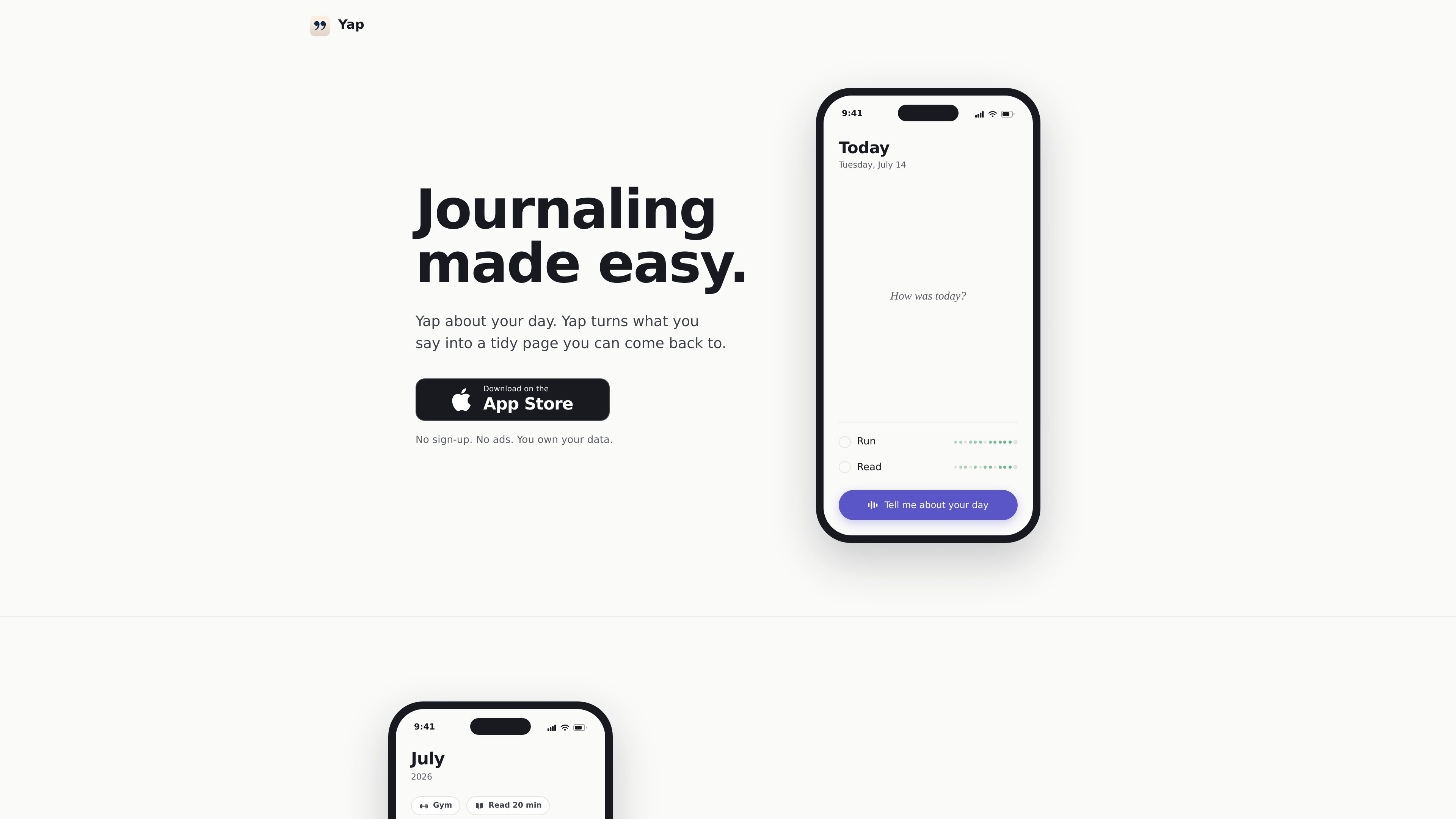
Speak about your day instead of writing it by hand. Yap is built around short spoken check-ins and turns the result into a journal page.

Yap is a voice journal for iPhone that turns a spoken account of your day into a tidy daily page. It is designed for people who want to capture and revisit memories without typing.
Yap is a voice journal for iPhone. Instead of typing, you talk about your day—typically for about a minute—and the app turns what you say into a tidy daily page that you can read back later. Each entry is associated with its date, creating a chronological journal rather than a stream of unstructured recordings.
The app is designed for low-friction personal reflection. Its examples show spoken entries retaining useful details such as tasks, habits, people, and events, while a calendar and dated notes make older days easier to revisit. Mood dots provide a month-level view, and there are no streak counters for missed days.
Audio transcription happens on the device and the audio does not leave the iPhone. Yap sends the transcript for organising and stores the resulting journal content so it can be shown in the app.
Speak about your day instead of writing it by hand. Yap is built around short spoken check-ins and turns the result into a journal page.
The app converts a spoken account into a tidy, dated page rather than leaving the user with an audio recording to sort through.
Browse journal pages by date through a calendar and a list of previous notes, making specific days available for later reading.
When someone is mentioned, relevant details can remain connected to the day they were said and be gathered into a broader view of that person.
Mood dots show how a month looked over time, offering a visual way to review the general shape of recent journal entries.
Yap states that transcription happens on the iPhone and that audio is never uploaded. The transcript is then sent for organising.
After work or before bed, speak a quick account of what happened. The resulting daily page preserves the entry without requiring a keyboard-based journaling session.
Mention people, trips, activities, or changes in your life while talking. Yap's examples show those details remaining associated with the relevant day and appearing in a people-focused history.
Use a daily check-in to say what you need to do next, such as booking an appointment. The example page surfaces that kind of task alongside the journal entry.
Return to the calendar, dated notes, and mood dots to compare individual days with the broader feel of a month.
Use the app intermittently when it suits you. A missed day remains a gap rather than triggering a streak counter or warning.
Yap is a voice journal for iPhone. You talk about your day, and it turns the spoken input into a tidy daily page that you can revisit.
No. Yap says transcription happens on your device and the audio never leaves your phone. The resulting transcript is sent for organising, and the organised result is stored so the journal can be displayed.
Yes. Individual entries can be deleted in the app at any time. Deleting your account removes everything stored on Yap's servers; Yap also says you can email support to request deletion.
No. The product says it has no streak counters and does not mark missed days with warnings. You can leave a gap and resume when you want.
The supplied product information identifies Yap as an iPhone app. It does not document Android support or team-oriented usage.
Traffic data is for reference only.

ideashell.ai
闪念贝壳 is an AI voice notes app for quickly capturing ideas, organizing and expanding them with AI, and exporting content to other tools.

basedhardware.com
Omi is an AI note-taking and recording product that turns voice, screen activity, and conversations into searchable notes, tasks, reminders, memories, and advice. It works across devices for work and personal life, using the devices you already own.

www.dictantor.app
Dictantor is an on-device voice notebook for recording, transcribing, searching, summarizing, and sharing voice notes. It is designed for capturing ideas and reviewing recordings across iPhone, Apple Watch, and Mac.
audionotes.app
AI note-taking app that turns voice, media, and links into structured notes across iOS, Android, Web, and Mac.

dictanote.co
Dictanote is a voice-powered note-taking app with speech-to-text, cloud sync, and voice commands.

talknotes.io
AI voice notes that turn speech into structured text, notes, tasks, and more