熊猫办公 icon

熊猫办公

Claim

熊猫办公 offers PPT, Word and Excel templates plus creative design assets, with AI generation, online PDF conversion and image tools.

熊猫办公

What is 熊猫办公

熊猫办公 is a material download platform for office work and creative design, offering PPT templates, Word templates, Excel spreadsheets, as well as cutout elements, background image libraries, illustrations, advertising design, stock photos, fonts, video templates, sound effects, and music resources. The homepage describes it as a site that combines office and design templates, with the core goal of helping users find ready-to-use templates and supporting materials more quickly.

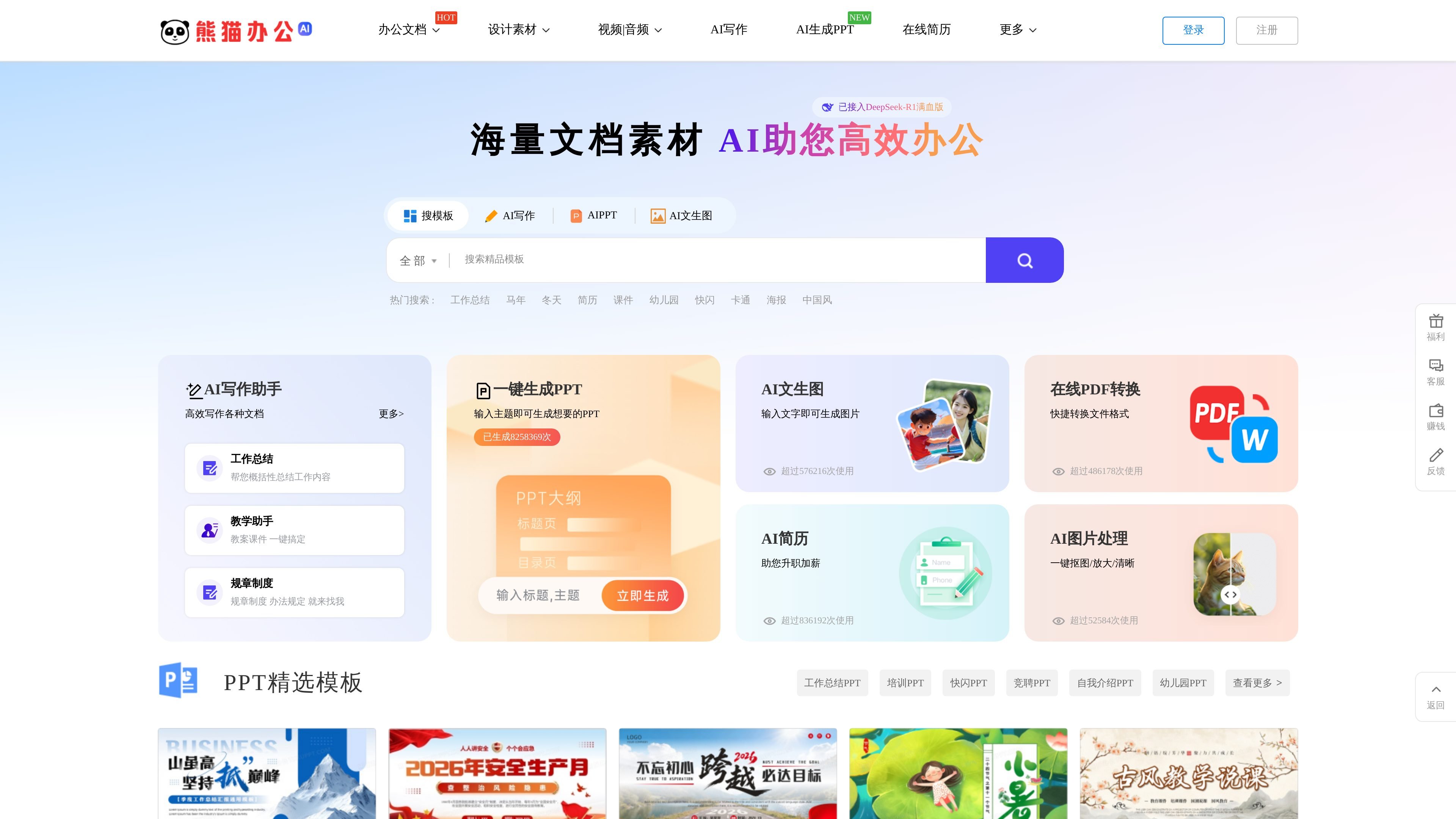
From the current page, the platform not only organizes materials by content type, but also by specific usage scenarios, such as work summaries, educational courseware, and corporate promotion for PPT; resumes and work samples for Word; and financial accounting, inventory purchasing and sales, and HR management for Excel. The page also shows entry points for AI-generated PPT, AI writing, AI text-to-image generation, online PDF conversion, and AI image processing, indicating that it combines template downloads and some online tools into a single workflow.

Core Features

Centralized management of multiple material types

The site aggregates PPT, Word, and Excel materials along with cutout elements, background image libraries, illustrations, advertising design, stock photos, fonts, video, sound effects, and music, allowing users to switch between different office and design resources on one platform.

Filter by scenario and style

The PPT, Word, and Excel pages offer category filters by use case and style, such as work summaries, resumes, financial accounting, business, minimalist, and technology styles, making it easier to narrow searches.

Access to AI and online tools

Several template list items are marked with prompts like AI generation or online creation, and the homepage also shows entry points for AI-generated PPT, AI writing, AI image generation, online PDF conversion, and AI image processing.

Template updates for efficient office work

The page explicitly highlights being practical and easy to edit, improving your efficiency, and daily updates of high-quality featured content, showing that the platform emphasizes editability and ongoing updates.

Task-oriented browsing and discovery paths

The PPT, Word, and Excel pages all provide template lists, popular categories, and sorting entry points, enabling users to quickly find usable materials based on specific tasks.

Use Cases

  • Create PPT reports and presentations

    Suitable for people who need year-end summaries, quarterly reports, training materials, or corporate presentation PPTs; the PPT categories and template lists on the page are all centered on these common office topics.

  • Edit Word documents and resumes

    Suitable for making job-search resumes, work samples, letter paper, invitations, or handwritten newspaper-style documents in Word; the Word page provides corresponding template sections.

  • Build Excel business spreadsheets

    Suitable for handling attendance, bookkeeping, inventory in/out, payroll, quotations, and project planning spreadsheets; the Excel page shows templates for these common office scenarios.

  • Add design and multimedia assets

    Suitable for users who need background images, cutout elements, advertising design, fonts, or video and audio materials; the platform places these resources together with office templates for easier unified search.

  • Quick drafting with AI

    Suitable for users who want to use AI to generate PPTs, write copy, create images, or process PDF files; the homepage provides corresponding AI and document tool entry points.

Pros and Cons

Pros

  • Broad coverage of material types, with office templates and design resources on the same platform.
  • PPT, Word, and Excel all offer scenario-based categories, making it easy to locate target templates quickly.
  • The pages show entry points related to AI generation and online creation, which suits workflows that need quick drafting.
  • A rich template library, suitable for searching by task, industry, or style.

Cons

  • The currently visible pages do not clearly show full pricing, membership rules, or download limits.
  • Some feature pages function more as entry points and lists, and the depth of editing, export formats, and collaboration capabilities is not fully explained.

FAQ

What content and tools does 熊猫办公 mainly provide?

熊猫办公 provides downloads of office materials such as PPT templates, Word templates, and Excel spreadsheets, and the page also shows entry points for AI-generated PPT, AI writing, online PDF conversion, and AI image processing.

What types can I browse by?

The page shows categories including PPT templates, Word templates, Excel spreadsheets, cutout elements, background image libraries, illustrations, advertising design, stock photos, fonts, video templates, sound effects, music, and PPT charts, making it suitable for browsing by material type.

Can templates be filtered by use case?

The PPT page offers scenario and style filters such as work summaries, educational courseware, award ceremonies, corporate promotion, business, minimalist, technology, and Chinese style. The Word and Excel pages are also split by scenarios such as resumes, posters, financial accounting, and inventory management.

Where can I check pricing and membership information?

From the pages collected, 熊猫办公 mainly focuses on template downloads and online creation entry points. Specific pricing, membership rules, and download limits are not clearly shown on the currently visible pages.

Can I generate or create content online after using a template?

The PPT, Word, and Excel pages all show extensive template lists, and some items include actions such as AI generation, online creation, or favorites, indicating that the platform supports both downloads and some online generation/editing workflows.

Quick Facts

Brand
熊猫办公
Official domain
tukuppt.com
Main content
PPT templates, Word templates, Excel spreadsheets, and creative design assets
Platform type
Office template and design asset website
Visible tools
AI-generated PPT, AI writing, online PDF conversion, AI image processing
Pricing information
Not clearly shown on the currently visible pages