
Multiple AI image models
Generate images with supported models such as GPT Image 2, Nano Banana, Seedream 5.0, Midjourney, Z-Image, FireRed, Grok Imagine, and Qwen Image Edit.

WeShop AI is a web-based image and video generation studio for e-commerce content, with AI models for virtual try-on, product photos, and fashion assets.
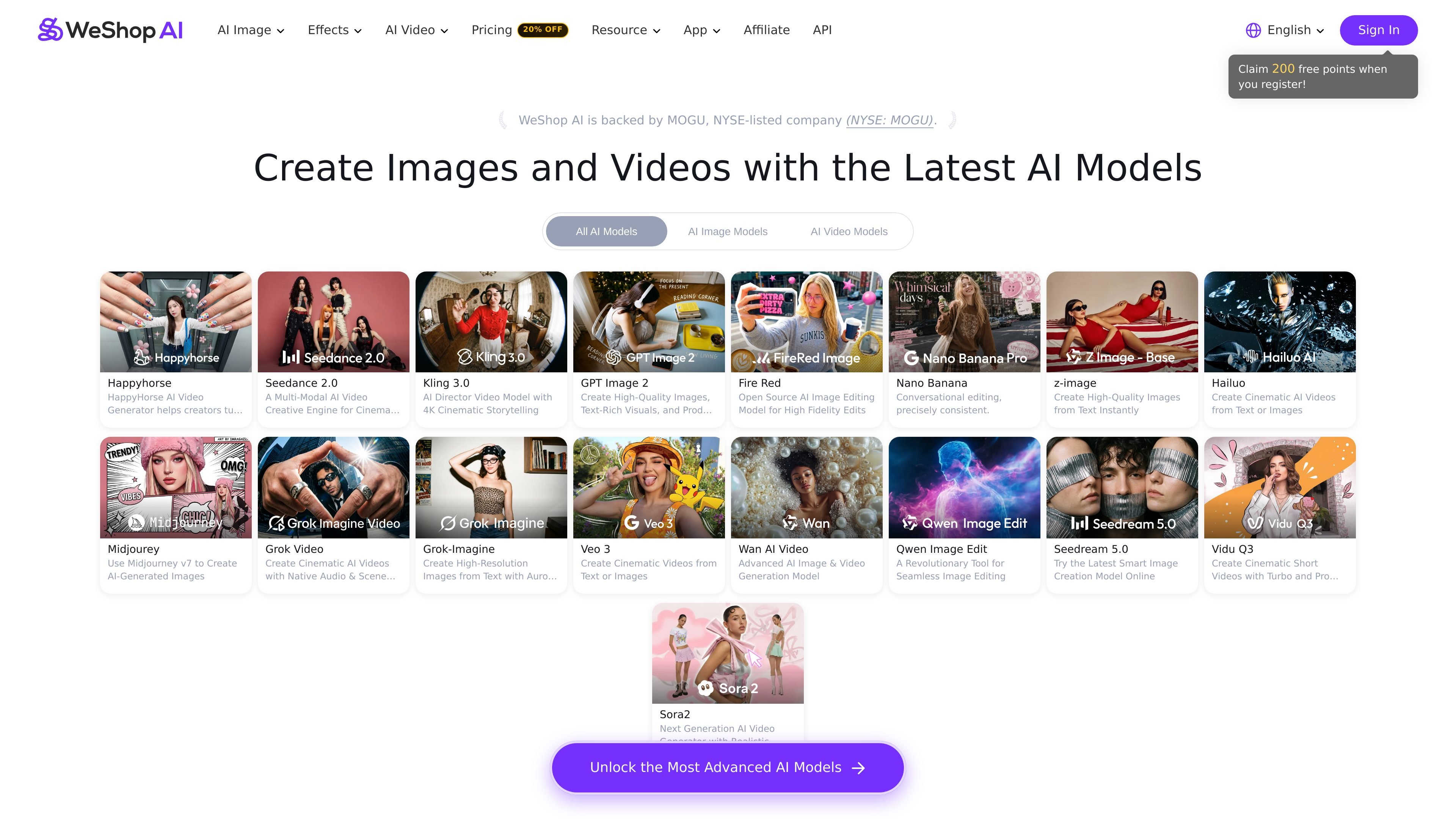
WeShop AI is an AI image and video generator built around a catalog of current-generation models for image creation, image editing, and video generation. The home page presents it as a way to create professional content online using models such as Nano Banana, Kling, Seedance, GPT Image 2, and others.
The product is especially positioned for e-commerce workflows, with tools for virtual try-on, AI fashion models, product photography, pose changes, background removal, and related editing tasks. The solutions page describes it as a creative studio for merchants, brands, photographers, designers, marketers, and agencies, while the pricing page adds that the service is backed by MOGU and offers app access plus subscription plans.
Generate images with supported models such as GPT Image 2, Nano Banana, Seedream 5.0, Midjourney, Z-Image, FireRed, Grok Imagine, and Qwen Image Edit.
Create videos with models including Seedance 2.0, Kling 3.0, HappyHorse, Hailuo, Grok Video, Veo 3, Wan AI Video, Vidu Q3, and Sora 2.
Use tools for virtual try-on, AI fashion models, product photography, model-to-mannequin conversion, pose generation, outfit generation, background removal, magic erasing, and photo enhancement.
Edit images with tools such as AI image combiner, face swap, image recolor, hands and feet fixer, relight, expand image, design repair, and image-to-sketch.
Generate videos from prompts, footage, audio, or AI images, and use tools like video enhancement and watermark removal.
Generate from one to 16 images at a time and use the Settings control to adjust output quantity.
Merchants can generate product photography, try-on visuals, model shots, and background variations for storefronts and catalogs without building each asset manually.
Designers and marketers can create campaign visuals, social content, and branded assets using image generation, editing, and video models from the same interface.
Photographers and studios can use the editing tools to remove backgrounds, enhance photos, adjust poses, and refine visual details for client deliverables.
Fashion teams can produce virtual try-on images, change outfits, and build AI fashion model visuals for apparel presentation and assortment updates.
Teams that need video output can turn prompts, images, footage, or audio into videos, then refine them with enhancement or watermark removal tools.
WeShop AI offers three subscription plans: Pro, Ultra, and Enterprise. The FAQ says Pro is for individual users with everyday creation needs, Ultra is for users who need more power and higher usage limits, and Enterprise is for teams that need broader API access.
The FAQ states that 200 free sign-up points can be used across selected models. Points are also issued immediately after purchase or subscription activation, depending on the plan.
You can cancel from your account billing settings. The plan remains active until the end of the current billing cycle, and then it will not renew.
Yes. The FAQ says you can click the Settings icon to adjust the number of images and generate from 1 to 16 images at a time.
The FAQ explains that pricing is based on AI computing power rather than buying or maintaining GPUs, with a reference standard of about 10 computing power points per generated image.