
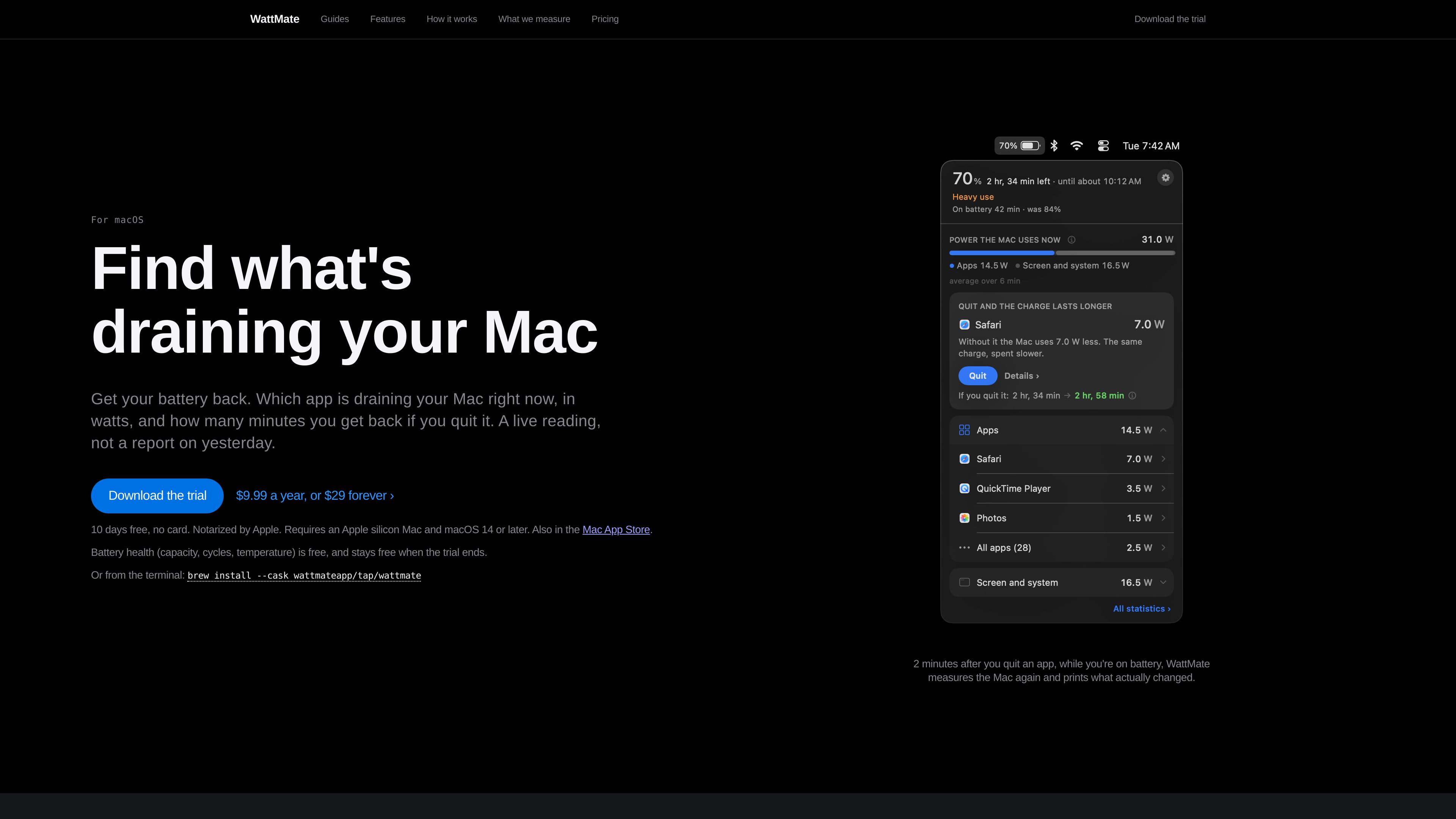
Per-app watt readings
Shows app power use in watts instead of Activity Monitor’s unitless Energy Impact score. Helper processes are grouped with the app that started them, while system daemons are kept out of the app ranking.

A macOS battery diagnostic tool that shows which apps use power and what quitting them may save.
WattMate is a battery diagnostics app for Apple silicon Macs running macOS 14 or later. It identifies app-level power use in watts, estimates the battery minutes associated with quitting an app, and checks the estimate with a follow-up measurement. Measurements and calculations are performed locally on the Mac. The app also covers battery health, overnight wake activity, charge sessions, and power use while plugged in.
Shows app power use in watts instead of Activity Monitor’s unitless Energy Impact score. Helper processes are grouped with the app that started them, while system daemons are kept out of the app ranking.
Estimates the minutes associated with quitting an app, then measures the Mac again about two minutes later on battery. If the effect cannot be isolated from other changes, WattMate reports that no result can be claimed.
Reads battery current and voltage on battery, and chip energy counters for processor, graphics, Neural Engine, and other hardware blocks. It uses board power and adapter output when the Mac is plugged in.
Keeps one selected app visible in a dedicated menu-bar item with its icon and watts. A last-hour verdict compares the app with its recent usual level, and a notification can trigger once when it remains above a user-set threshold.
Shows delivered, consumed, stored, and spare adapter power, including the watt shortfall drawn from the battery when the Mac needs more than the adapter supplies.
Provides capacity, cycle count, and temperature readings, along with overnight wake records and charge-session summaries. Detailed data is retained for two days, while session summaries remain until erased in Settings.
Use the live app list to identify which open app is consuming power, then compare the projected minutes with the result of quitting it.
Star an app that may be active when it should be idle. Its menu-bar reading, last-hour verdict, and threshold notification can help identify sustained background use.
Quit an app while on battery and review the follow-up receipt approximately two minutes later to see what changed, without taking credit for unrelated load changes.
Review wake-up names, wake frequency, and time held awake, then use charge-session summaries to see where a previous battery session went.
When a connected Mac continues losing charge, inspect adapter output and the Mac’s demand to determine whether the battery is supplying the watt difference.
It requires an Apple silicon Mac running macOS 14 or later. The app does not support Intel Macs because the per-process energy counter it relies on returns zero there.
No. Per-app measurements and local storage stay on the Mac, and the app does not require an account, password prompt, or helper installation. Anonymous usage statistics and crash reports are enabled by default but can be turned off in Settings.
The app list appears within seconds, but minutes require a measurement window while the battery is actually losing charge. The first figure arrives within about three minutes about half the time and can take longer, especially after unplugging, at full charge, or after waking from sleep.
The trial lasts 10 days and starts when the app is first opened; no card or account is required. Afterward, the app list, watt readings, battery health, last run, and most recent night remain free. Minute estimates, deeper run history, night archives, and totals require a license costing $9.99 per year or $29 once.
No. Graphics has a measured total but no authoritative per-app owner, and Neural Engine work is not assigned to apps. Screen, memory, storage, radios, idle activity, and other unowned work appear outside app attribution, so app readings do not necessarily add up to the Mac’s total power use.
Traffic data is for reference only.

www.greypaint.app
Greypaint is a macOS app updater that checks Sparkle appcasts, Homebrew, GitHub releases, and the Mac App Store in one list. Review available updates, choose when to apply them, and manage selected apps from one utility.

www.stashformac.com
Stash is a macOS utility that keeps apps and system controls accessible from the screen edges and corners without leaving them visible. It includes a Hidden Dock, App Launcher, Edge Sliders, Corner Dials, App Profiles, and an iPhone companion called Stash Deck.

parall.app
Parall is a native macOS launcher for creating separate instances of supported apps, websites, files, folders, and command-line tools. It helps users maintain distinct app identities, data paths, profiles, and launch settings where macOS and the target app support them.