
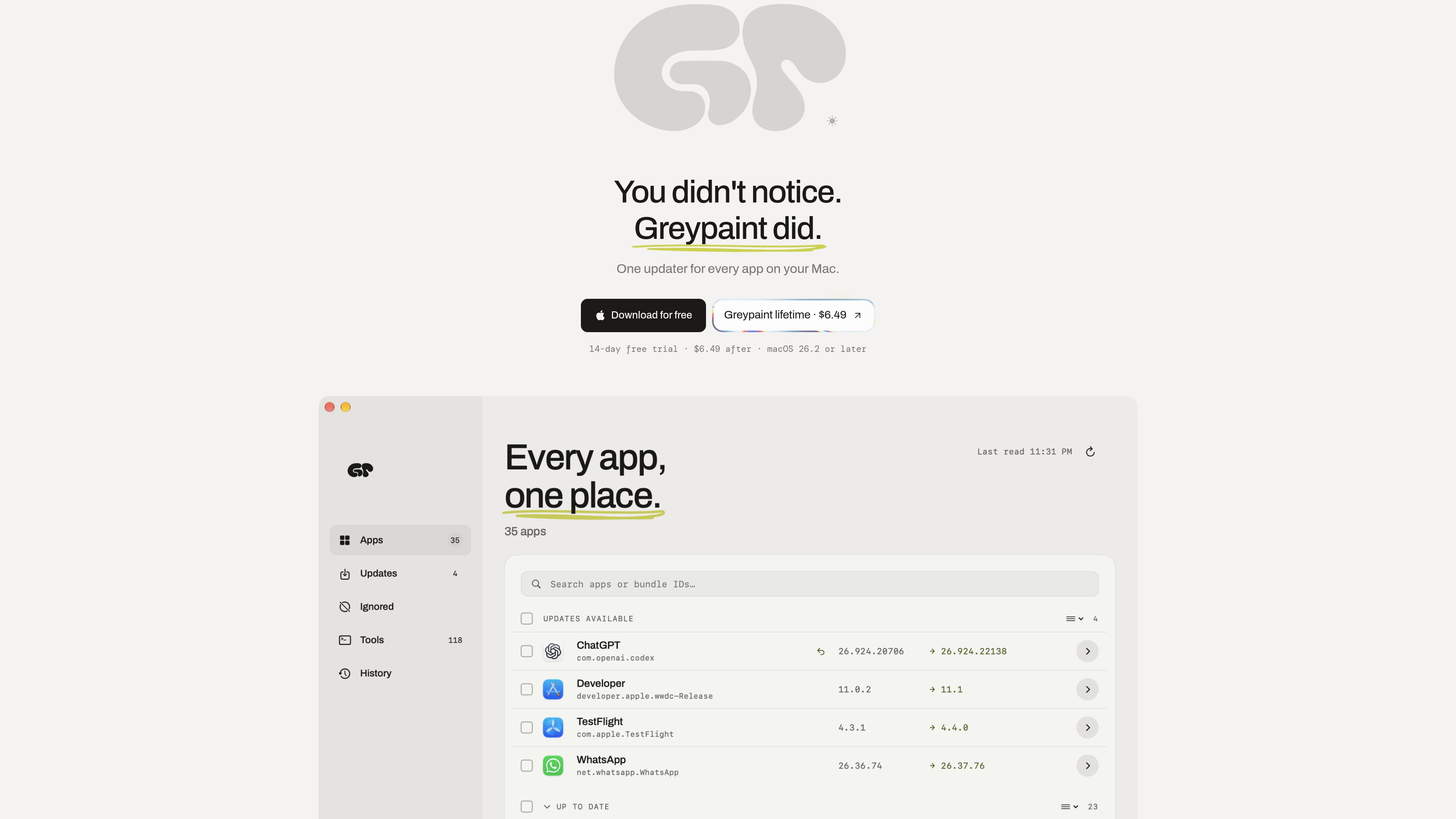
Multi-source update checking
Checks Sparkle appcasts, Homebrew casks, GitHub releases, and Mac App Store data and presents the results in one list.

Greypaint is a macOS app updater that checks Sparkle appcasts, Homebrew, GitHub releases, and the Mac App Store in one list. Review available updates, choose when to apply them, and manage selected apps from one utility.
Greypaint is a macOS utility that checks multiple update channels used by Mac software, including Sparkle appcasts, Homebrew, GitHub releases, and the Mac App Store. It consolidates available updates into one list so users can review apps from different distribution sources in one place.
The app emphasizes user-controlled updating: it can check on a schedule or manually, flag major and incompatible releases, explain what will happen before an update, and let users choose which updates to apply. It also includes coverage for Homebrew formulae and npm packages, while keeping command-line tools from being updated without the user’s instruction.
Checks Sparkle appcasts, Homebrew casks, GitHub releases, and Mac App Store data and presents the results in one list.
Can check with the window closed on an hourly, six-hour, daily, or never-unless-requested schedule.
Shows what changed, what could break, and what the update will not do before touching an app.
Flags major-version jumps, lets users skip a version, and explains when an update requires a newer Mac or macOS.
Provides a rollback path to a previous version and calls out apps still using Rosetta or apps whose developers have discontinued them.
Offers configurable shortcuts and also checks Homebrew formulae and npm packages without updating command-line tools automatically.
Use one review list when a Mac contains a mixture of indie apps using Sparkle, Homebrew-installed software, GitHub-distributed releases, and Mac App Store apps.
Choose scheduled checks for routine visibility, or use manual checking when updates should only be reviewed on demand.
Review major-version flags, skipped releases, and macOS requirements before deciding whether an update is appropriate for the current Mac.
Use refresh controls, the App Store button, update logs, and permission guidance when a result is stale or macOS prevents an app replacement.
Monitor Homebrew formulae and npm packages from the same utility while retaining control over when command-line tools are changed.
It checks Sparkle appcasts, Homebrew casks and formulae, GitHub releases, and Mac App Store data. It also includes npm packages among the command-line tools it can check.
The product describes user-controlled behavior: major versions never install on their own, command-line tools are never updated without the user, and other updates can wait for user action. It also states that security fixes can install quietly, so users should review the app’s settings and update prompts for the behavior that applies to each update.
The available schedules are hourly, every six hours, daily, or never unless you ask. Manual checking is also available.
Greypaint identifies the missing update and explains when a release requires a newer Mac or macOS. It can also flag major-version changes and let you skip a version.
The site offers a 14-day trial with every feature included. It lists a $6.49 lifetime license with updates included and no subscription, and says a refund can be requested within 14 calendar days of purchasing the lifetime license, subject to the published policy.
Traffic data is for reference only.

www.stashformac.com
Stash is a macOS utility that keeps apps and system controls accessible from the screen edges and corners without leaving them visible. It includes a Hidden Dock, App Launcher, Edge Sliders, Corner Dials, App Profiles, and an iPhone companion called Stash Deck.

wattmateapp.com
A macOS battery diagnostic tool that shows which apps use power and what quitting them may save.

focusfirewall.com
Focus Firewall is a macOS app that blocks distracting websites and apps across browsers without browser extensions. It helps people automate focus periods, take controlled breaks, and review local browsing-time reports.

parall.app
Parall is a native macOS launcher for creating separate instances of supported apps, websites, files, folders, and command-line tools. It helps users maintain distinct app identities, data paths, profiles, and launch settings where macOS and the target app support them.