
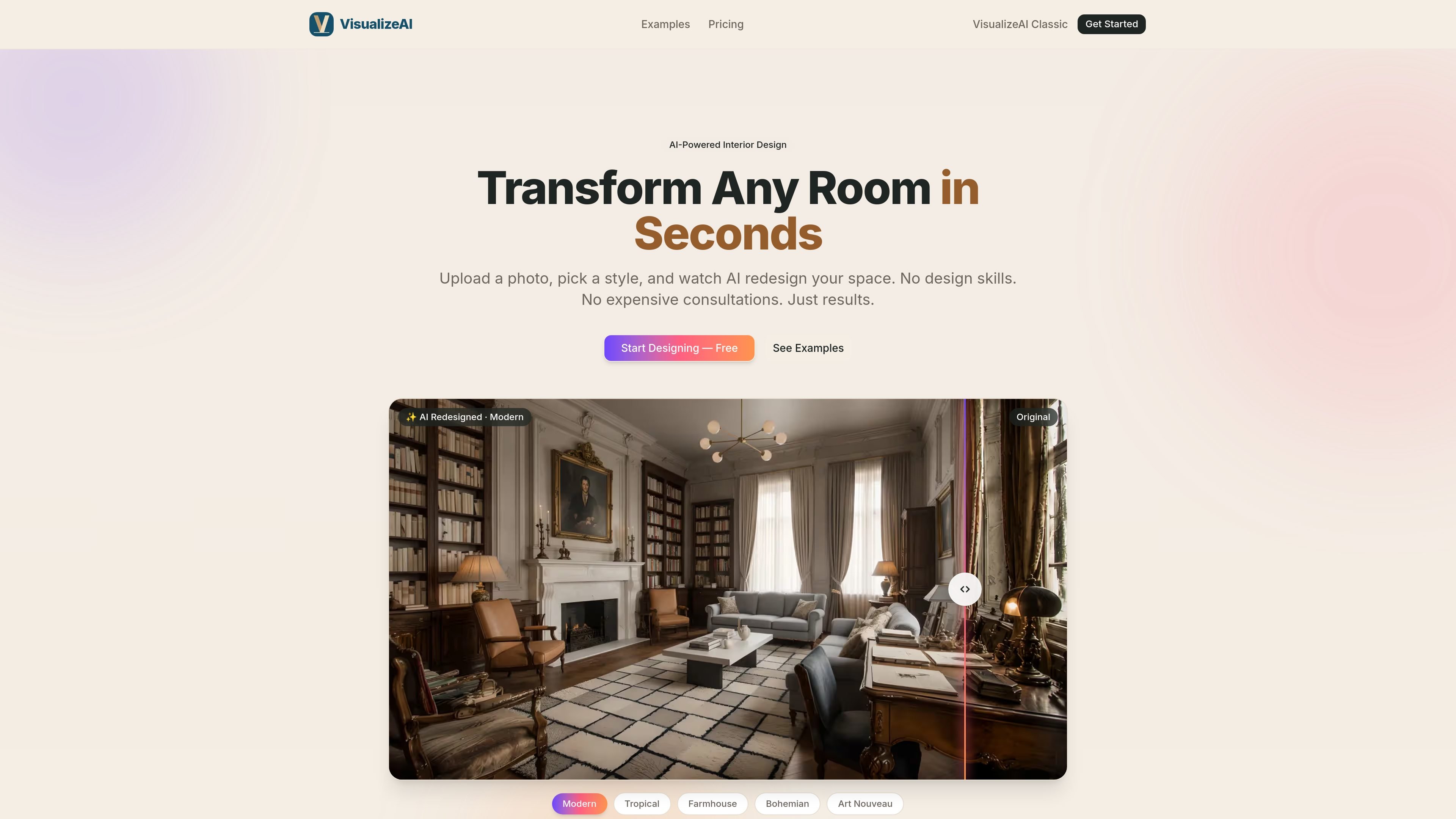
Photo-based room redesign
Upload a photo of a room and have VisualizeAI generate a redesign based on the room’s layout, proportions, lighting, and architectural features.

AI interior design that turns room photos into realistic redesigns
VisualizeAI is an AI interior design and room visualization tool that turns a single room photo into a photorealistic redesign. It is built for people who want to explore new layouts, furniture, finishes, and styles before committing to a renovation or purchase.
The workflow is straightforward: upload a photo, choose from 30+ design styles, and generate a result in seconds. The product pages position VisualizeAI for homeowners, renters, interior designers, decorators, real estate agents, and stagers who need quick visual direction without relying on manual mockups or lengthy consultations.
The site also distinguishes VisualizeAI from simple paint visualizers by showing full-room redesigns rather than only wall-color changes. That means the output can reflect furniture, flooring, decor, lighting, and color palette together in one image.
Pricing information on the site is presented in more than one format across pages, but the common thread is that users can start with free access and then use paid credits or plans for additional renders.
Upload a photo of a room and have VisualizeAI generate a redesign based on the room’s layout, proportions, lighting, and architectural features.
Choose from 30+ styles, including modern, japandi, scandinavian, boho, art deco, mediterranean, industrial, minimalist, and more.
See output in seconds, with renders described as photorealistic visualizations of the redesigned space.
Apply the workflow to living rooms, bedrooms, kitchens, bathrooms, home offices, gardens, patios, and other indoor or outdoor spaces.
Use downloaded results for commercial purposes on paid plans, including listings, presentations, and marketing materials.
Homeowners and renters can preview a room refresh before buying furniture, repainting, or starting a renovation, which helps narrow down style choices early.
Interior designers and decorators can generate photorealistic concepts quickly and use them to compare directions during client discussions.
Real estate agents and stagers can show the potential of an empty or dated property with visualizations intended for listings and presentations.
Users can test multiple styles against the same room photo to compare options such as japandi, boho, modern farmhouse, or mid-century modern.
People redesigning kitchens, bathrooms, offices, or outdoor areas can use the same workflow across different room types without switching tools.
VisualizeAI lets you upload a photo of a room, choose a design style, and generate a photorealistic redesign in seconds. The output is a visualization of how the room could look after a redesign rather than an architectural plan.
The site says VisualizeAI supports 30+ styles, including modern, japandi, scandinavian, boho, art deco, mediterranean, industrial, minimalist, and more.
Yes. The site says paid plans include commercial usage rights, and the product pages mention use cases such as real estate listings, client presentations, staging visualizations, and marketing materials.
VisualizeAI offers free credits or a free trial for new users. The site also says paid access uses one-time credit packs on the home page, while the AI interior design page describes paid plans with monthly render allowances; the product pages should be checked for the current pricing format before purchase.
Traffic data is for reference only.

www.spacely.ai
Spacely AI helps architects, interior designers, realtors, and creative teams turn sketches into photorealistic renders with precise editing and virtual staging.

homevisualizer.ai
AI design previews for interiors, exteriors, and landscapes

dreamhouseai.com
AI interior and exterior design from room or house photos

artevia.ai
Artevia is an AI interior design platform for photo-based room redesign, upscaling, video rendering, and 3D world exploration.

roomgpt.io
RoomGPT is an AI room redesign tool that creates new interior looks from a photo, helping you preview styles before renovating or decorating.

virtualstagingai.app
Virtual Staging AI digitally stages real estate photos for listing-ready visuals.