
Text, markdown, and HTML output
Convert a URL into plain text, markdown, or HTML so the output can be pasted into another workflow or tool.

URLtoText converts webpage URLs into clean text, markdown, or HTML for copying into AI tools or editors. It also offers optional extraction controls for JavaScript-heavy pages, YouTube URLs, and account-gated premium workflows.
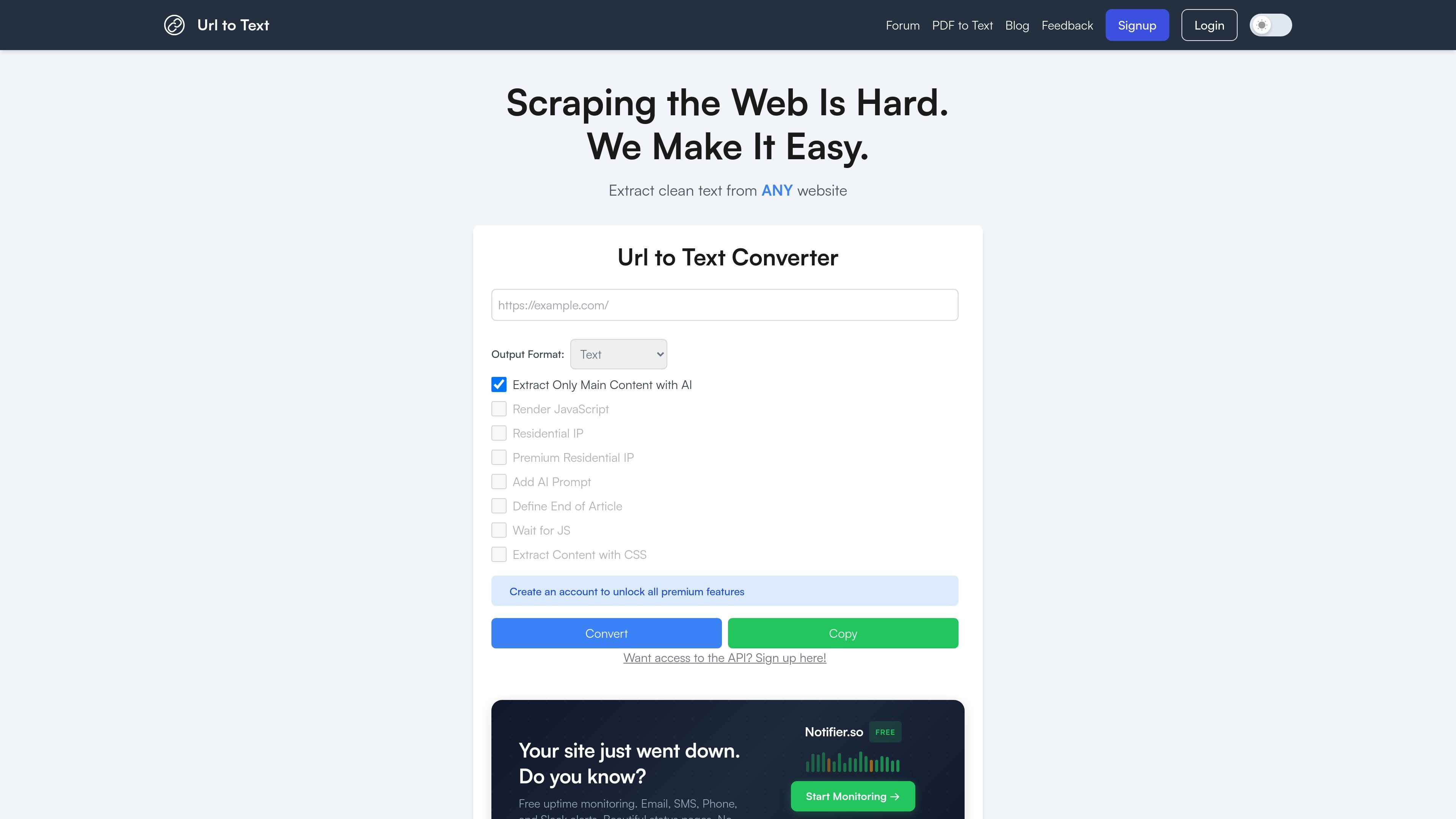
URLtoText is a web tool for turning a webpage URL into clean text, markdown, or HTML. Its core job is to strip away page chrome and return content that can be copied into an editor, a note, or an AI workflow.
The homepage positions the product as a way to make scraping the web easier, and it adds controls for cases where simple fetching is not enough. Those controls include AI-assisted main-content extraction, JavaScript rendering, residential IP access, custom prompts, end-of-article stopping, wait-for-JS behavior, and CSS-selector-based extraction.
Convert a URL into plain text, markdown, or HTML so the output can be pasted into another workflow or tool.
Optionally ask the service to extract only the main relevant content from a page using AI-based filtering.
Render JavaScript before conversion for pages that depend on client-side content.
Use a residential IP address for the request, with the note that only one proxy option can be selected at a time.
Add a custom AI-generated prompt for extraction when signing in to unlock premium features.
Stop extraction at a named boundary such as an article endpoint, or specify a CSS selector to target content.
Pull the readable content from a news story, blog post, or documentation page and paste it into an AI assistant or writing tool.
Convert JavaScript-heavy pages after enabling rendering so content that loads client-side is captured in the output.
Extract only the relevant portion of a long page using the main-content option, an end-of-article boundary, or a CSS selector.
Process a YouTube URL when you want a transcript-oriented text result instead of a standard webpage extraction.
Use account-only controls like residential IPs or custom prompts when a page needs extra extraction help or more tailored output.
The tool accepts a URL and returns the page content as plain text or markdown. The homepage also lists optional extraction controls such as AI main-content extraction, JavaScript rendering, residential IP usage, custom AI prompts, end-of-article stopping, waiting for JavaScript, and CSS-selector-based extraction.
The homepage shows a simple workflow: enter a URL, choose an output format and any available options, then click Convert and copy the result. It also notes that YouTube URLs are detected and treated specially, with additional options disabled when they do not apply.
Supported outputs shown on the homepage are Text, Markdown, and HTML.
The site says the free version has rate limits, while a paid version offers additional features, more functionality, and a robust API without rate limits. The pricing page itself returned an error, so no exact plan details are available.
The site says it prioritizes data security, uses basic web analytics for rate limiting and service protection, and does not sell submitted URL data to third parties.