
Hands-free speaking practice
Open call mode and speak naturally instead of typing. The site says there are no buttons to press and no script to follow, which makes practice usable while driving, walking, or doing chores.
Teacher AI is a speaking-practice app for language learners to practice real conversation with AI clones of YouTube language teachers on iOS, Android, and web.
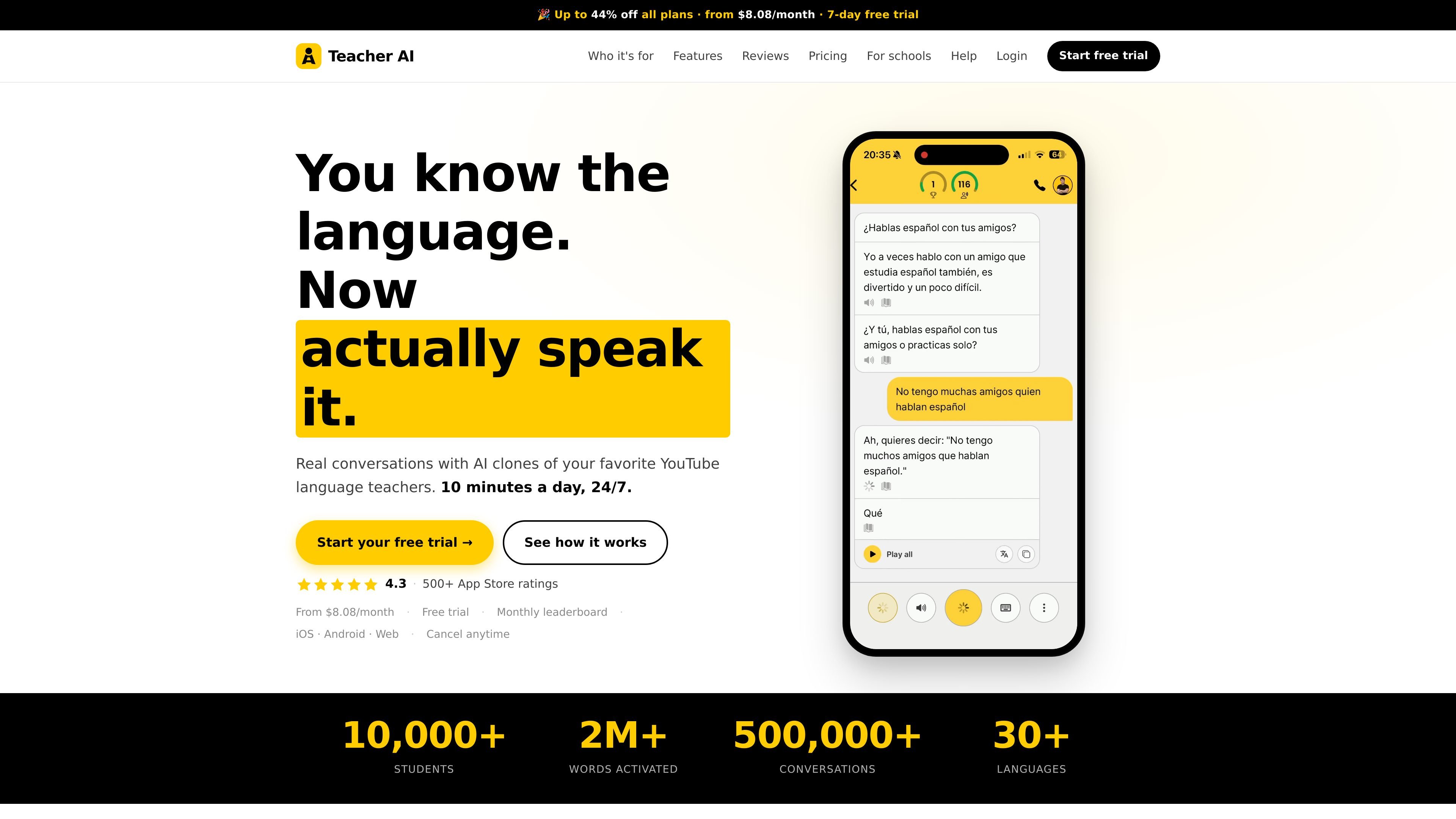
Teacher AI is a speaking-practice app for language learners who already have some foundation but still struggle to speak confidently. It focuses on real conversation rather than structured lessons, using AI clones of popular YouTube language teachers to give users a low-pressure place to practice.
The product is built around short, repeatable speaking sessions. Users can talk in a phone-call-style interface, get live transcripts and in-context corrections, choose from topic prompts, and review new vocabulary later through automatically saved flashcards. The site lists support for iOS, Android, and the web, and it describes the product as available 24/7 with a monthly subscription and free trial.
Open call mode and speak naturally instead of typing. The site says there are no buttons to press and no script to follow, which makes practice usable while driving, walking, or doing chores.
Choose from hundreds of conversation starters across themes such as career, relationships, travel, and current events. Prompts are sorted by level so the conversation stays challenging without becoming overwhelming.
Practice with AI clones of language teachers the product says it has partnered with. This lets learners talk with teachers they already trust rather than starting from a generic bot.
The transcript appears as you speak, and corrections are delivered gently in context. The product frames this as a way to keep the conversation moving while still getting feedback.
The app counts unique words used in conversation and saves translated words as flashcards for later review. This connects speaking practice with vocabulary review instead of treating them as separate tasks.
Monthly speaking challenges include a live leaderboard that updates in real time. The site positions this as a way to make regular practice easier to stick with.
For learners who have studied with apps, courses, or videos and now need to actually speak, the product provides a place to turn passive knowledge into conversation practice.
For users who feel nervous with native speakers or human tutors, the app offers practice without the pressure of judgment and with corrections delivered in context.
For people who want a short daily routine, the app is built around 10-minute sessions that can fit into commuting time, breaks, or chores.
For learners who already follow specific YouTube teachers, the product lets them practice with AI clones of those teachers instead of starting over with a generic conversation partner.
For users who want to keep vocabulary from speaking sessions, tap-to-translate words are saved as flashcards so they can review what they actually used.
Teacher AI is designed for learners who already have a basic foundation and want to practice speaking more naturally. The site says it is less suitable for complete beginners with no vocabulary, and recommends building an A2 foundation first.
The product uses AI clones of YouTube language teachers. The site says you can practice with the teachers you already follow and talk as much as you want.
The homepage describes a call mode where you speak instead of typing, see a live transcript, and receive corrections in context without breaking the flow.
The pricing page and homepage both show a monthly subscription with a 7-day free trial, and the homepage states that plans can be canceled anytime. The site also shows the product is available on iOS, Android, and web.
The site describes monthly speaking challenges with a live leaderboard. It does not provide classroom, team, or organizational setup details on the pages provided.