
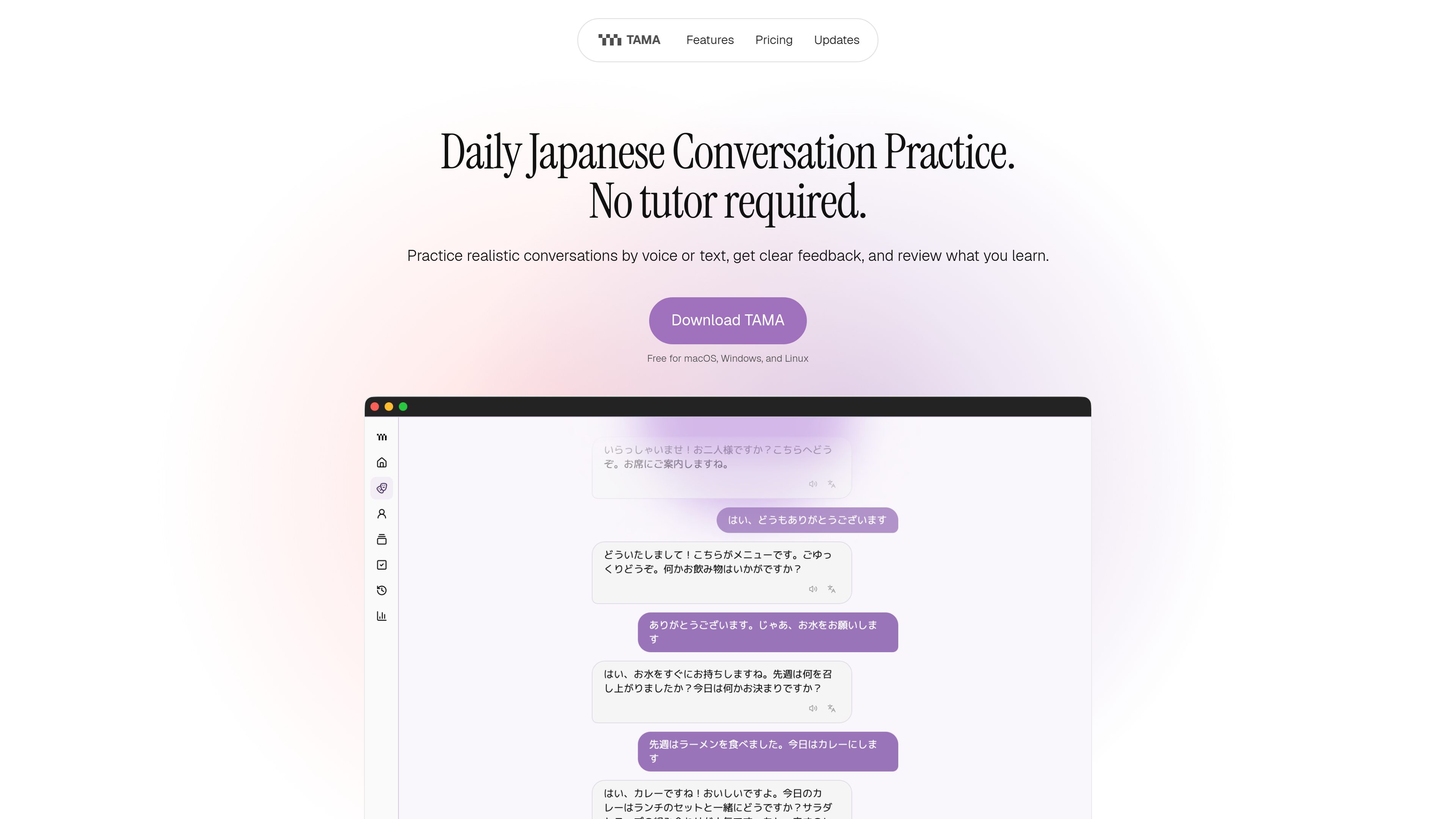
Scenario-based conversation practice
Choose practical situations and rehearse Japanese in a conversational setting, with options to make situations simpler or more challenging as your ability develops.

TAMA is a desktop app for practicing Japanese through realistic voice or text conversations. It provides session feedback, saves useful vocabulary to spaced-repetition flashcards, and supports local models or user-supplied API keys.
TAMA is a desktop Japanese conversation-practice app built around realistic everyday scenarios. Learners can choose situations such as ordering food, checking into a hotel, or making small talk, then practice with an AI conversation partner by speaking or typing.
After a session, TAMA summarizes the conversation and suggests what to practice next. Learners can save useful vocabulary from the exchange to flashcards, while the practice dashboard brings together the daily plan, recent conversations, and cards that are due for review.
Choose practical situations and rehearse Japanese in a conversational setting, with options to make situations simpler or more challenging as your ability develops.
Practice by speaking or typing. This supports spoken interaction while retaining a text-based option for learners who prefer to write or who are not ready to use voice.
TAMA summarizes each conversation and provides a clear suggestion for the next practice focus, helping learners turn a completed session into a concrete follow-up activity.
Save useful words from conversations directly to flashcards. TAMA uses spaced repetition to schedule reviews so saved vocabulary can be revisited over time.
The dashboard combines the daily plan, recent conversations, and due flashcards in one place, allowing learners to resume previous work or start another activity without choosing a study plan from scratch.
The Free app supports local models and user-provided API keys. The planned managed option provides the AI service without requiring an API key or provider setup.
Learners can rehearse situations such as ordering at a restaurant, checking into a hotel, and making small talk before encountering them in real life.
People who already know a few basic Japanese words and phrases can use guided scenarios to practice combining them in longer exchanges. The app is described as especially useful from beginner through intermediate level.
After encountering unfamiliar or useful words during a session, learners can save selected vocabulary and return to it through spaced-repetition flashcards rather than maintaining a separate review workflow.
The dashboard provides a single place to see the daily plan, recent conversations, and flashcards due for review, which can help learners continue from their previous activity.
TAMA works best once you know a few basic words and phrases. Its conversations are especially useful for beginner through intermediate learners, and scenarios can be adjusted toward simpler or more challenging situations.
Public builds are available for macOS on Apple Silicon, Windows x64, and Linux x64. Installers are provided through the project’s GitHub Releases page.
Not for the Free app when using a compatible local model. The Free app can also connect to a provider through your own API key. The planned managed option is intended to include the AI service without API-key or provider setup.
In the Free app, study history, flashcards, personas, and settings stay on the device. Requests are sent only to the AI or speech provider selected by the user. The managed beta is expected to have separate data terms before access is provided.
After a conversation, TAMA provides a session summary and a practice suggestion. You can save useful vocabulary from the session, and those saved words become spaced-repetition flashcards.
Traffic data is for reference only.

www.dograh.com
Dograh is an open-source, self-hostable platform for building and deploying production voice agents, connecting telephony, speech, language models, text-to-speech, workflows, and observability on your infrastructure or its managed cloud.

www.openscience.sh
OpenScience is an open-source AI workbench for scientific research. Bring literature search, scientific databases, code, experiments, compute, and results into one workspace, with included models, external provider keys, subscriptions, and local model support.

mobilebuilds.app
Mobile Builds is a native app for iPhone, iPad, Mac, and Apple Vision Pro that lets Apple-platform developers monitor and manage Xcode Cloud runs. It provides run status and history, build controls, workflow editing, and optional access for Xcode and Claude Code through a local read-only MCP server.

kelam.sh
Kelam gives AI assistants a phone number for making and receiving calls. It supports browser-based agents and coding-agent workflows, with live transcripts, recordings, extracted call facts, and English, Spanish, and French voice conversations.