
Multiple sticky note formats
Create whiteboard workspaces with multiple sticky note types, including image, video, whiteboard, text, and index card notes.

Stormboard is a data-first collaboration and digital whiteboard platform for turning meetings, brainstorming, and planning into structured outputs.
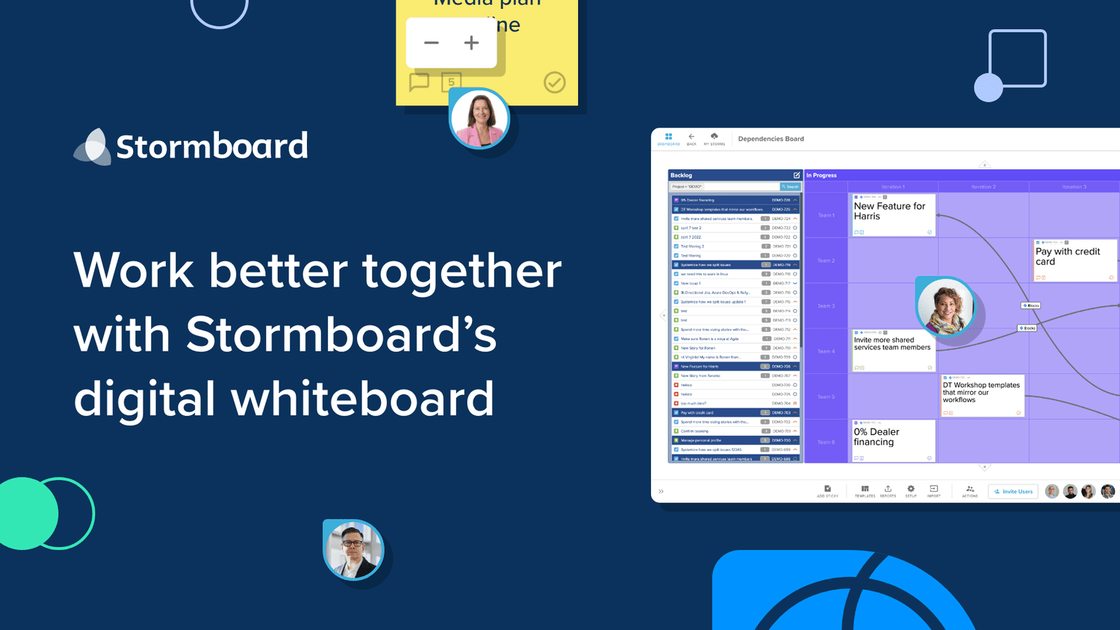
Stormboard is a data-first collaboration and digital whiteboard platform for teams that want to turn meetings, brainstorming, and planning sessions into structured work products. Its homepage describes the product as a collaborative workflow platform that transforms unstructured interaction into data-rich workspaces.
The product centers on digital storms, where teams can add different note types, organize ideas, assign administrative roles, and export work into reports and office files. The site also highlights live two-way integrations for agile workflows and StormAI, which uses workspace context to help generate templates, ideas, summaries, and section structure.
Stormboard is positioned for organizations that need more than a freeform whiteboard. The published pages emphasize collaboration, reporting, workflow structure, and the ability to work across distance while still capturing material that can be reused in downstream tools and documents.
Create whiteboard workspaces with multiple sticky note types, including image, video, whiteboard, text, and index card notes.
Organize work with line connectors, advanced line connectors, timers, idea grouping, substorms, folders, and custom section colors.
Export work in several formats, including Storm screenshots and outlines, Microsoft Office reports, Google Docs, Slides, and Sheets reports, and raw data exports.
Support collaborative editing across teams, with member and guest roles, multiple storm administrators, team administrators, and invite-based access.
Connect Stormboard with tools such as Jira, Rally, and Azure DevOps for live two-way integrations on agile work.
Use StormAI to generate templates, ideas, summaries, section titles, and grouped notes from the context already in a workspace.
Run brainstorming sessions in a shared workspace, capture ideas in different note types, and group or summarize the output for follow-up work.
Plan agile work with live two-way integrations so backlog changes, sprint planning, estimations, and dependency tracking stay synchronized with Jira, Rally, or Azure DevOps.
Prepare meeting artifacts and follow-up reports by exporting a storm into screenshots, outlines, office documents, or raw data for downstream editing.
Create reusable templates and pre-populated sections with StormAI when you need a starting structure for a workshop or planning session.
Manage team participation with admins, members, and guests when a workspace needs controlled access and invited collaboration.
Stormboard is a collaborative workflow platform built around digital whiteboards and data-rich workspaces. It is designed for teams that want to capture ideas, organize work, and turn discussion into structured outputs.
The Business plan includes a 30-day free trial, and the Personal plan does not require a credit card. The pricing page also notes that annual Business and Enterprise subscriptions are available.
Stormboard supports team-based collaboration through Members and Guests, and the Team Administrator can invite people to an individual Storm or to the wider Team.
The pricing page lists exports and reports such as Storm screenshots and outlines, Microsoft Word, PowerPoint, and Excel reports, Google Docs, Slides, and Sheets reports, and raw data exports including CSV, JSON, XML, and OPML.
StormAI uses existing workspace context to generate templates, ideas, section titles, summaries, and grouped ideas. The product page says it is not used to train AI models.