
Unified content capture
Save links, notes, files, screenshots, and collections into a single workspace so browsing, research, and curation happen in one place.

Stacks is an AI workspace for saving, organizing, searching, and sharing web content in one place for individuals, teams, and creators.
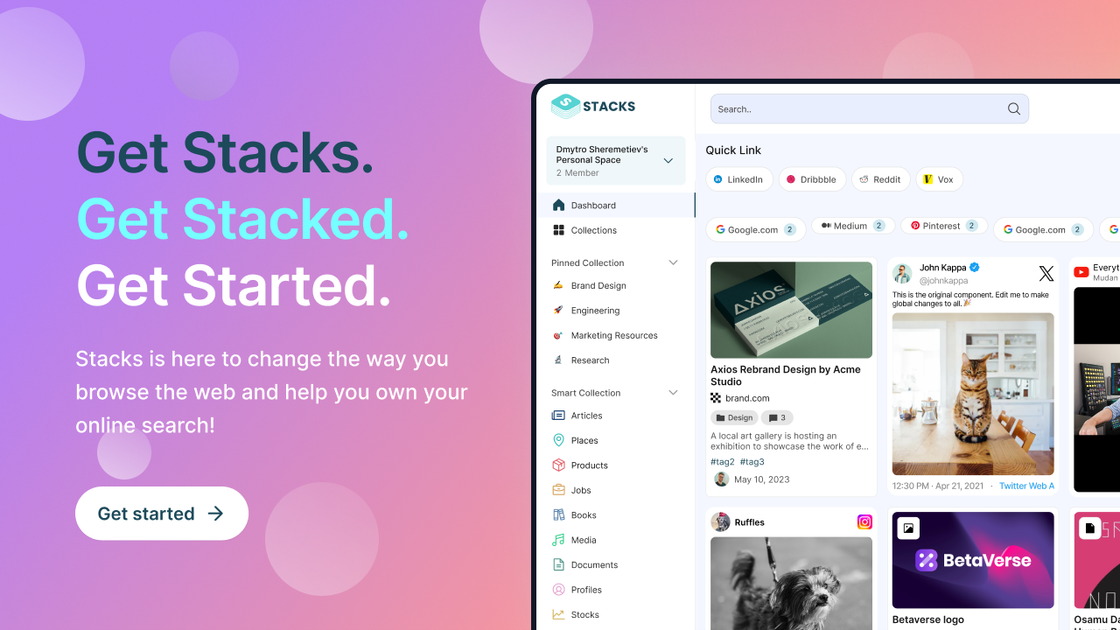
Stacks is an AI workspace for people who save a lot of web content and want one place to capture, organize, search, and share it. The product positions itself as a replacement for a mix of tools such as Google Drive, Notion, bookmarks apps, and note apps by combining content storage with intent-aware search and recommendation features.
On the site, Stacks is described as a personalized layer across the web that remembers what you save, helps connect related ideas, and can build from individual use into shared team workspaces. The pricing pages show plans for individuals, teams, and creators, while the homepage emphasizes use cases such as research, content curation, and collaborative knowledge work.
Save links, notes, files, screenshots, and collections into a single workspace so browsing, research, and curation happen in one place.
Search saved content with natural language and use the memory layer to surface items from your own history and related context from people you follow.
Use the extension to save content without changing your workflow, then let Stacks organize the material into structured collections and workspaces.
Create public or private collections and control visibility at multiple levels, making the product usable for both personal archives and shareable libraries.
Support collaboration with shared workspaces, unlimited users on team and creator plans, and roles and permissions on collaborative plans.
Review analytics and usage information, with more advanced analytics available on higher-tier plans and creator-focused branding options on the top plan.
Use Stacks to keep links, notes, files, and screenshots together while you research online, so you can return to the material without juggling separate bookmark and note tools.
Build shared workspaces for a small team or business so everyone can collect resources, stay aligned on references, and work from the same knowledge base.
Create public or private collections for articles, ideas, or curated resources when you want to share a topic-focused library with an audience.
Organize sources and ideas while writing, building, or exploring new topics, then use search and memory features to reconnect related items later.
Use the browser extension to save content in the moment, without breaking your browsing flow, and let Stacks turn those saves into a structured workspace.
Stacks is presented as an AI workspace for capturing, organizing, searching, and sharing saved web content. It combines notes, bookmarks, links, and files in one place and adds intent-aware search and recommendations.
The source describes a browser extension for capturing content, plus sign-up flows on the web app. It also highlights mobile access via app store listings on the home page, but the product pages do not spell out every platform detail.
The site says Stacks is built for individuals, teams, and businesses, with plans for personal use, collaboration, and creator-focused publishing of shareable collections.
The pricing page lists paid plans and says all plans include a 30-day money-back guarantee. It does not show a free plan on the rendered pricing text provided here.
The FAQ section on the site asks about private links and documents in team plans, but the rendered text provided here does not include the full answer. The pricing page does state that shared workspaces use roles and permissions.