
Question-to-video explainers
Enter a question and receive a video explainer generated around that topic, which is useful when a concise walkthrough is easier to absorb than a text response.

Scrimba Explain turns questions, pages, codebases, and uploaded documents into short video explainers. It is designed for learners, developers, and teams who want a browser-based way to generate and share lessons.
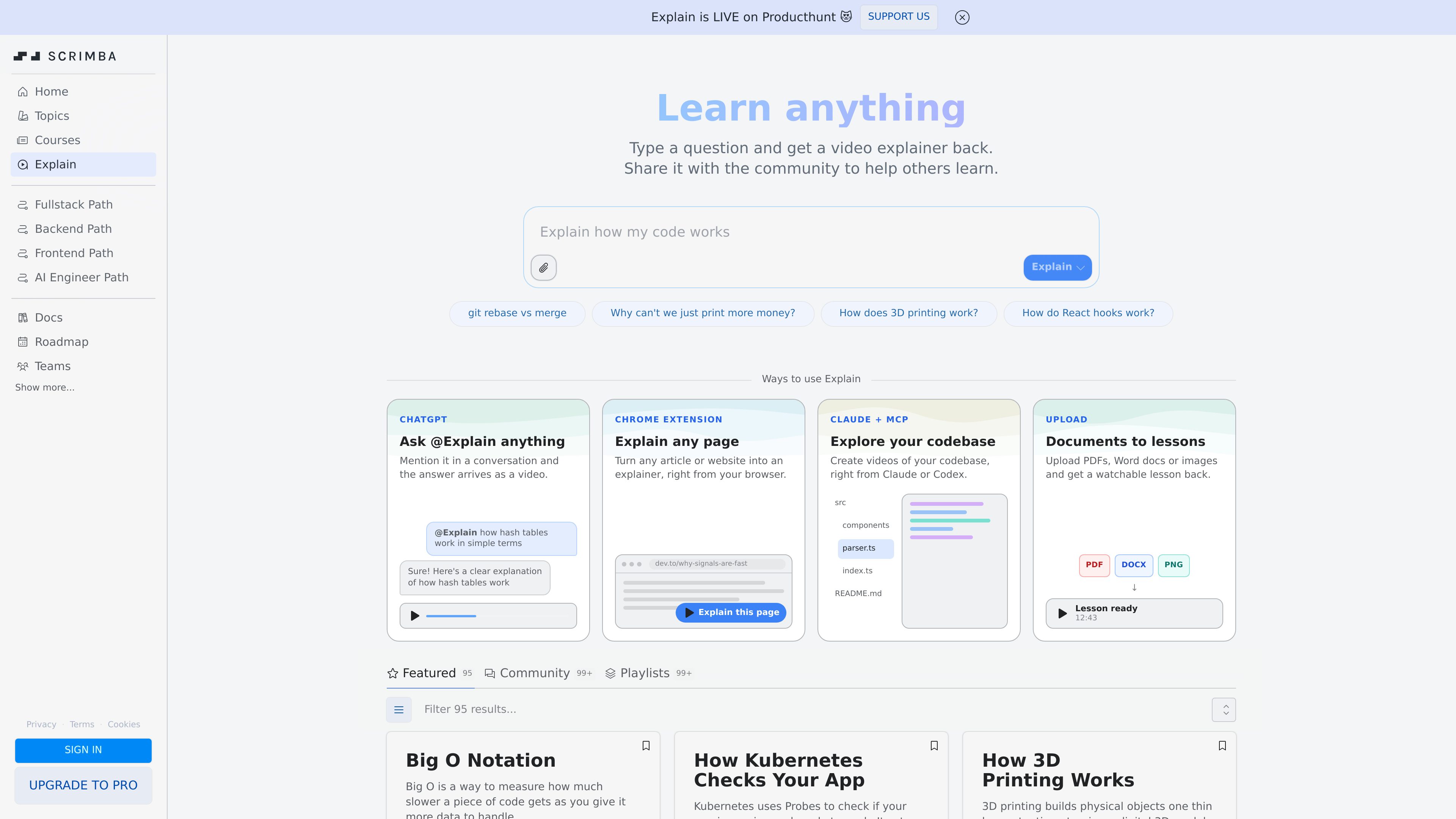
Scrimba Explain is a browser-based explainer tool that turns prompts, web pages, codebases, and uploaded documents into short watchable lessons. Its core job is to take a question or source material and return a video-style explanation that can be shared or reused for learning.
The product is presented as a way to “learn anything” by typing a question and getting a video explainer back. It also supports several input paths, including asking @Explain in a conversation, explaining any page from the browser, creating explainers from a codebase through Claude + MCP or Codex, and uploading documents such as PDFs, Word files, and images.
Enter a question and receive a video explainer generated around that topic, which is useful when a concise walkthrough is easier to absorb than a text response.
Mention @Explain in a conversation to get an answer delivered as a video, supporting a lightweight workflow for quick explanations in context.
A Chrome extension workflow can turn an article or website into an explainer directly from the browser, which is useful for summarizing online reading into a lesson.
The product can create videos of a codebase from Claude or Codex via MCP, aimed at developers who want to explain project structure or components.
PDFs, Word documents, and images can be uploaded and converted into a watchable lesson, making it practical for transforming source files into training material.
Explainers can be shared with the community, which supports discovery and reuse beyond a private one-off answer.
A learner can ask for an explanation of topics like flexbox vs. grid, hash tables, or Big O notation and receive a short explainer in a format designed for easier study.
Someone reading an article can use the browser workflow to convert that page into an explainer without copying the content into a separate tool.
Developers can generate a video walkthrough of a codebase from Claude or Codex when they need a more accessible overview of how parts of a project fit together.
Teams can upload PDFs, DOCX files, or images and turn them into lessons for onboarding, documentation review, or internal knowledge sharing.
The surrounding Scrimba platform also supports courses, challenges, docs, and team learning, so Explain fits into a broader study workflow rather than standing alone.
It turns questions, pages, codebases, and documents into video explainers or lessons that can be watched and shared.
No. Scrimba says its editor runs directly in the browser, so you can watch, pause, and edit lessons without installing an IDE.
Yes. The page describes a browser workflow for explaining any page and an upload flow for PDFs, Word documents, and images.
No. The broader Scrimba site also describes team plans for companies, schools, bootcamps, and other organizations that want to train people.
According to the pricing page, account and progress remain, but access to Pro courses, certificates, unlimited challenges, and Pro Discord channels is paused until resubscription.