
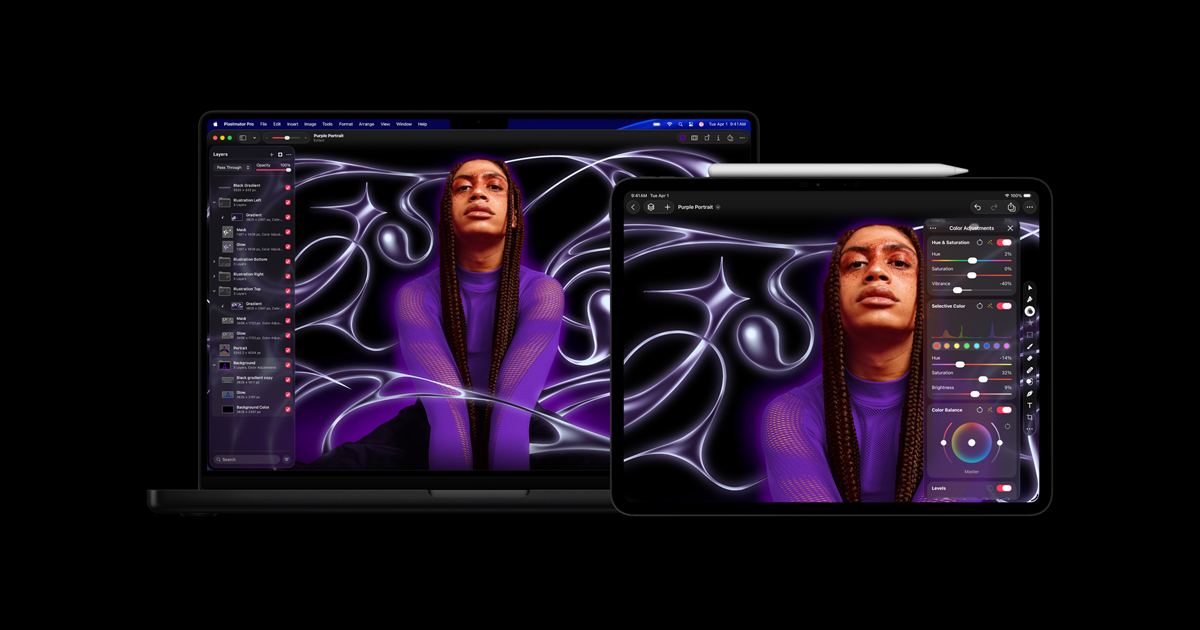
Nondestructive layer editing
Combine image layers, masks, effects, fills, strokes and shadows, then revise changes without replacing the original image content.

Edit photos and build layered graphics on Mac or iPad with intelligent masking, retouching, resolution enhancement and vector tools.
Pixelmator Pro combines photo editing, graphic design and vector drawing in a layer-based editor for Mac and iPad. Import images, RAW photos or supported vector files, then use masks, color adjustments, effects and retouching tools to build an editable composition.
Intelligent tools handle tasks such as background removal, image enlargement, noise reduction and automatic enhancement. You can refine their results with manual selections, brushes and adjustment layers. Templates and mockups provide starting points for social graphics, print designs and product presentations.
The Mac app can be bought separately. Apple Creator Studio includes the Mac and iPad editions through a subscription, with access to the Warp tool. On iPad, the interface supports Multi-Touch and Apple Pencil; cross-device workflows require the same Apple Account.
Combine image layers, masks, effects, fills, strokes and shadows, then revise changes without replacing the original image content.
Use adjustable background masks, Super Resolution enlargement, Intelligent Denoise and Auto Enhance, then refine the image with manual tools.
Remove unwanted details with Repair, copy pixels with Clone Stamp, or brush selective brightness, sharpness, saturation and other adjustments.
Draw paths with the Pen tool, customize shapes and place text along paths. Edit supported vector formats such as SVG and PDF and export with vector data retained.
Start from customizable templates or product mockups. On iPad, use gestures and optional Apple Pencil pressure-sensitive editing; on Mac, customize the workspace.
Photographers can work with RAW layers, adjust selected colors, remove distractions and reduce noise before producing the final image.
Designers can combine text, shapes and images in layers, start with social or print templates, and place artwork onto mockups.
Creators can switch between Mac and iPad editing and copy layers with Universal Clipboard, using the same Apple Account on both devices.
On Apple's US site, the Mac app is $49.99 as a one-time purchase. Apple Creator Studio is $12.99/month or $129/year after a 30-day trial for new subscribers and automatically renews until cancelled. The subscription includes Pixelmator Pro on Mac and iPad.
The one-time purchase is for Mac. Pixelmator Pro for iPad is included in Apple Creator Studio, and the Creator Studio edition includes the Warp tool. Photomator and Pixelmator Classic are separate apps.
The current edition uses macOS 26 or iPadOS 26. On iPad, it requires an M1 chip or later, iPad (A16), or iPad mini (A17 Pro). Apple Pencil is optional and sold separately.
Yes. Round-trip editing and Universal Clipboard support moving between the devices. The Mac and iPad must use the same Apple Account. Creator Studio requires an Apple Account and an internet connection to subscribe; some features also need internet access.
Traffic data is for reference only.

www.adobe.com
Adobe Firefly is a generative AI creative workspace for producing and editing images, video, audio, and vector graphics from text prompts and other inputs. It supports creators, marketers, designers, and video editors with generation, refinement, and multi-model workflows.

svgtrace.com
Convert JPG and PNG images into color-layered SVGs for crafting and vector design.