
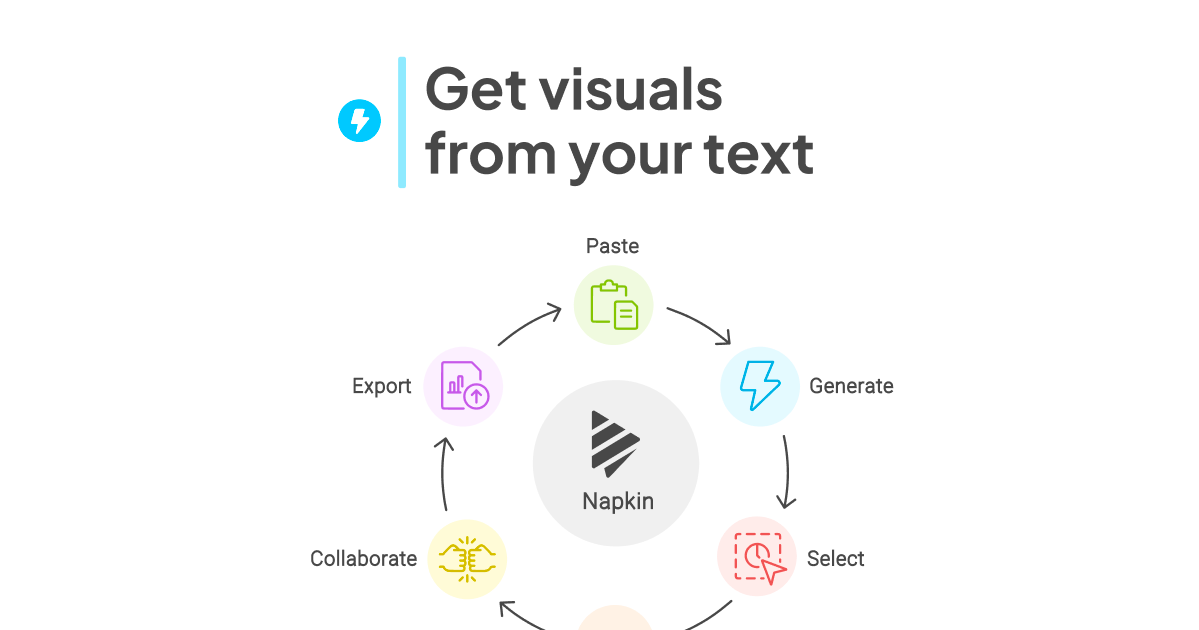
Text-first workflow
Paste or import text directly into Napkin instead of writing prompts. The product is built around turning existing text into visuals.

Napkin AI turns text into editable visuals for presentations, documents, social posts, and team collaboration.
Napkin AI is a visual storytelling tool that turns written text into editable graphics. It is designed for people who want to communicate ideas with visuals without starting from a blank canvas or writing prompts.
The workflow is straightforward: paste or import text, generate visual options, refine the result, and export it for use in presentations, documents, social posts, or other business content. The product also supports team collaboration and desktop-first creation, with mobile viewing available for existing Napkins.
Paste or import text directly into Napkin instead of writing prompts. The product is built around turning existing text into visuals.
Napkin generates relevant visuals from the selected text, and you choose the option that best matches the idea you want to show.
Edit colors, shapes, and layout after generation so the result matches your brand, mood, or presentation context.
Create diagrams, charts, scenes, images, infographics, mind maps, and flowcharts from the same text-based workflow.
Export visuals as PPT, PNG, SVG, or PDF, and share a link that keeps text and graphics together.
Teamspace, real-time editing, and built-in feedback tools support shared work on a Napkin document.
Turn source text into diagrams, flowcharts, mind maps, and data visuals for slide decks without designing each graphic from scratch.
Convert article drafts, explainers, or internal notes into visuals that make long-form content easier to scan and understand.
Create visuals for LinkedIn posts, social updates, or other audience-facing content where a compact graphic supports the message.
Help teams work from shared text, edit visuals together in real time, and leave feedback directly in the document.
Napkin turns existing text into visuals such as diagrams, charts, scenes, and images. You paste or import text, then generate a visual and adjust it before exporting or sharing it.
Yes. Napkin offers a free plan with limitations on quotas and features. The pricing page also lists paid Plus and Pro plans for heavier usage and team features.
You can view existing Napkins on mobile, but creating and editing are available on desktop only at present.
Napkin supports teamspace, real-time editing, and commenting/feedback tools for collaboration. On paid plans, additional team seats are billed when invited members accept.
You can export selected visuals as PPT, PNG, SVG, or PDF. Napkin also says you can share a link to a Napkin so others can view the text and graphics together.
Traffic data is for reference only.

usekodo.ai
Kodo turns text prompts into editable designs for presentations, posters, menus, social graphics, and more.

veeso.ai
Veeso AI turns pasted copy into editable designs for social posts, slides, pages, and newsletters. Built for SMB owners, marketers, operations teams, and founders who need polished visuals fast, without design skills.

canva.cn
Canva is a web-based visual design tool for creating and sharing digital and print assets with drag-and-drop editing, templates, and AI-assisted features. It supports individual, team, and enterprise workflows for presentations, social posts, logos, posters, and more.

presentations.ai
Presentations.AI turns topics, documents, and URLs into editable slide decks, applies your brand, exports to PowerPoint, and refreshes recurring presentations with current data.

moda.app
Moda is a web-based AI design tool for creating editable visual assets, including slides, social posts, documents, PDFs, and diagrams. Teams can produce on-brand designs from source material while keeping every element editable.

miricanvas.com
MiriCanvas is an online design tool for presentations, social posts, thumbnails, posters, and more with templates and AI features.