
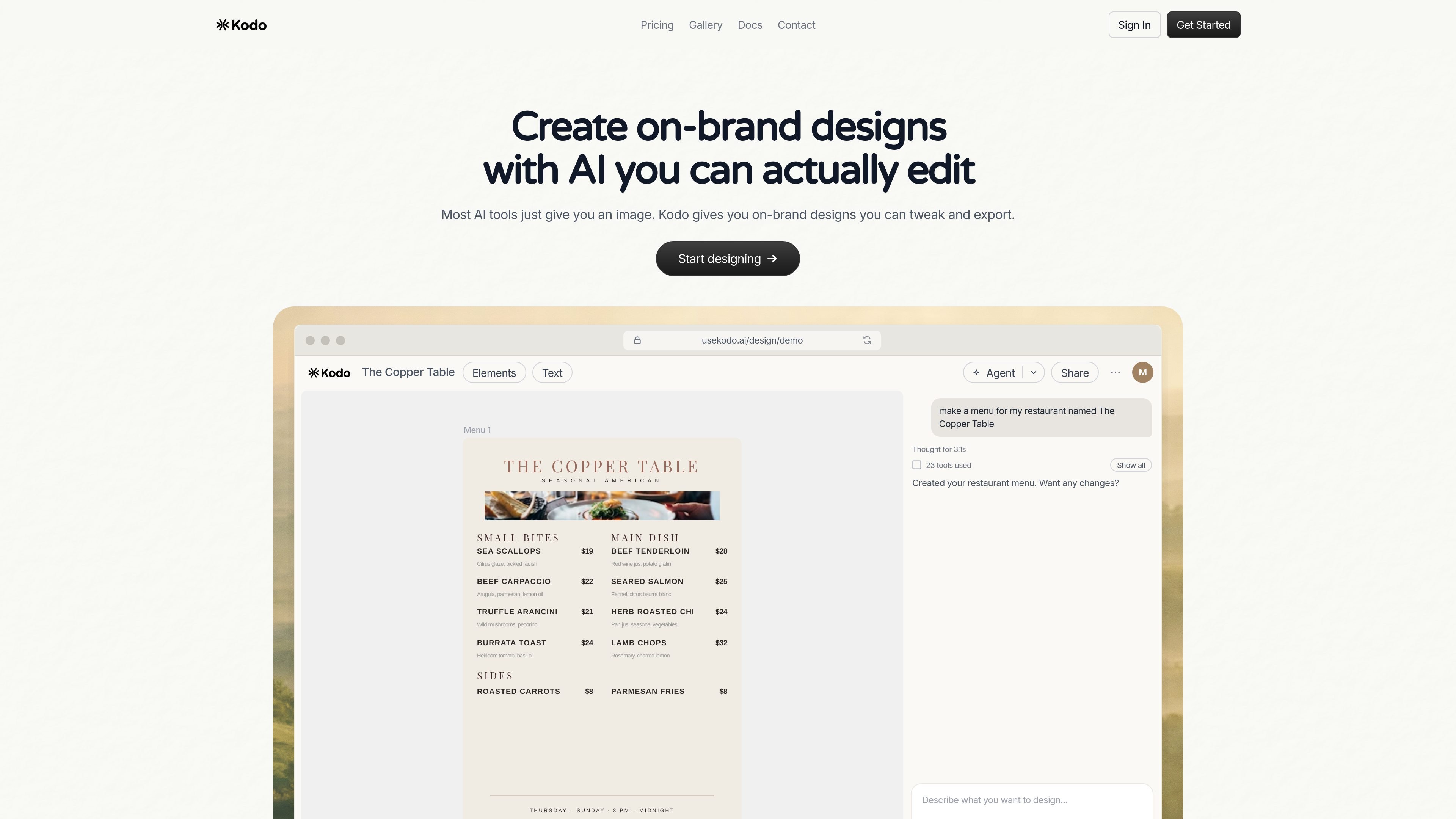
Text prompt generation
Describe what you want in plain language and Kodo generates a complete design on the canvas. The site positions the workflow as text-to-design rather than image generation only.

Kodo turns text prompts into editable designs for presentations, posters, menus, social graphics, and more.
Kodo is an AI design tool that turns text prompts into editable visual designs. It is aimed at people who want to create presentations, posters, menus, social graphics, and other branded assets without building every layout manually.
The product’s main workflow is to describe what you need, let Kodo generate the design on the canvas, and then refine it with built-in editing tools. The site emphasizes that the result is not just an image; it is a design you can adjust and export in common formats such as PDF, PPTX, PNG, JPG, and DOCX.
Describe what you want in plain language and Kodo generates a complete design on the canvas. The site positions the workflow as text-to-design rather than image generation only.
Generated designs are editable on screen, so you can click into elements and adjust the layout instead of starting over from scratch.
Kodo supports exporting finished work as PDF, PPTX, PNG, JPG, and DOCX, which covers presentation, print, and social output needs.
The pricing page says all plans include collaboration, and the homepage highlights real-time collaboration as part of the product.
Plans include brand kits and custom fonts, which helps keep output aligned to a recurring visual identity.
Manual tools are included without credit usage, so users can keep refining work without spending AI credits for every edit.
Create a slide deck or a single presentation visual by describing the topic, then refine the generated layout in the editor before exporting to PPTX or PDF.
Make menus, flyers, posters, or invitations for an event or business when you need a designed layout quickly and want to edit the result afterward.
Generate social graphics for posts or carousels, then export them as PNG or JPG for publishing on common channels.
Start from a text prompt when you need a branded concept, use brand kits and custom fonts to keep the design consistent, and collaborate with others on revisions.
Use the editor as a starting point for design work when you want AI to draft the layout and manual tools to handle final adjustments.
Kodo is an AI-powered design tool that generates editable designs from text prompts. You can describe what you want, refine the result in the editor, and export the design when you are done.
Kodo uses a credit system for AI actions. The pricing page shows a free tier and paid plans, and notes that manual tools do not use credits.
You can create presentations, posters, social media graphics, menus, flyers, business cards, invitations, infographics, and similar visual assets.
The homepage says most designs are generated in about 1–2 minutes, though more complex layouts may take longer.
The FAQ on the site states that you own the designs you create and can use, modify, and export them for personal or commercial purposes.
Traffic data is for reference only.

napkin.ai
Napkin AI turns text into editable visuals for presentations, documents, social posts, and team collaboration.

miricanvas.com
MiriCanvas is an online design tool for presentations, social posts, thumbnails, posters, and more with templates and AI features.

veeso.ai
Veeso AI turns pasted copy into editable designs for social posts, slides, pages, and newsletters. Built for SMB owners, marketers, operations teams, and founders who need polished visuals fast, without design skills.

canva.cn
Canva is a web-based visual design tool for creating and sharing digital and print assets with drag-and-drop editing, templates, and AI-assisted features. It supports individual, team, and enterprise workflows for presentations, social posts, logos, posters, and more.

playground.com
Playground is an AI design studio for creating logos, merch, posters, social graphics, and custom visuals from prompts or templates.

banani.co
Banani is an AI UI design tool that turns prompts, references, and PRDs into editable designs and prototypes.