
AI daily planning
Morgen uses AI to prioritize tasks, evaluate capacity, and recommend where work should go on the calendar. The plan can be previewed and then accepted or adjusted manually.

Morgen is an AI daily planner that combines calendars and task managers in one app. Time block work, schedule meetings, and keep focus time visible across devices.
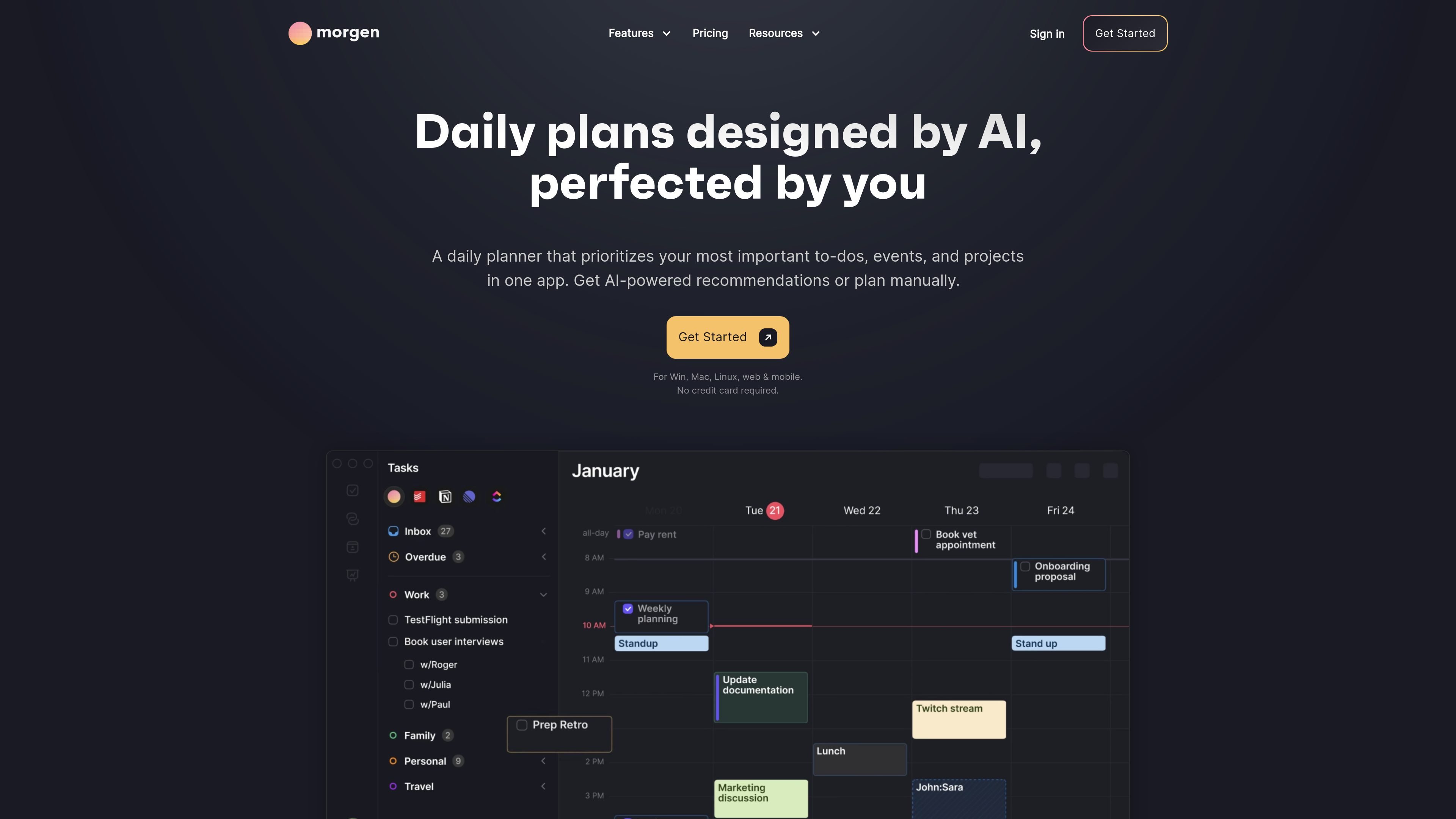
Morgen is an AI daily planner that combines calendars and task managers in one app. It helps people turn to-do lists into a scheduled day by prioritizing tasks, time blocking work, and keeping meetings, deadlines, and focus time visible in the same place.
The product is built for users who want more structure than a standard calendar app without giving up manual control. Its workflow centers on AI Planner recommendations, calendar-aware scheduling, and integrations with tools such as Notion, Todoist, Linear, ClickUp, Google Calendar, Outlook, iCloud, and Fastmail.
Morgen uses AI to prioritize tasks, evaluate capacity, and recommend where work should go on the calendar. The plan can be previewed and then accepted or adjusted manually.
Time block tasks manually or with AI assistance, including support for breaking larger projects into smaller sessions. Task blocks can be adjusted as your schedule changes.
Bring calendars and tasks together in one workspace, with support for calendars from Google, Outlook, Apple Calendar, Fastmail, and more, plus task tools such as Notion, Todoist, Linear, ClickUp, Google Tasks, and Microsoft To Do.
Share booking links so others can find availability in real time based on the calendars you choose. The product also shows team availability and recommended meeting times that avoid disrupting focus time.
Automate calendar management with sync between calendars, travel-time blocking, and buffer time around meetings to reduce conflicts and protect space between events.
Set reminders, view calendars in customizable sets, and use task sorting by priority, due date, source, or size to keep planning organized.
Build a realistic plan for the day by letting AI place priority tasks into open calendar slots, then adjust durations and order manually before confirming the schedule.
Reserve focus time for important work by time blocking tasks from tools like Todoist, Notion, ClickUp, or Linear directly on the calendar.
Coordinate meetings without back-and-forth by sharing booking links and checking team availability for times that avoid conflicts with existing commitments.
Keep personal and work commitments in view together by combining calendars from different providers in one interface and using calendar sets or sync rules to organize them.
Track deadlines and unfinished work by surfacing due dates, reminders, and tasks carried over from previous days so nothing gets lost between tools.
Morgen works with calendars and tasks together so you can plan the day in one place. The source also says Morgen Assist workflows can be used directly with Google, Outlook, iCloud, and Fastmail calendars without using the app, although the app provides an enhanced experience.
The source says Morgen supports calendars from Google, Outlook, Apple Calendar, Fastmail, and more, and it integrates task tools such as Notion, Todoist, Linear, ClickUp, Google Tasks, Microsoft To Do, and others.
Yes. The pricing page says Morgen offers individual and team plans and includes team scheduling and team availability features, with minimum 2 seats on team plans.
Morgen offers a 14-day free trial with full access and no credit card required. The pricing page also states a 30-day money-back guarantee.
Morgen is built around calendar-based scheduling and task planning. The source emphasizes AI planning, time blocking, scheduling links, and calendar automation, but does not provide a complete list of every supported platform or workflow detail on these pages.