
WhatsApp-based AI chat
Chat with MobileGPT directly in WhatsApp for general questions, translations, math, content drafting, and coding help.

MobileGPT is a WhatsApp-based AI assistant for chat, image generation, document drafting, and PDF or website Q&A. It is aimed at people who want an AI workflow inside WhatsApp rather than a separate app.
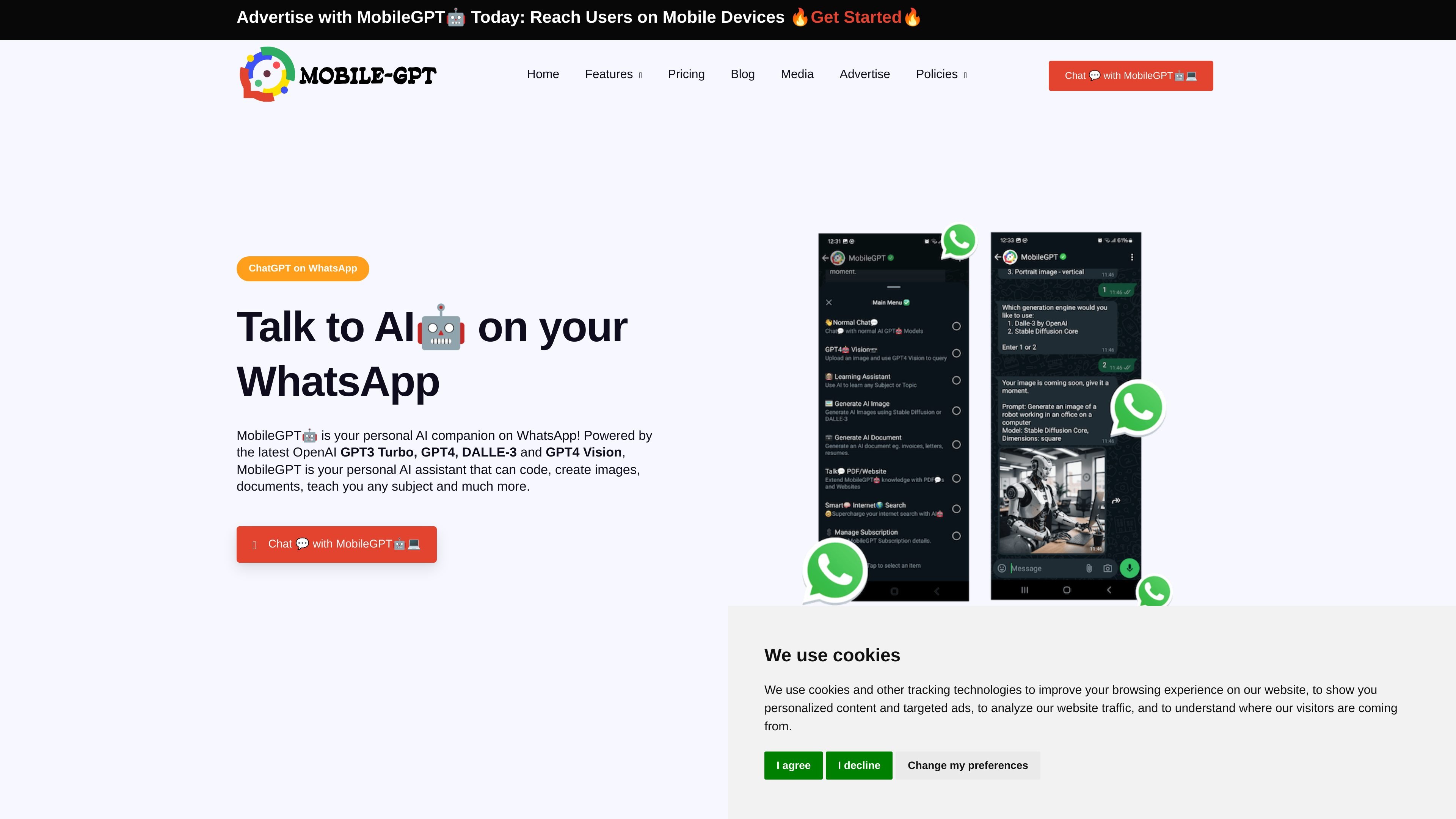
MobileGPT is a personalized AI assistant that runs on WhatsApp. It is presented as a way to chat with OpenAI-powered models, generate images and documents, and interact with PDFs or website links without leaving WhatsApp.
The site positions it as a multi-purpose assistant for everyday and work tasks. It can answer questions, help with writing and coding, support learning with lessons and quizzes, understand uploaded images, create Word documents from user input, and send reminders from saved notes.
Chat with MobileGPT directly in WhatsApp for general questions, translations, math, content drafting, and coding help.
Create images from prompts inside WhatsApp. The home page mentions Stable Diffusion XL 1.0, while the page also references DALL·E 3 and Stable Diffusion Core.
Upload an image and ask questions about it using GPT-4 Vision, such as describing the image or identifying objects.
Generate Word documents from a prompt and supporting business information, with examples including resumes, letters, reports, and business plans.
Upload PDFs or website links, combine them in one session, and ask questions against the collected content for summaries or key takeaways.
Save notes and ask for reminders, with MobileGPT sending a message reminder later.
Ask MobileGPT to explain concepts, translate text, do math, generate content, or help with coding while staying inside WhatsApp.
Upload a PDF or website link, then ask for summaries, key takeaways, or answers tied to the source material. The blog says you can also mix documents and URLs in one session.
Create a Word document from prompts and user-provided information for resumes, business plans, letters, reports, or similar documents.
Send an image to MobileGPT and ask it to describe what is shown, identify items, or explain visual details using GPT-4 Vision.
Save a note in MobileGPT and request a reminder later, with the reminder delivered back to you in WhatsApp.
MobileGPT is designed to be used directly in WhatsApp. The source does not describe a separate desktop app or setup flow beyond registering and starting in WhatsApp.
It can generate documents in Word format and return them in WhatsApp. The site also describes AI image generation, chat responses, reminders, learning support, GPT-4 Vision image understanding, and Talk2PDF/Website conversations.
The source says you can upload PDF documents or submit website links in Talk2PDF/Website mode and ask questions about the uploaded content. It also says you can mix documents and URLs in the same session.
The home page promotes a limited-time lifetime access offer at $149. The pricing page itself was not available, so only that offer can be stated from the source.
The source highlights students, professionals, researchers, hobbyists, and small business owners as likely users. Team collaboration is mentioned in one blog example, but the site does not provide a full team workflow or admin model.