
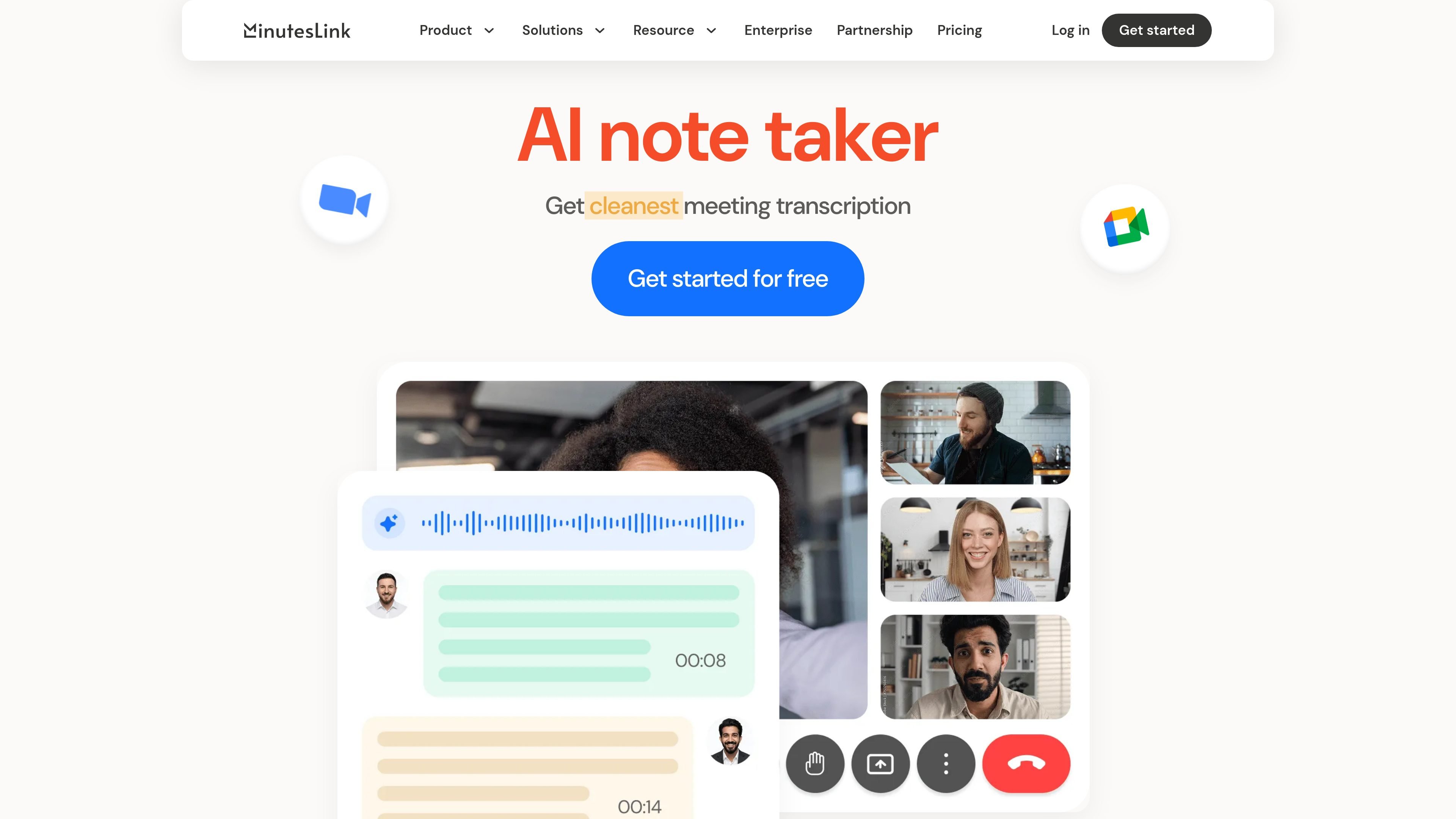
Extension and bot recording
Record meetings with the Chrome extension if you prefer not to add a bot to the call, or let the bot join scheduled meetings from your calendar.

AI meeting notes for Zoom and Google Meet, with transcripts, summaries, and organized records.
MinutesLink is an AI note-taker for meetings. It captures calls through a Chrome extension or an automated bot, then turns them into transcripts, summaries, and notes that can be reviewed after the meeting.
The product is positioned for people who want meeting records without manual note-taking. It supports Zoom and Google Meet on the home page, and its integrations page also points to Slack, HubSpot, Google, Zoom, and Microsoft Teams coming soon.
Record meetings with the Chrome extension if you prefer not to add a bot to the call, or let the bot join scheduled meetings from your calendar.
Get automatic transcripts presented as clear, speaker-labeled dialogue after the meeting ends.
Receive AI-generated summaries that highlight key topics, decisions, and action items.
Store recordings, transcripts, and notes together so meeting content stays organized in one place.
Use the AI assistant to ask questions about previous meetings and get answers based on meeting context.
Connect notes with tools such as Slack, HubSpot, Google, and Zoom, with Microsoft Teams listed as coming soon.
For scheduled client, internal, or partner meetings, the bot can join from the calendar and generate a transcript and recap without manual note-taking.
If a team prefers not to add a bot to the call, the Chrome extension provides an alternate way to record meetings.
After a meeting, users can review summaries, action items, and speaker-labeled dialogue to catch up on what was discussed.
Teams can share notes, connect meeting insights to tools like HubSpot and Slack, and keep everyone aligned on the outcome of discussions.
Users can ask the AI assistant about a past meeting to retrieve context from the transcript and notes instead of rewatching recordings.
MinutesLink records meetings using either a browser extension or a bot that joins scheduled meetings from your calendar. After the meeting, it delivers transcripts and AI notes to your account.
The site says MinutesLink works with Zoom and Google Meet, and its integrations page also mentions Slack, HubSpot, Google, and Zoom, with Microsoft Teams coming soon.
MinutesLink produces speaker-labeled transcripts, AI-generated summaries, and meeting notes that you can store, share, edit, and review later. It also supports asking the AI assistant questions about past meetings.
Yes. The pricing information shown on the site includes a free Basic plan, plus paid Pro and Business plans.
The site states that meeting notes can be shared, edited, read without sign-up, and connected to tools such as HubSpot and Salesforce. It also says integrations are available with Slack, HubSpot, Google, and Zoom.
Traffic data is for reference only.

wudpecker.io
AI meeting assistant for recording, transcription, and organized notes across Zoom, Google Meet, and Microsoft Teams.

tactiq.io
AI meeting notes for Google Meet, Zoom, and Teams

meetstream.ai
MeetStream provides a single API for building meeting bots that can join, record, stream, and transcribe meetings on Zoom, Google Meet, and Microsoft Teams. It is aimed at developers and teams building AI meeting products, automation, and analytics workflows.
voicecap.ai
VoiceCap is an AI meeting notetaker for in-person and online meetings. It records or imports meetings, produces speaker-separated transcripts, summaries, decisions, and action items, and makes the resulting archive searchable for teams and connected AI assistants.

notexapp.com
AI meeting assistant for recording, transcription, summaries, and organized multilingual notes

recordmeeting.com
RecordMeeting is a browser-based tool for recording and transcribing meetings in Google Meet, with support for Zoom and Microsoft Teams. Create AI notes, then share and organize recordings in a private workspace.