
AI agent development
Provides a framework for building AI agents as part of software applications, rather than limiting development to a standalone chat interface.

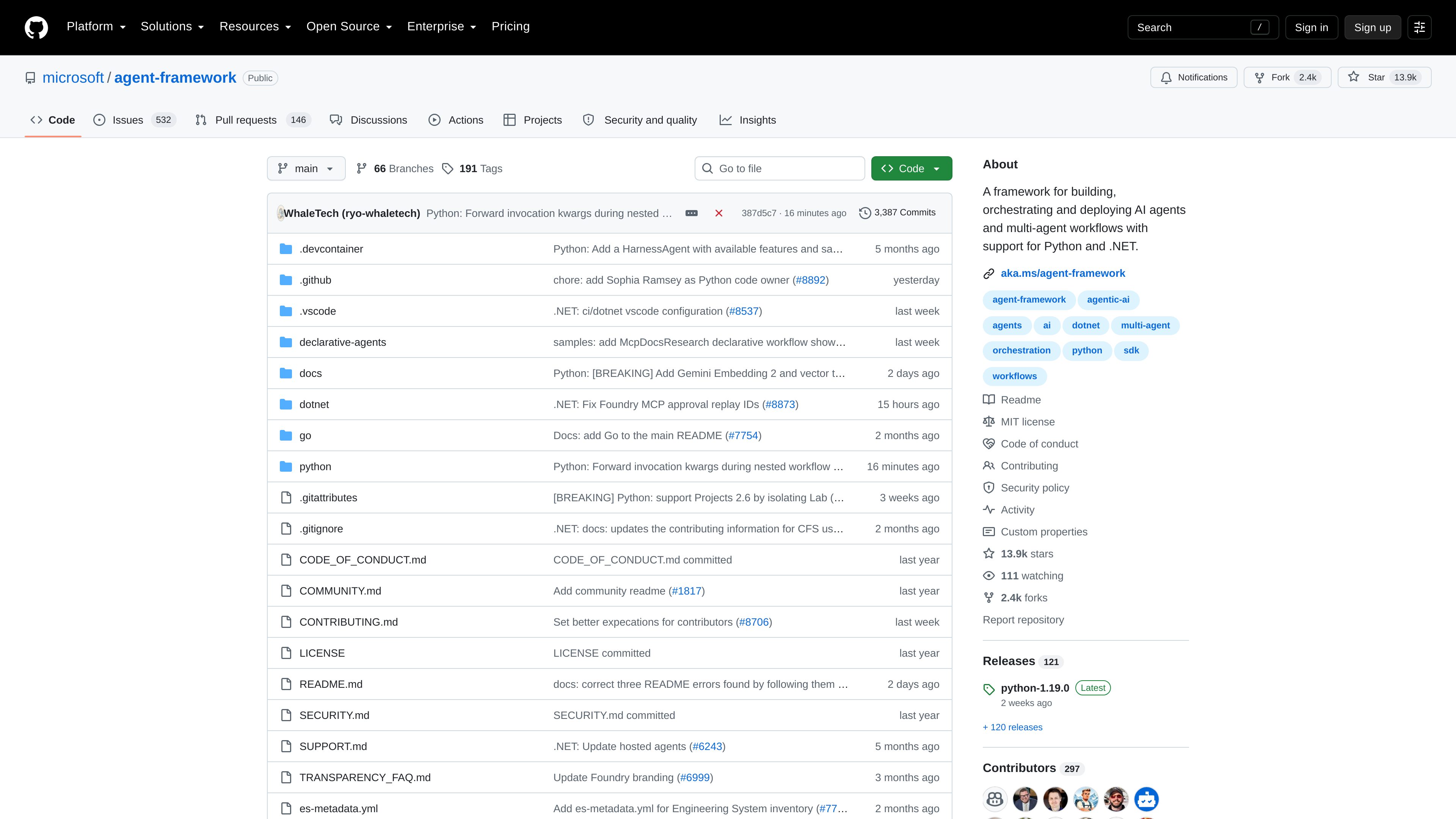
Microsoft Agent Framework is a developer framework for building, orchestrating, and deploying AI agents and multi-agent workflows. It supports implementations in Python and .NET.
Microsoft Agent Framework is a public developer framework for building, orchestrating, and deploying AI agents and multi-agent workflows. It supports Python and .NET, and its repository includes implementation code, documentation, agent samples, workflow samples, and declarative-agent examples.
The framework is intended for applications that need coordinated agent behavior rather than only a single agent interaction. Developers can use it to structure agent-based applications and multi-step workflows, while consulting the project’s language-specific documentation and samples for implementation details. The available evidence does not establish a complete list of model providers, integrations, deployment targets, or setup requirements, so those should be verified in the current documentation.
Provides a framework for building AI agents as part of software applications, rather than limiting development to a standalone chat interface.
Supports workflows in which multiple agents can be coordinated to carry out a broader task or process.
Offers project areas and documentation for both Python and .NET implementations, giving teams a choice of supported development ecosystems.
The project scope explicitly includes deploying agents and workflows, although the supplied evidence does not specify the available deployment targets or operational requirements.
The repository includes a declarative-agents area with agent and workflow samples, providing reference patterns alongside the code-based framework.
Repository examples include MCP-backed agent behavior and documentation-research workflows, demonstrating that agent workflows can include tool-oriented steps.
A Python or .NET developer can use the framework as the application foundation for an AI agent instead of assembling all agent-management code independently.
A team can model a larger task as a multi-agent workflow when different agents need to contribute distinct steps or responsibilities.
Developers evaluating declarative agent designs can start from the repository’s declarative-agent and workflow samples before adapting a pattern to their own application.
The MCP-backed and documentation-research examples provide reference points for workflows in which agents use tools as part of gathering or reviewing information.
It is a developer framework for building, orchestrating, and deploying AI agents and multi-agent workflows.
The project explicitly supports Python and .NET. The repository contains separate language areas and documentation for these ecosystems.
Yes. Multi-agent workflow orchestration is part of the framework’s stated purpose, and the repository includes workflow samples and declarative workflow examples.
The repository includes a declarative-agents area with agent and workflow samples. The supplied evidence confirms the examples exist but does not define the full declarative syntax or feature set.
The project’s documentation and language-specific repository directories are the appropriate references. The supplied product evidence does not provide enough detail to state exact installation commands, model providers, or deployment prerequisites.
adk.dev
Agent Development Kit (ADK) is an open-source framework for building, evaluating, and deploying conversational and non-conversational AI agents. It supports multi-agent systems, tools, structured workflows, and production runtimes across Python, TypeScript, Go, Java, and Kotlin.

platform.claude.com
Claude Platform gives developers programmatic access to Claude models and managed agent infrastructure for building agents and applications. It includes a REST API, official client SDKs, a web Console, and documentation for direct integrations.

context.ai
Context is an enterprise AI agents platform for building, deploying, and improving agents on customer infrastructure, with workspace, runtime, context, evaluation, connectors, and IdP access controls.

cloud.google.com
Gemini Enterprise Agent Platform, formerly Vertex AI, is Google Cloud’s platform for developers and technical teams to build, deploy, govern, and optimize AI agents, generative AI applications, and machine learning models.

onereach.ai
OneReach.ai GSX orchestrates, runs, and governs enterprise AI agents at scale.

octomind.run
Octomind Cloud runs AI agents on persistent cloud machines for research, writing, web work, software development, and scheduled routines. Users give instructions in plain language and can receive results through the web panel, Telegram, WhatsApp, or Slack.