
NLP-first worker deployment
Describe a worker in plain language and deploy it without code or node diagrams. The site says Jeeva orchestrates execution automatically once the worker is defined.

Jeeva AI is an AI automation platform for autonomous digital workers across revenue, IT, service, and operations teams, with plain-language setup and flexible pricing.
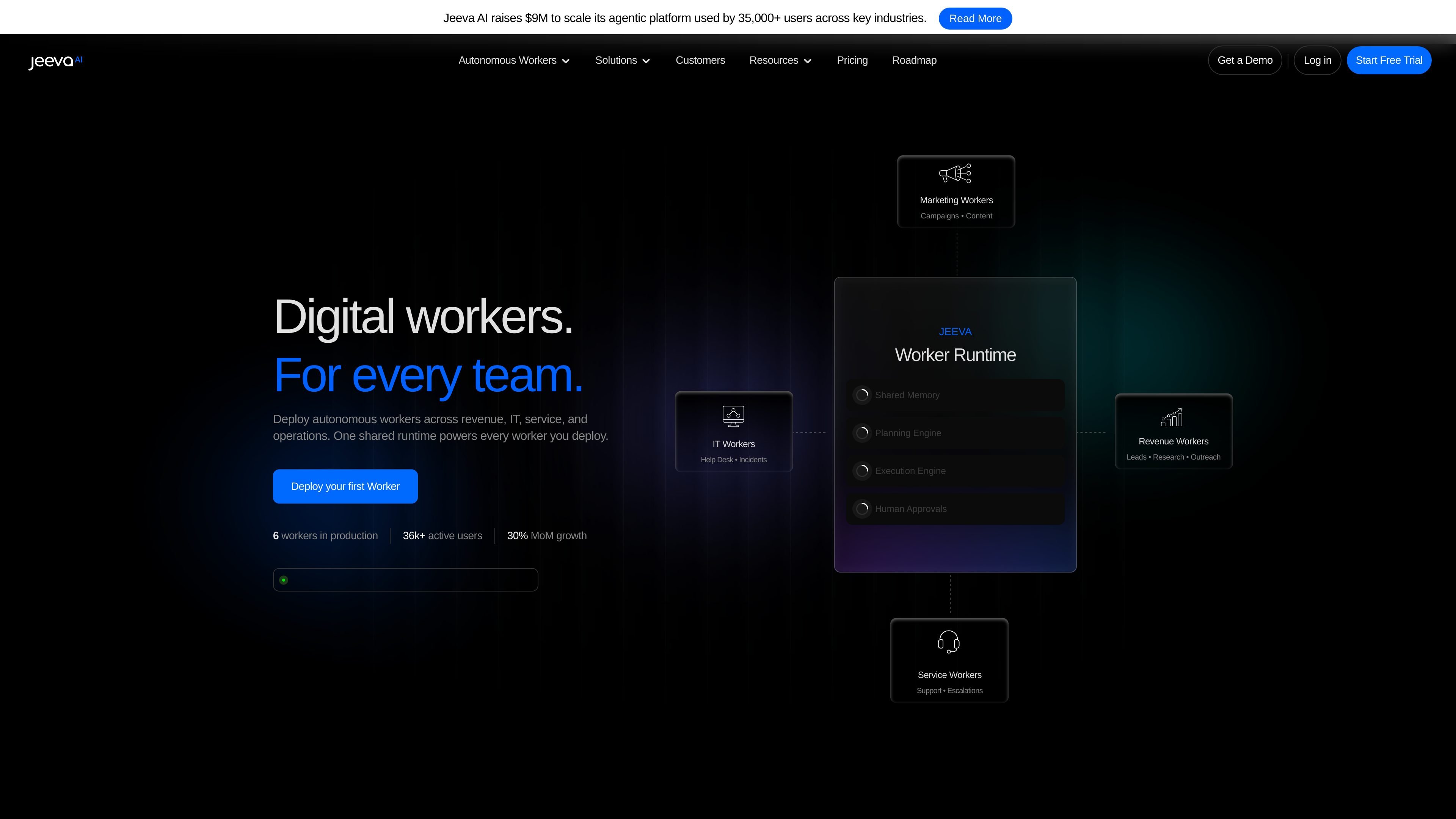
Jeeva AI is a platform for building and running autonomous digital workers across business functions. The home page positions these workers for revenue, IT, service, operations, marketing, security, finance, and human resources, with a shared runtime that powers each worker.
The product is designed around plain-language setup: users describe what the worker should do, then Jeeva orchestrates the execution automatically. The site says workers can perceive, reason, act, remember, and operate with identity and context rather than functioning as static workflows.
Pricing information shows a mix of self-serve and team-oriented plans, including a free tier, paid individual plans, and an Enterprise option with custom pricing. Across the site, the clearest published use cases focus on prospecting, outreach, customer support, incident response, invoice processing, and onboarding.
Describe a worker in plain language and deploy it without code or node diagrams. The site says Jeeva orchestrates execution automatically once the worker is defined.
Workers can operate across revenue, IT, service, operations, security, finance, marketing, and human resources. The home page presents these as active domains with production workers already running.
The product presents a five-layer worker stack with perception, shared memory, planning, execution, and human approvals. That structure is intended to support autonomous operation with context and oversight.
Example worker flows include receiving tickets, querying knowledge bases, drafting responses, investigating alerts, processing invoices, and reviewing applicants. These sequences show how workers move from intake to action.
The pricing page describes sales automation features such as email finder and verification, prospect search, Chrome extension support, email templates, advanced filters, CRM sync, inbox management, and multichannel outreach.
The pricing page also includes enterprise-oriented controls such as AI handling inbound leads, site chat, and routing, along with advanced admin controls, SSO, compliance, SOC 2, and private cloud or on-prem deployment options.
Create a revenue worker to handle enrichment, routing, follow-ups, and account research when opportunity stages change or new signals arrive.
Deploy a support worker to triage tickets, query a knowledge base, draft a reply, and escalate issues that cross policy thresholds.
Use an IT or ops worker to provision access, handle incidents, and run onboarding playbooks with faster resolution times.
Set up a security worker to investigate anomalies across logs and identity data, execute first-response playbooks, and document escalations.
Run a finance worker to process invoices, match purchase orders, and route exceptions for approval before posting successful items to accounting.
Yes. The pricing page shows a free plan and paid tiers, with an Enterprise option that uses custom pricing and a sales-led flow.
Jeeva is positioned for revenue, IT, service, operations, and other team workflows. The home page highlights workers for customer service, IT operations, revenue, growth, security, finance, and human resources.
The product is designed to describe a worker in plain language and deploy it quickly. The site states you can deploy in seconds with no code or node diagrams, then have Jeeva orchestrate execution.
The source emphasizes outcomes such as research, outreach, ticket resolution, incident response, invoice processing, and onboarding. It does not provide a complete integrations list, so specific system compatibility should be confirmed for each use case.
The pricing page includes self-serve plans for individuals and team or enterprise plans with features such as SSO, compliance, private cloud or on-prem deployment, and dedicated support.