
Template-based and custom image analysis
Upload an image, choose a preset intention template, or enter a custom prompt to steer the description toward summary, captioning, story, marketing copy, OCR-style text extraction, or object recognition.

Image Describer is an online AI tool for image descriptions, text extraction, prompt generation, and batch photo processing.
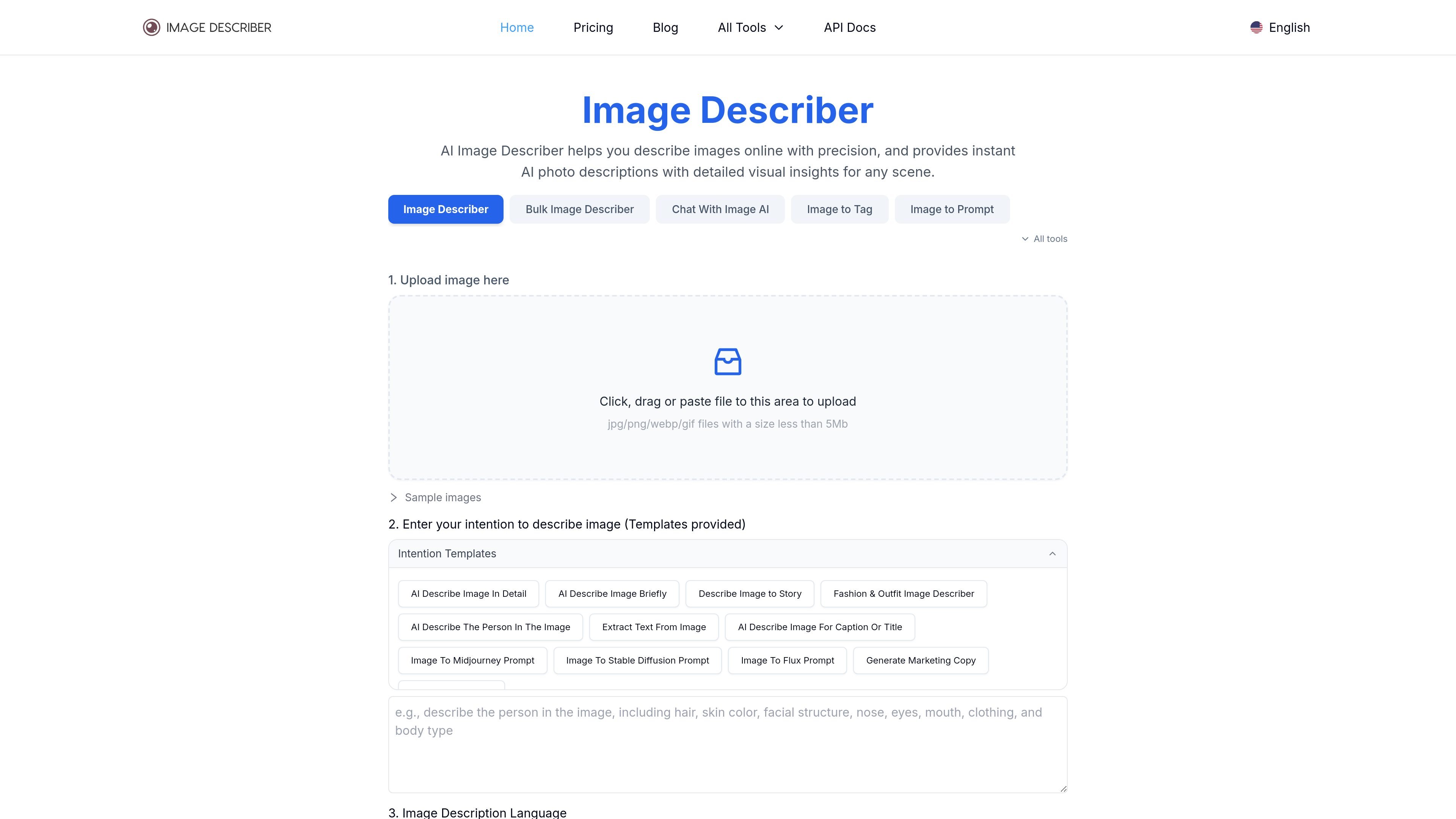
Image Describer is an online AI image analysis tool that turns an uploaded picture into descriptions, captions, prompts, extracted text, or other structured outputs depending on the workflow you choose. The home page positions it as a way to describe an image or picture online, with preset intentions for summary, story, fashion, person description, captioning, text extraction, marketing copy, and object recognition.
The product family includes several related tools: a general image describer, a bulk image describer for batch processing, an image-to-prompt generator, and a chat-with-image interface. Across those tools, the site emphasizes uploading an image, selecting a target model or intention, and then generating output that can be copied, exported, or reviewed in history.
Upload an image, choose a preset intention template, or enter a custom prompt to steer the description toward summary, captioning, story, marketing copy, OCR-style text extraction, or object recognition.
Extract text from images while keeping alignment, line breaks, and formatting as much as possible, according to the site’s feature description.
Generate descriptions, captions, and prompts for specific model targets including Midjourney, Stable Diffusion, and Flux, with model-specific output modes on the image-to-prompt page.
Process multiple images in one session on the bulk describer, which supports up to 50 images per batch and exports results in CSV format.
Start an image chat session and ask questions about the uploaded picture, using the chat-with-image experience to explore details interactively.
Upload JPG, PNG, WebP, or GIF files up to 5 MB on the main tool pages, with local and clipboard upload support called out on pricing and tool pages.
Convert a single image into a detailed description, short summary, caption, title, or story by choosing the matching intention template on the main describer.
Upload an image and generate prompts for Midjourney, Stable Diffusion, or Flux when you want to recreate a visual style or subject in another model.
Run a set of images through the bulk describer when you need descriptions for a catalog, dataset, library, or other large collection and want CSV output for review.
Use chat with image to ask questions about a picture and explore details interactively instead of relying on a single static description.
Extract text from screenshots, documents, or photographed signs when you need OCR-like output with formatting preserved as much as possible.
Image Describer is an AI tool that analyzes an uploaded image and returns a description based on the selected intention template or custom prompt.
The site says it uses multimodal large models that accept both image and text commands to produce image descriptions.
The pricing page and tool pages indicate support for local uploads and clipboard image uploads, and the site says it does not record images and descriptions without consent.
Yes. The site includes different tools and templates for description, text extraction, image-to-prompt, captioning, marketing copy, and related workflows.