
Code-based video composition
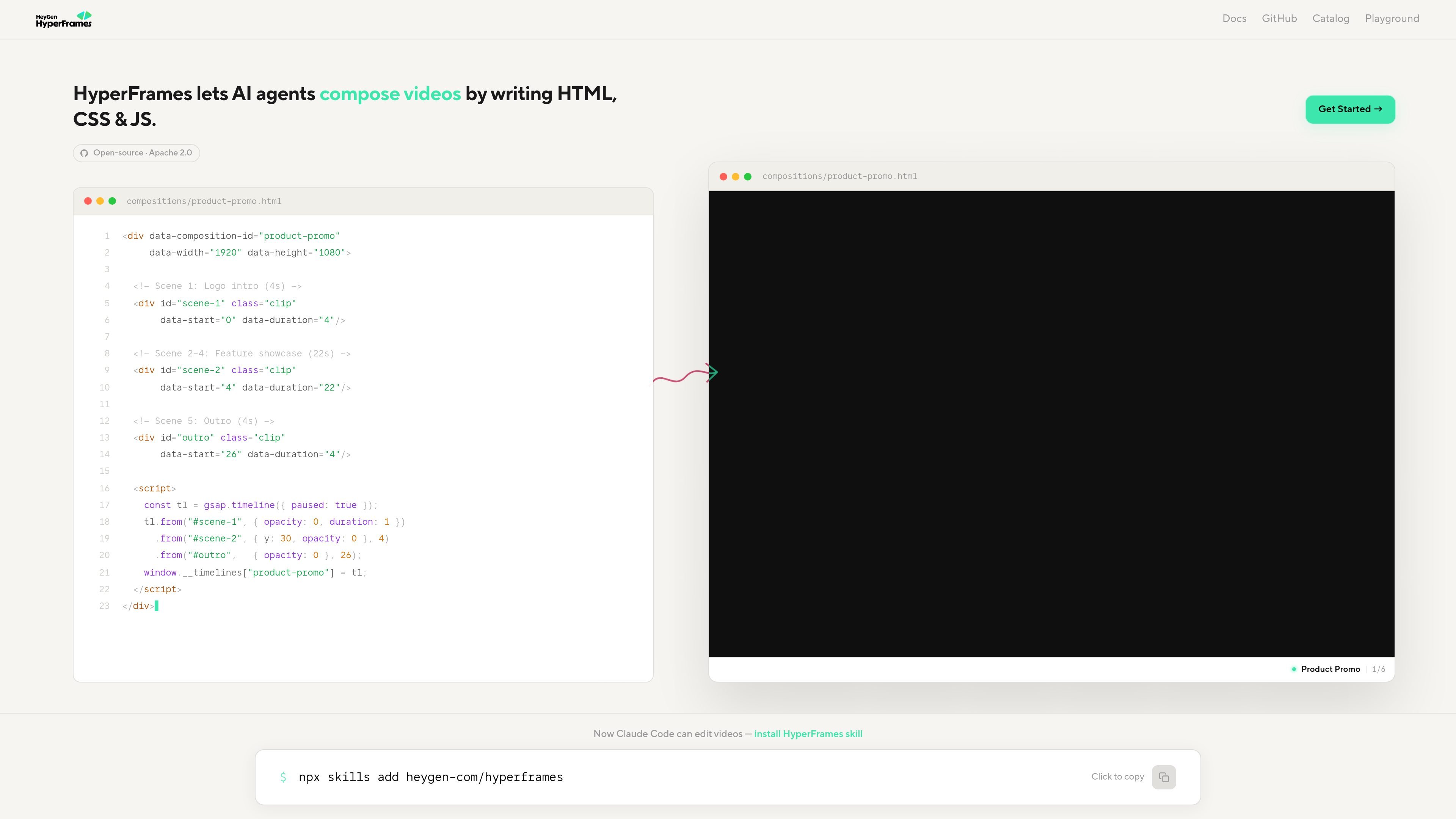
HyperFrames is described as a way for AI agents to compose videos by writing HTML, CSS, and JavaScript, using familiar web primitives instead of a separate visual editor.

Open-source video authoring with HTML, CSS, and JavaScript for AI agents and developers
HyperFrames is an open-source video authoring system that lets AI agents compose videos by writing HTML, CSS, and JavaScript. The site describes it as originating at HeyGen and being built for the community under the Apache 2.0 license.
The quickstart shows two main ways to work with it: use an AI coding agent with installed HyperFrames skills, or create a project manually with the CLI. In both cases, the workflow centers on building a composition, previewing it in Hyperframes Studio, and rendering video output such as MP4.
The documentation also exposes a catalog of reusable blocks, including a 3D iPhone and MacBook showcase block that uses GLTF models and live HTML-in-Canvas screen content. That suggests HyperFrames is meant for composable, code-driven video scenes rather than a closed visual-only tool.
HyperFrames is described as a way for AI agents to compose videos by writing HTML, CSS, and JavaScript, using familiar web primitives instead of a separate visual editor.
The quickstart documents an AI-agent workflow where you install HyperFrames skills and let the agent route a request to the appropriate video workflow.
The core skill set includes composition structure, animation adapters, creative direction, CLI tooling, media preprocessing, and a registry for catalog blocks and components.
The manual workflow includes `npx hyperframes init`, an interactive project wizard, and a project structure with `index.html`, `compositions/`, `assets/`, and `meta.json`.
`npx hyperframes preview` opens Hyperframes Studio in the browser, supports hot reload, and updates the composition when files change.
The site also documents catalog blocks such as `vfx-iphone-device`, which install into a host composition and include assets like GLTF models and HTML-in-Canvas content.
Use HyperFrames when you want an AI agent to draft a video composition from a prompt, then refine the result through code-based edits.
Use the CLI workflow when you want to initialize a project manually, inspect the generated file structure, and work directly in `index.html` and sub-compositions.
Use the reusable block catalog when you are building a repeated scene type such as a device showcase or a product demo with structured assets and predefined composition patterns.
Use the preview and hot-reload loop when you need to iterate quickly on timing, layout, captions, or animation while watching the composition update in the browser.
You can get started by installing the HyperFrames skills with `npx skills add heygen-com/hyperframes`, then either prompt an AI coding agent or create a project manually with `npx hyperframes init`.
The quickstart says HyperFrames works with AI coding agents such as Claude Code, Cursor, Gemini CLI, Codex, Google Antigravity, and GitHub Copilot CLI when the skills are installed.
For manual projects, the documented prerequisites are Node.js 22+ and FFmpeg for local rendering.
The quickstart says `npx hyperframes preview` opens Hyperframes Studio in the browser and updates the preview automatically when `index.html` changes.
The source shows HyperFrames compositions are built with HTML, CSS, JS, `data-*` attributes, and timed elements such as `class="clip"`, but it does not describe a separate hosted integration layer.
Traffic data is for reference only.

onorca.dev
Orca is an Agent Development Environment for shipping with coding agents, running parallel CLI agents in isolated worktrees with desktop and mobile companion workflows.

blopai.com
Blop writes browser tests as code, runs them in CI, clusters repeated failures, and opens pull requests to fix broken tests.

rlama.dev
Local AI platform for RAG systems and intelligent agents

kastra.ai
Kastra is authorization infrastructure for AI systems that checks prompts, tool calls, shell commands, API requests, and browser actions before execution. Enforce policy, maintain signed audit trails, and govern local and enterprise AI workflows.

aakar-ai.dev
Manage AI providers, project setups, logs, and analytics in one dashboard with BYOK support.

termo.ai
Termo is an AI agent platform with isolated VMs for research, automation, and build tasks.