
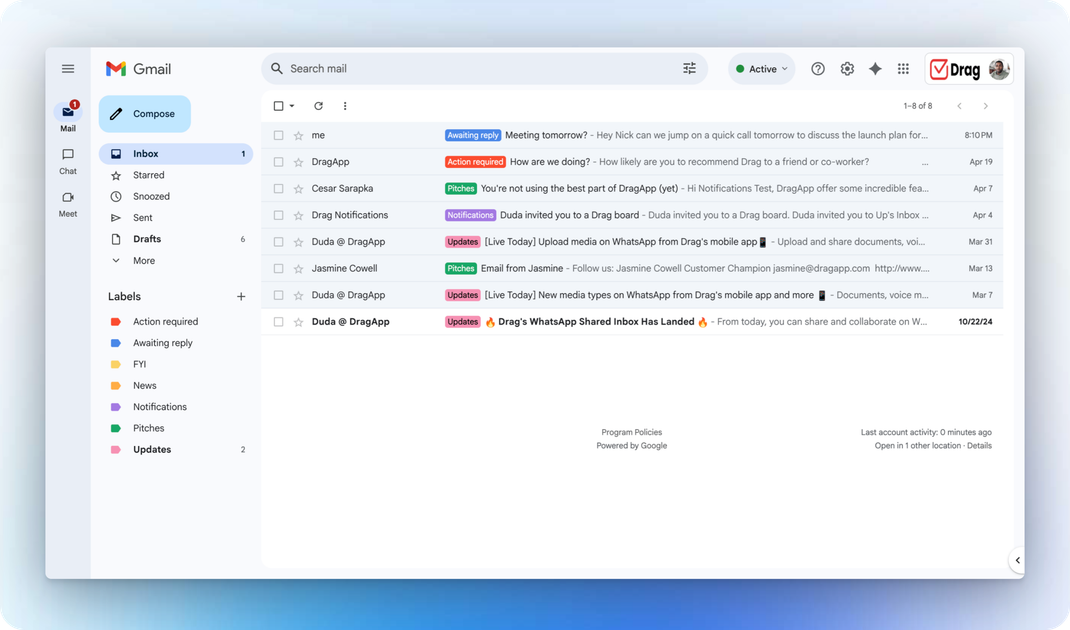
AI email drafts
HeyHelp drafts replies inside Gmail so users can review and send without switching to another app. The site says the drafts are written in the user's voice and can use the user's knowledge base for context.

HeyHelp is an AI email assistant for Gmail that drafts replies, organizes inboxes, and automates follow-ups and scheduling.
HeyHelp is an AI email assistant for Gmail that drafts replies, sorts inboxes, handles follow-ups, and helps with scheduling from inside the Gmail interface. The product is positioned for people and teams that rely on Gmail and want to automate repetitive email work without changing tools.
The homepage says HeyHelp can pre-clean the inbox by filtering noise, draft replies in the user's voice, learn from corrections, and create draft calendar events from email context. The pricing page adds that it offers a Pro plan with bundled AI usage and a Connect plan for users who want to bring their own API key and pay their provider directly.
HeyHelp drafts replies inside Gmail so users can review and send without switching to another app. The site says the drafts are written in the user's voice and can use the user's knowledge base for context.
The product can tag, sort, and archive emails automatically. The homepage says it filters out noise such as spam and promotions, then organizes messages into actionable labels.
HeyHelp can handle follow-ups so conversations do not stall. The site frames this as keeping deal and reply threads moving on time.
The product can create draft calendar events from email context, including title, description, and attendees, and asks the user to confirm before sending them on.
HeyHelp learns from manual corrections and adapts to the user's writing style, workflow, and priorities over time.
The pricing page and homepage both state that HeyHelp works natively in Gmail and can connect with CRM and other tools to keep contacts, tasks, and notes updated automatically.
Use HeyHelp when you want Gmail replies drafted automatically and ready for review in your own tone.
Use it to clear out low-priority mail by sorting, tagging, and archiving noise so important messages are easier to find.
Use it to keep threads moving by generating follow-ups for stalled conversations or active sales communication.
Use it when you want email context turned into draft calendar events with attendees and descriptions before you confirm them.
Use the Connect plan when you want to choose your own AI provider and pay usage directly to Gemini, OpenAI, or Anthropic.
HeyHelp is built to work inside Gmail. The source does not describe a separate desktop or mobile app.
The pricing page shows a 7-day free trial with no credit card required for the Pro plan. The Connect plan is offered as a one-time purchase for lifetime access.
The source says HeyHelp is a Google Verified App and highlights CASA Tier 2 certification, end-to-end encryption, and enterprise-grade, privacy-first infrastructure.
Yes. The pricing page says bigger teams, typically 10+ users, can contact the company about custom plans.
The source says HeyHelp Connect lets users bring their own API key and use Gemini, Anthropic, or ChatGPT/OpenAI models inside Gmail.
Traffic data is for reference only.

slashy.com
Slashy is an AI email client that drafts replies, organizes inboxes, and handles calendar and follow-up tasks in one workflow for individuals, teams, and enterprises.

getinboxzero.com
AI email assistant that organizes inboxes and drafts replies

fyxer.ai
Fyxer is an email assistant that organizes your inbox, drafts replies in your voice, and captures meeting notes. It supports Gmail and Outlook and offers a 7-day free trial.

serif.ai
Serif is an AI email assistant for Gmail and Outlook that drafts replies, triages incoming messages, and handles routine inbox work for teams and solo operators.

tryellie.com
AI email assistant that drafts replies in your voice for Gmail and Outlook.

www.hellodeck.ai
Deck is an AI email assistant that works from its own email address. CC or forward messages to it, set recurring routines, and get private drafts, summaries, and follow-up help—without installing a plugin or granting inbox access.