
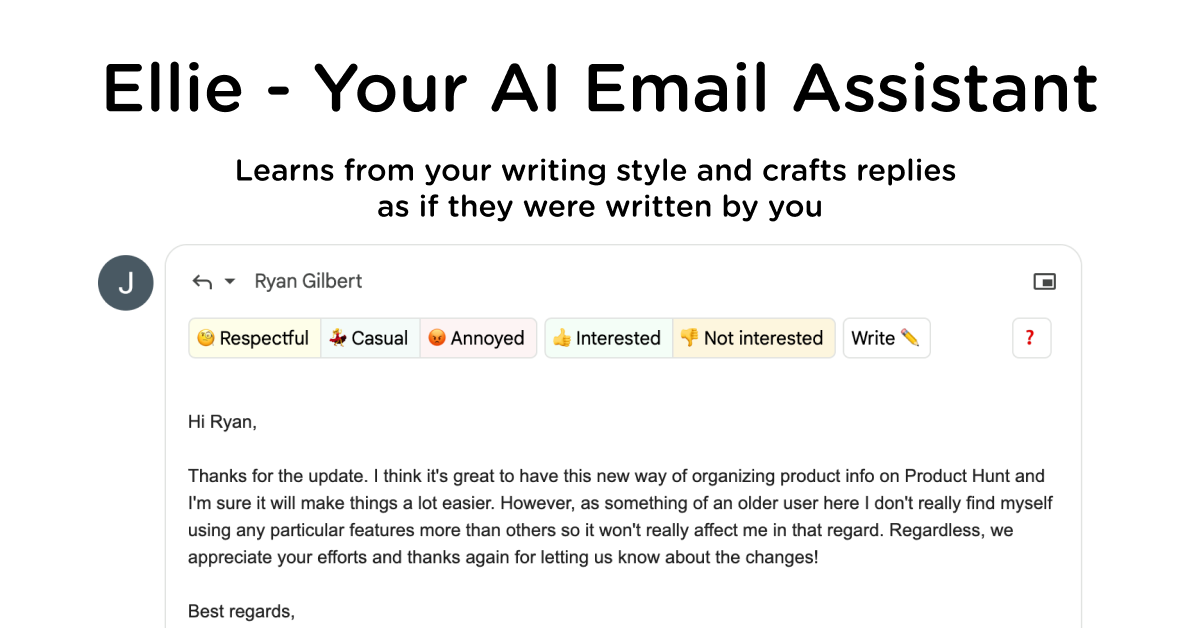
Automatic reply drafting
Connect Gmail, Google Workspace, Outlook, or Microsoft 365 once and Ellie can draft replies directly into your Drafts folder. Auto-drafts run in the background, so the inbox can be ready before you open it.

AI email assistant that drafts replies in your voice for Gmail and Outlook.
Ellie is an AI email assistant that drafts replies in your voice. It connects to Gmail or Outlook, reads incoming threads, and writes draft responses that appear in your Drafts folder for you to review and send.
The product is built for people who spend time answering email and want help keeping up without changing their existing workflow. It supports automatic drafting from a connected inbox, on-demand drafting through a browser extension or Outlook add-in, and company-specific drafting through knowledge bases, live structured data, and roles.
Connect Gmail, Google Workspace, Outlook, or Microsoft 365 once and Ellie can draft replies directly into your Drafts folder. Auto-drafts run in the background, so the inbox can be ready before you open it.
Use the browser extension to generate a reply when you want it, including in Gmail, Outlook on the web, and Fastmail. The extension adds a button to the compose flow for manual triggering.
Use the native Outlook desktop add-in to trigger Ellie from the Outlook ribbon. The downloads page says it works with classic Outlook, new Outlook, and Outlook on the web, and it is published on Microsoft AppSource.
Ellie learns from your sent mail and writes in your tone, including sign-offs, opener style, and other patterns in how you write. The home page says it mimics your voice rather than using fixed templates.
Knowledge base training can use websites or uploaded documents. The pricing page says you can provide URLs or files such as PDF, TXT, and DOCX, and choose basic or advanced training depending on plan.
Roles let you create different personas with their own tone and knowledge base. The pricing page gives the example of a customer support specialist role that uses help documentation when drafting replies.
For people who receive a steady flow of replies, Ellie can connect to the inbox, draft responses overnight, and leave the messages ready to review the next morning. This fits day-to-day email management where speed matters more than writing from scratch.
For situations where you want direct control, the browser extension can draft a reply on demand inside Gmail, Outlook on the web, or Fastmail. This is useful when only one message needs help and you want to decide exactly when Ellie is used.
For support, sales, or operations email, Ellie can use company knowledge bases and uploaded docs to pull in product facts, policy details, or links while drafting. That helps replies stay aligned with what the team would say.
For teams or individuals with several email personas, Roles can separate tone and knowledge by context. The pricing page describes using different roles for functions such as sales, support, operations, or founder email.
For Microsoft 365 users, Ellie can be bought through Microsoft AppSource and the Outlook add-in can be deployed by an IT admin across the tenant. This suits organizations that want centrally managed access in Outlook.
Yes. The pricing page says Ellie supports Gmail or Outlook connections for auto-drafted replies, and the browser extension can be used on Gmail, Outlook on the web, and Fastmail for manual reply generation. It also mentions a native Outlook desktop add-in.
Ellie is meant for replies, not cold outreach. The pricing FAQ explicitly says it will only write replies to emails, not cold emails.
The pricing page says plans provide a certain number of replies per day, and that auto-draft and auto-categorise are available on Business and Professional plans. It does not show the numeric caps in the provided text.
Ellie can learn from a knowledge base. Casual includes basic training, while Business and Professional include more advanced training. The pricing FAQ says you can upload files such as PDF, TXT, and DOCX documents or provide a website URL for Ellie to learn from.
Yes. The pricing page says additional team members can be added, starting at $5 per user. It also says Roles let you create different personas with separate knowledge bases and tones.
Traffic data is for reference only.

usechalked.com
Chalked is a Mac reply assistant that reads the conversation you are in and prepares context-grounded responses for Gmail, LinkedIn, and, on macOS 26, Messages. It uses calendar and working context when relevant, while leaving review, editing, and sending to you.
chatgptoutlookaddin.com
AI add-in for summarizing and drafting Outlook emails with custom prompts

writemail.ai
AI email writer for drafting emails and replies with tone controls, multilingual support, Gmail integration, and a free plan

chatgptservices.app
AI Mail Assistant is a ChatGPT-powered Gmail add-on for drafting replies, summarizing, translating, and analyzing emails.

autogmail.com
A Gmail-based AI assistant that drafts replies with ChatGPT and manages email

ai-writer.app
AI Writer is an AI writing app for drafting emails, essays, articles, and message templates from a short prompt and context, with customizable style and tone across smartphones, tablets, and computers.