
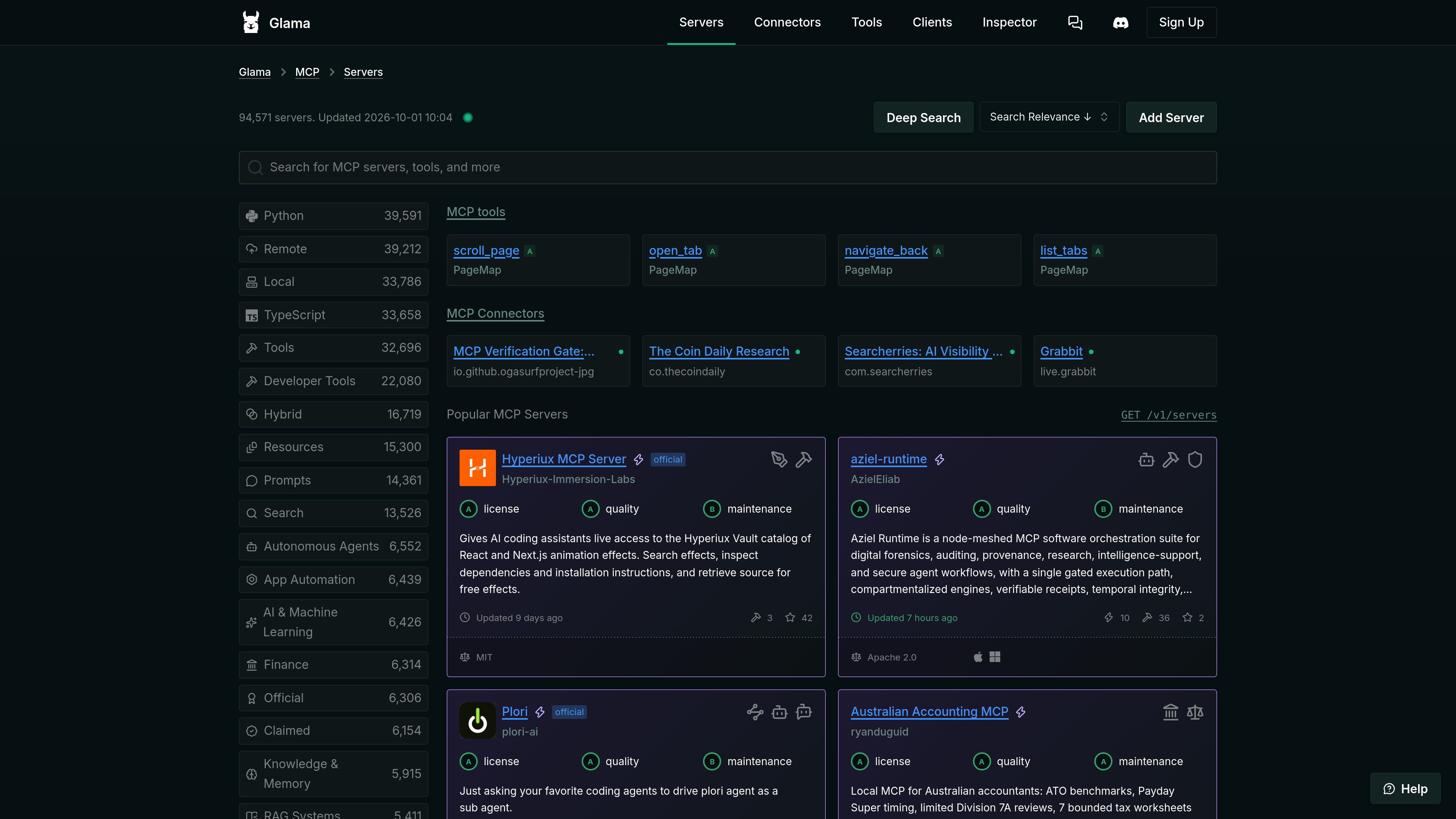
Searchable MCP registry
Browse and search MCP server listings across technical and functional categories, including developer tools, finance, research, browser automation, databases, security, and knowledge systems.

Glama is a registry and infrastructure platform for discovering, evaluating, and connecting to Model Context Protocol (MCP) servers, connectors, clients, and tools. It supports browsing open-source and remote MCP entries, with hosted access and gateway features described on the site.
Glama is a Model Context Protocol (MCP) directory and infrastructure platform. It indexes MCP servers, remote connectors, clients, tools, and integrations so users can search, compare, and evaluate components for AI-assisted workflows.
The main registry includes open-source server listings with filters and sorting for attributes such as deployment type, programming language, tools, resources, prompts, categories, license, update date, usage signals, and maintenance. A separate connector directory focuses on remote MCP servers that can be connected without local installation.
Glama also describes hosted MCP access through a ChatGPT-like interface and a gateway that can proxy MCP calls with logging and access control. The available source does not provide complete pricing, setup, or usage-limit details for those hosted features.
Browse and search MCP server listings across technical and functional categories, including developer tools, finance, research, browser automation, databases, security, and knowledge systems.
Registry entries can show deployment type, language, available tools, resources or prompts, license, update date, repository signals, and quality or maintenance ratings.
A dedicated directory lists remote MCP servers intended for direct connection without local installation. Listings may indicate authentication options, health status, tool counts, and supported categories.
The client directory catalogs applications that connect to MCP servers, with filters for platforms and capabilities such as desktop, web, CLI, VS Code extensions, resources, prompts, OAuth, and elicitation.
Glama describes a ChatGPT-like workspace with native MCP support and access to hosted servers, allowing users to interact with connected MCP capabilities through a conversational interface.
The platform describes a gateway for proxying MCP calls through a controlled endpoint, including full logging and access control.
Developers can compare candidate MCP servers using listing metadata such as license, update history, tool coverage, repository signals, and quality or maintenance indicators.
Teams that want to avoid local installation can search the connector directory for hosted MCP servers and check whether entries support OAuth, require no authentication, or report a healthy status.
Users can browse client applications by operating system, delivery format, and protocol capabilities when selecting an environment for connecting to MCP servers.
Researchers, developers, and operations teams can search domain categories such as data access, documentation, browser automation, finance, security, and project management to identify relevant MCP components.
Organizations evaluating hosted usage can use the described gateway model to proxy MCP calls through a controlled layer with logging and access control, subject to the platform's available plan and setup requirements.
Glama is an MCP registry and platform for discovering servers, remote connectors, clients, tools, and related integrations.
Yes. The connector directory lists remote MCP servers intended to be connected directly without local installation. Entries may show authentication and health attributes.
Depending on the entry, the registry can show categories, deployment type, programming language, tools, resources, prompts, license, update date, repository signals, and quality or maintenance indicators.
The site describes a ChatGPT-like interface with native MCP support and hosted server access, as well as a gateway that proxies MCP calls with logging and access control. The supplied information does not specify the complete setup or plan requirements.
Yes. Its client directory catalogs MCP applications and provides filters for platforms and capabilities such as web, desktop, CLI, extensions, OAuth, resources, and prompts.

0mcp.io
0mcp converts selected operations from an OpenAPI-described API into a hosted Model Context Protocol (MCP) server. It helps SaaS, platform, and internal teams make approved API actions available to MCP-compatible AI clients without implementing and operating the protocol layer themselves.

gitmcp.io
GitMCP creates a remote Model Context Protocol (MCP) server for public GitHub repositories and GitHub Pages sites. It helps MCP-compatible AI assistants access repository documentation and code context for more relevant coding responses.

modelcontextprotocol.io
The official TypeScript SDK for building Model Context Protocol servers and clients. It provides a repository-organized foundation for MCP development, with separate client, server, core, middleware, documentation, and example areas.

obot.ai
Obot is an open-source enterprise AI control plane and MCP gateway for deploying, governing, and auditing AI agents, MCP servers, and Skills. It helps organizations centralize access policies, discovery, authentication, and activity records across AI tooling.

usefiretower.com
Firetower is an open-source, self-hosted control plane for running coding agents on servers you own. It lets developers start agent sessions from repositories, monitor them from desktop or mobile clients, review changes, and ship branches without keeping the initiating device online.

www.docker.com
Docker MCP Enterprise Gateway governs how MCP-compatible clients access approved servers and tools. It applies identity-aware policy, supplies credentials from an approved secret store, and records tool-call decisions for enterprise teams.