
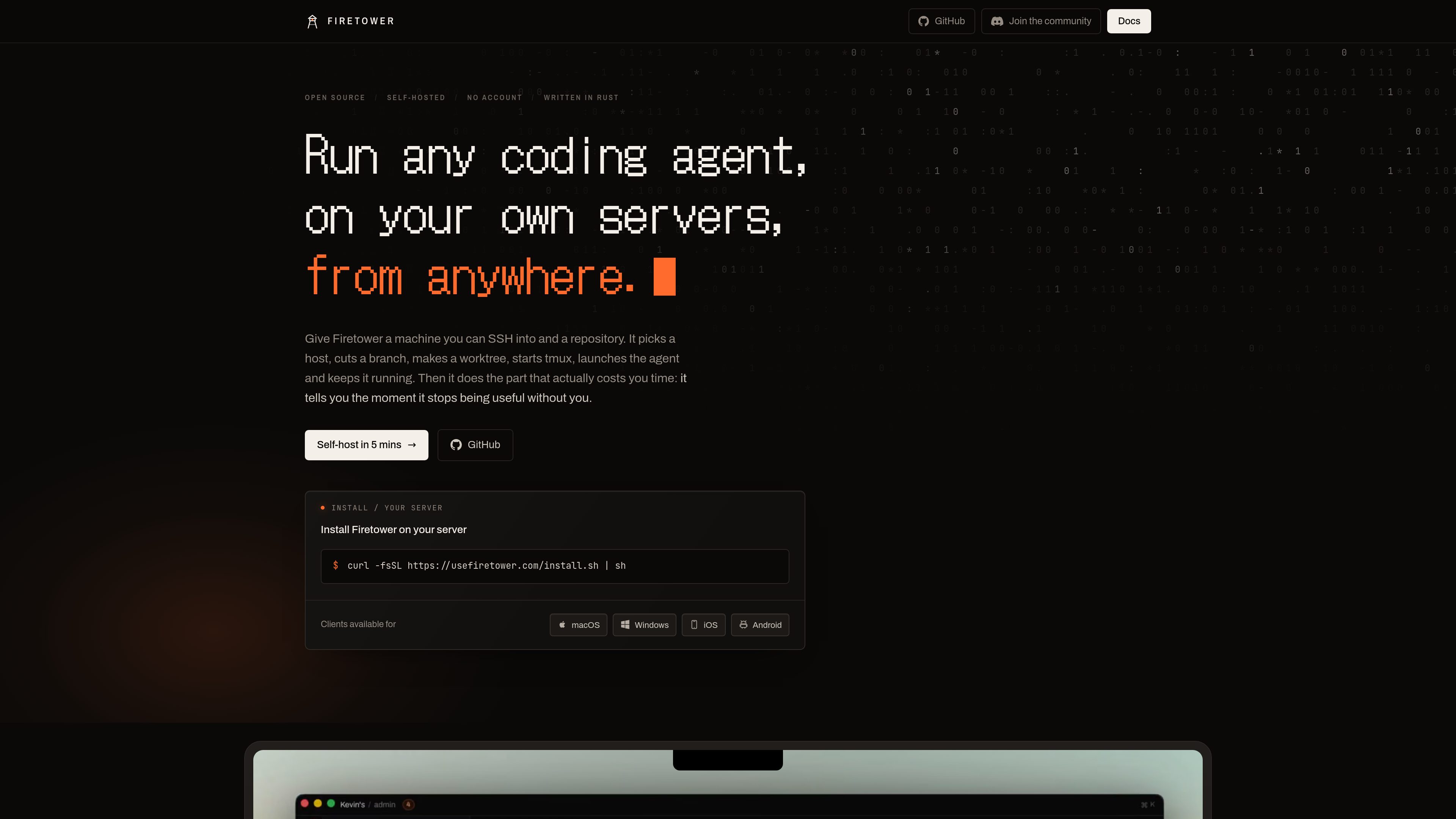
Remote coding-agent sessions
Runs agents on connected worker machines over SSH, with each session using its own Git worktree and tmux process.

Firetower is an open-source, self-hosted control plane for running coding agents on servers you own. It lets developers start agent sessions from repositories, monitor them from desktop or mobile clients, review changes, and ship branches without keeping the initiating device online.
Firetower is an open-source, self-hosted control plane for coding agents. It runs the control plane on a Linux server and connects to machines that host the agents, allowing developers to start work from a repository, follow the session from a browser or supported client, review the resulting changes, and ship the branch.
A session is prepared with a branch, Git worktree, and tmux process on the selected worker. Because the agent runs on that machine rather than on the laptop or phone used to connect, it can continue after the client closes or disconnects. Workers retain their local worktrees and report activity back to the control plane when connectivity resumes.
Firetower supports an issue-to-branch workflow: select work from configured tracker views, open a workspace, preview and annotate changes, then commit and open a pull request. GitHub authorization is available through a per-installation OAuth application and device flow; repositories may also be added from a remote URL using the worker machine's Git credentials.
Runs agents on connected worker machines over SSH, with each session using its own Git worktree and tmux process.
Sessions continue when the initiating laptop closes or the client stops. Workers retain the branch and changed files, and the control plane replays worker activity after reconnecting.
Start from available issue or ticket views, open a workspace, preview and annotate changes, review the diff, commit the branch, and open a pull request.
Clients are available for macOS, Windows, iOS, and Android, so a session can be monitored or resumed from another device.
Each installation can use its own GitHub OAuth application and device authorization flow. The authorized token is encrypted in the control plane, while repositories can also be added directly by remote URL.
The control plane coordinates hosts and credentials while workers perform the Git and agent operations on their own machines. Workers communicate through standard input and output and do not open an inbound port.
Start an agent on a server or other connected machine, close the laptop, and later resume the same conversation and worktree from a phone or another supported client.
Select an issue or ticket, let Firetower create the session workspace, then inspect the diff and annotations before committing and opening a pull request.
Attach additional workers when different repositories or workloads should run on separate hosts, while keeping each agent in its own machine-local worktree.
Self-host the control plane on a Linux server you manage, using a mesh VPN such as Tailscale or another network arrangement instead of requiring the server to be publicly reachable.
Self-hosting is available today. The control plane runs on a Linux server you can access over SSH. Firetower Cloud is described in the documentation as planned and is not currently available.
The documented installation requires a Linux server with root or sudo access, Docker with the Compose plugin, and Node 20 or newer. The installation guide also asks for a domain and an API token for the domain's DNS provider. The supplied installer can install missing Docker and Node components before running the Firetower CLI.
Agents run on Firetower worker machines, not on the laptop or phone used to connect. A new installation includes itself as one machine, and additional workers can be connected for other hosts.
Yes. Each Firetower installation registers its own GitHub OAuth application with device flow enabled. Users then authorize their own GitHub accounts; the resulting access can be used to clone repositories and push session branches. A repository can also be added from a remote URL without connecting GitHub.
Closing the client does not stop an agent because the session runs on the worker. Workers retain their worktrees if they stop, and the control plane catches up with worker events after it returns. The documentation does not promise that an agent continues running if its worker machine itself is unavailable.
Traffic data is for reference only.

heyzoku.com
Zoku is a native macOS app for running and coordinating multiple coding-agent CLIs on one canvas. It lets developers spawn, redirect, monitor, and interrupt named agents by voice while using the subscriptions and command-line tools already installed on their Mac.

github.com
An open-source desktop and mobile interface for running coding-agent conversations across local and remote hosts.

getbb.app
bb is a local-first, open-source IDE for running coding agents in parallel, organizing their work in threads, and extending the workspace with plugins. It is designed for developers and teams that want to coordinate provider-based agents and customize their software workflow.
www.statewave.ai
Statewave is an open-source, self-hosted memory runtime for AI agents. It stores durable episodes, compiles structured memories with provenance, and returns ranked context bundles for applications that need continuity across sessions.

github.com
Open-source, self-hosted iPhone control for AI agents on macOS.

obot.ai
Obot is an open-source enterprise AI control plane and MCP gateway for deploying, governing, and auditing AI agents, MCP servers, and Skills. It helps organizations centralize access policies, discovery, authentication, and activity records across AI tooling.