
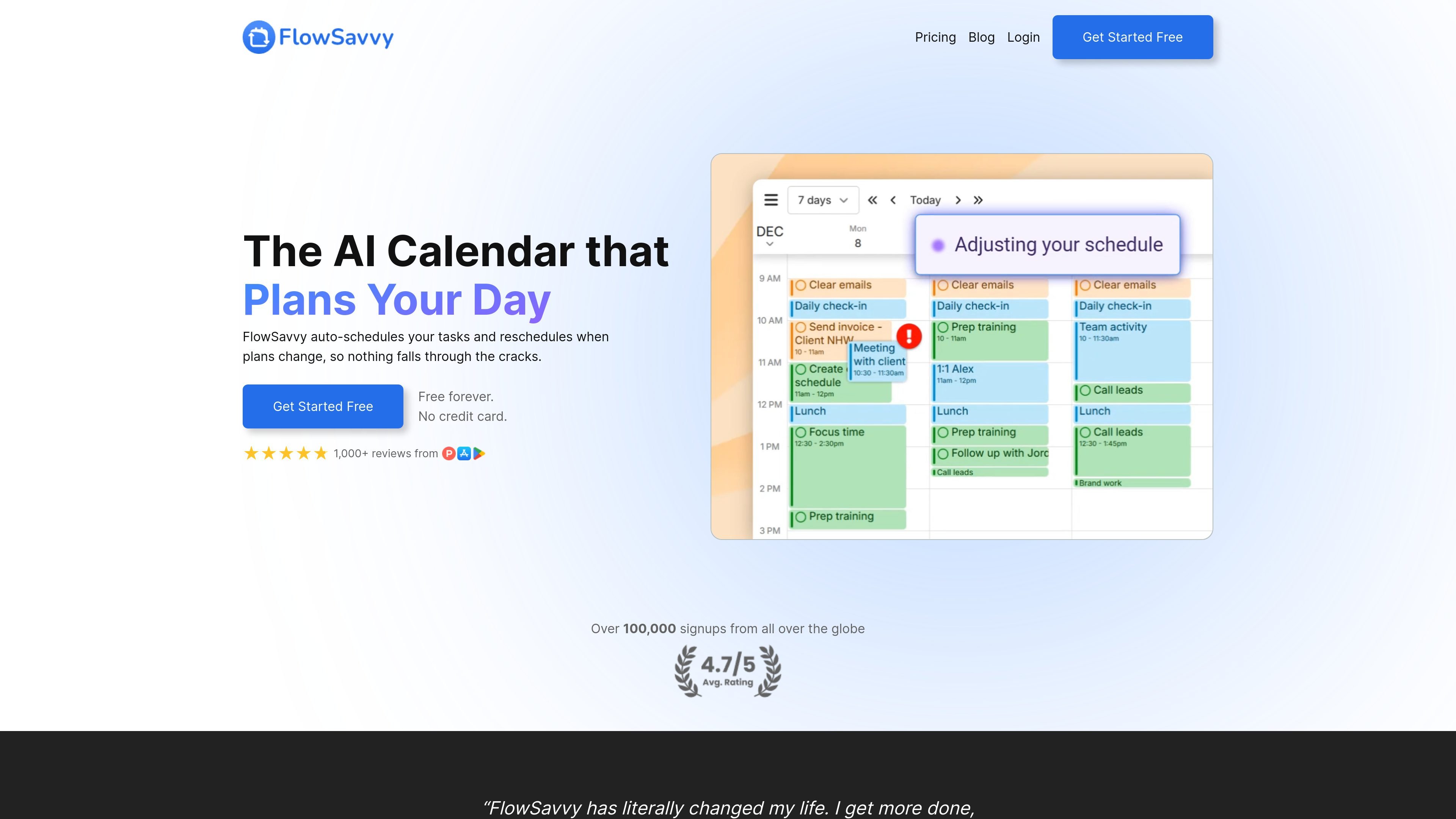
Auto-schedules tasks into your calendar
FlowSavvy places tasks into open time on your calendar based on priorities, deadlines, and your scheduling rules, so you do not have to build the plan manually.

AI calendar app that auto-schedules tasks and adapts when plans change
FlowSavvy is an AI calendar app that auto-schedules tasks into your day and reschedules them when plans change. Its core job is to turn a to-do list into a time-blocked calendar plan so deadlines stay visible and missed work can be moved back into place.
The product is designed for people who want scheduling automation without giving up control. Users can define scheduling hours, set priorities and dependencies, drag and drop tasks, and sync the schedule with Google Calendar, Outlook.com, or iCloud Calendar across web, iOS, and Android apps.
FlowSavvy places tasks into open time on your calendar based on priorities, deadlines, and your scheduling rules, so you do not have to build the plan manually.
When meetings move or new tasks appear, FlowSavvy can recalculate and reschedule missed work automatically instead of leaving tasks stranded.
You can set custom scheduling hours for different parts of life, such as work, personal, mornings, or evenings, to control when the app is allowed to place work.
The app supports priority levels and task dependencies, which helps it order work and preserve the sequence for tasks that must happen in a specific order.
FlowSavvy can sync with Google Calendar, Outlook.com, and iCloud Calendar, and it offers web, iOS, and Android apps.
Tasks can be organized in lists, and the app includes views such as inbox, to-do list, calendar, day, 3-day, 7-day rolling, and week view.
Useful for people who want a daily plan built automatically from tasks, deadlines, and available time instead of manually dragging items onto a calendar.
Helpful when meetings, errands, or new obligations interrupt the day and you need the app to move unfinished tasks back into open slots.
Fits routines with recurring work, since FlowSavvy can schedule repeating tasks and habits within defined work, personal, morning, or evening hours.
Supports users who manage several categories of work and want lists, calendar views, and synced calendars to keep personal and work items separate but coordinated.
FlowSavvy only auto-schedules tasks that have Auto-Schedule turned on. It does not move calendar events, and you can manually drag and drop scheduled tasks if you want to adjust the result.
Yes. FlowSavvy syncs with Google Calendar, Outlook.com, and iCloud Calendar.
Yes. The pricing page says FlowSavvy offers a 7-day free trial for the Pro plan, in addition to the free plan.
FlowSavvy offers a 50% discount on the first year of the annual plan for students who contact support from an institutional email address.
For web purchases through Stripe and purchases through Google Play, refunds within the last 30 days can be requested by emailing support@flowsavvy.app. Apple in-app purchases follow Apple's refund process.
Traffic data is for reference only.
| May | 86302 |
|---|---|
| Jun | 80152 |
| Jul | 81274 |
Traffic analytics are not available yet.
Traffic analytics are not available yet.

famori.my
Famori is an AI-powered family assistant for coordinating schedules, reminders, meals, fitness, and everyday household information in a shared family space. It works through an installable web app, with WhatsApp available as an optional add-on.

early.app
EARLY tracks time automatically and turns activity into accurate timesheets.

morgen.so
Morgen is an AI daily planner combining calendars and tasks in one app.

beforesunset.ai
AI action and goal planner for clearer task lists and calendar-aware scheduling

akiflow.com
Time-blocking planner and calendar for organized workflows

trevorai.com
AI planner combining task management and calendar scheduling in one timeline.