
AI-assisted content creation
FeedHive uses AI to help generate posts, ideas, hashtags, captions, and variations that fit a brand's tone of voice and audience.

FeedHive is a social media automation platform for AI content creation, scheduling, collaboration, and multi-channel management.
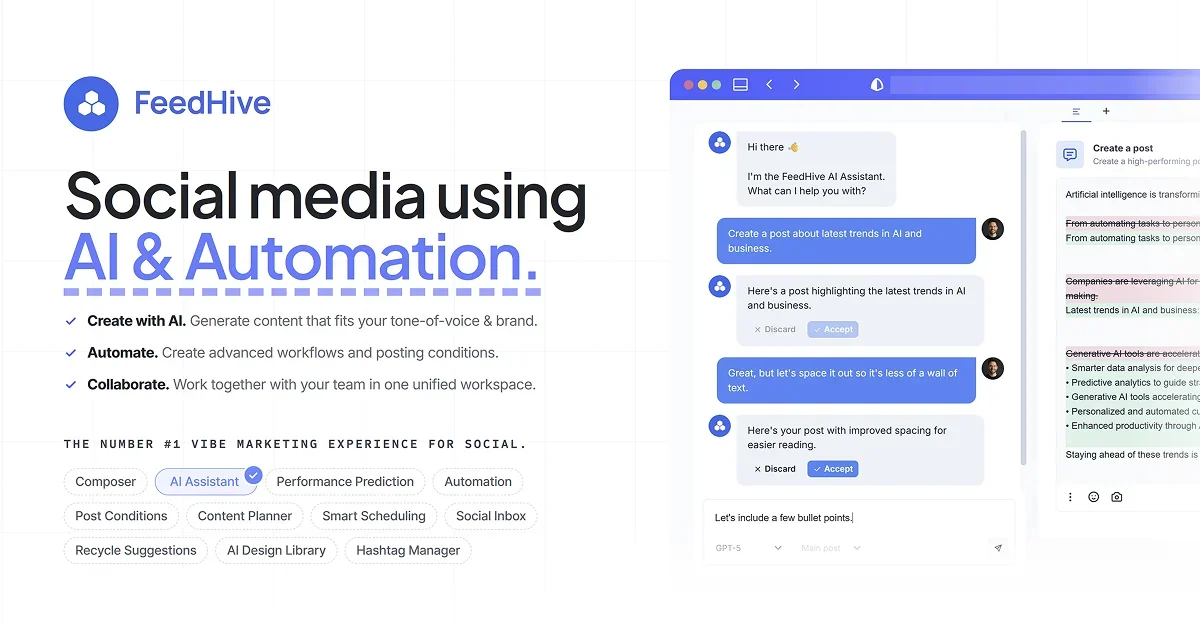
FeedHive is a social media automation platform that combines AI-assisted content creation, scheduling, collaboration, and workflow automation. The homepage positions it as a tool for creating content with AI, automating posting conditions, and working with a team in a single workspace.
The product is built to help users turn ideas into publishable social posts, keep channels active with scheduling and recycling, and manage multi-channel publishing from one place. Its pricing page shows plans for creators, brands, businesses, and agencies, with features scaled by social accounts, workspaces, AI credits, and automation runs.
FeedHive uses AI to help generate posts, ideas, hashtags, captions, and variations that fit a brand's tone of voice and audience.
The platform supports advanced workflows, post conditions, posting plans, webhooks, and a visual automation builder for scheduled publishing.
Users can plan posts, review drafts, leave feedback, approve content, and manage roles and access in a shared workspace.
FeedHive can suggest posts to recycle, shorten links with LinkDrip, and track performance so content can be reused and managed from one place.
The product supports social inbox, saved replies, content library, media library, post preview, grid preview, and scheduling tools for managing content across channels.
FeedHive exposes developer-focused options including OpenClaw skills, Claude Code setup, API/CLI access, REST API, and an official MCP server.
Plan and generate social posts with AI, then schedule them across multiple channels without rewriting the same idea for each platform.
Set up approval flows, team roles, workspaces, and client links to review content before it goes live.
Create posting plans, post conditions, and recycled content workflows to keep accounts active with less manual effort.
Use the social inbox, saved replies, and content library to organize responses and keep assets in one workspace.
Connect FeedHive to scripts or AI tools through API, CLI, OpenClaw skills, Claude Code, or the MCP server for custom workflows.
FeedHive is a social media automation platform for creating, scheduling, and managing content across multiple channels. It combines AI-assisted writing, automation workflows, and team collaboration in one workspace.
The source shows a free trial and pricing plans for creators, brands, businesses, and agencies. It also mentions a limited launch bonus that doubles AI credits for 3 months when starting a trial.
FeedHive includes collaboration features such as team roles, approval flows, workspaces, client links, and workspace access, with higher tiers offering more seats and workspaces.
The site highlights supported publishing to Facebook, Instagram, YouTube, X, TikTok, LinkedIn, Pinterest, Google Business, Threads, Discord, Zapier, and Make, with additional automation and API options.
Pricing is tiered by plan and usage limits such as social accounts, AI credits, automation runs, future scheduling, history, and scheduled posts. The specific limits vary by plan.