
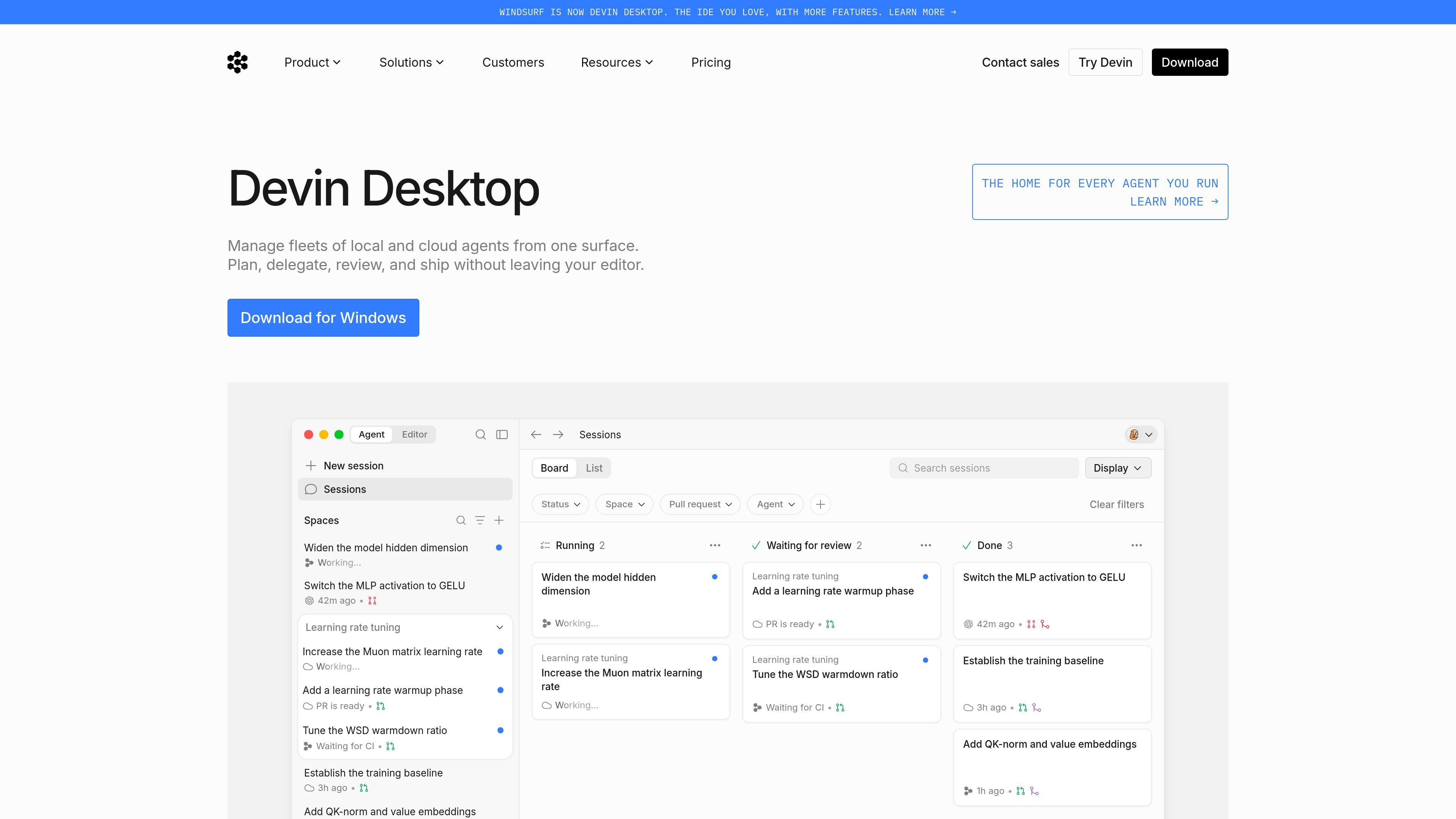
Single surface for agent management
Manage local and cloud agents from one surface, with the product positioned as a command center for dispatching and monitoring agent work.

Devin Desktop is Windsurf’s desktop app for managing local and cloud agents in one workspace, with support for Mac, Windows, Linux, JetBrains, and CLI.
Devin Desktop is Windsurf’s desktop app for managing local and cloud agents in one workspace. The product is described as a command center that lets users plan, delegate, review, and ship agent work without leaving the editor.
The site presents it as a way to coordinate multiple agents, preserve context between tasks, and keep development work close to the local machine when teams want a faster, more hands-on environment. It is available on Mac, Windows, and Linux, with additional access through a JetBrains plugin and a local CLI.
Manage local and cloud agents from one surface, with the product positioned as a command center for dispatching and monitoring agent work.
Plan, delegate, review, and ship without leaving the editor, keeping the workflow centered in the desktop app.
Support for multi-agent coordination is called out in the home page copy, with context shared across agents in one place.
The download page lists downloadable apps for Mac, Windows, and Linux, plus a JetBrains plugin and a local CLI.
The pricing page states that Devin Desktop is included across plans, with team and enterprise options for shared billing, admin controls, and support.
Coordinate several agents across related work while keeping their context in one place, which is useful when tasks need to be reviewed together or handed off between steps.
Run agent-assisted development from the desktop app when you want the flexibility of local machine permissions and a more hands-on environment.
Use the product in a team setting where centralized billing, shared collaboration, and admin controls are important.
Download the app on Mac, Windows, or Linux, or use the JetBrains plugin or CLI when your workflow depends on those environments.
Start with a free plan for light agent usage, or move to paid plans when you need broader model access, cloud agents, or higher quotas.
Devin Desktop is the new name for Windsurf. The download page says the IDE experience remains accessible while the product adds an Agent Command Center for Spaces, Kanban view, and multi-agent management.
Yes. The download page says your plan, pricing, extensions, settings, and in-progress work carry over automatically during the over-the-air update from Windsurf.
No. The download page says your current plan and pricing stay exactly the same, including legacy Windsurf Enterprise plans.
Windsurf for JetBrains is still available for IntelliJ IDEA, PyCharm, WebStorm, and more, according to the download page.
Paid plans refresh usage allowances automatically on a daily and weekly basis. If you go beyond the included usage on a paid plan, you can buy extra usage at API pricing.
Traffic data is for reference only.

aipy.app
AiPy is a desktop AI assistant combining AI reasoning and Python execution for local computer tasks, with open-source local deployment on Mac, Windows, and Linux.

hermes-agent.nousresearch.com
Standalone desktop and terminal AI agent for macOS, Windows, and Linux with persistent memory, messaging integrations, scheduled automations, and multiple deployment backends.

agents.craft.do
Craft Agents is an open-source desktop app for working with AI agents, models, APIs, MCP servers, local files, and a built-in browser.

openhands.dev
OpenHands is an open-source, model-agnostic platform for cloud coding agents that automates engineering workflows across local, cloud, and enterprise deployments via web, CLI, terminal UI, and SDK interfaces.

kilocode.ai
Open source AI coding agent for VS Code, JetBrains, CLI, and cloud workflows, with model routing, BYOK, local models, and KiloClaw.

sim.ai
Sim is an open-source AI workspace for building, deploying, and managing AI agents with visual workflows, Chat, API access, integrations, and collaboration tools.