
Workflow as code
Define Commands, Pipelines, and Services in a single workflow model using YAML and workflow-as-code patterns. The platform is designed to make delivery steps reusable and easier to standardize across a team.

CTO.ai is a DevOps-as-a-Service platform for automating cloud delivery, running workflows from Slack or CLI, and tracking DORA metrics.
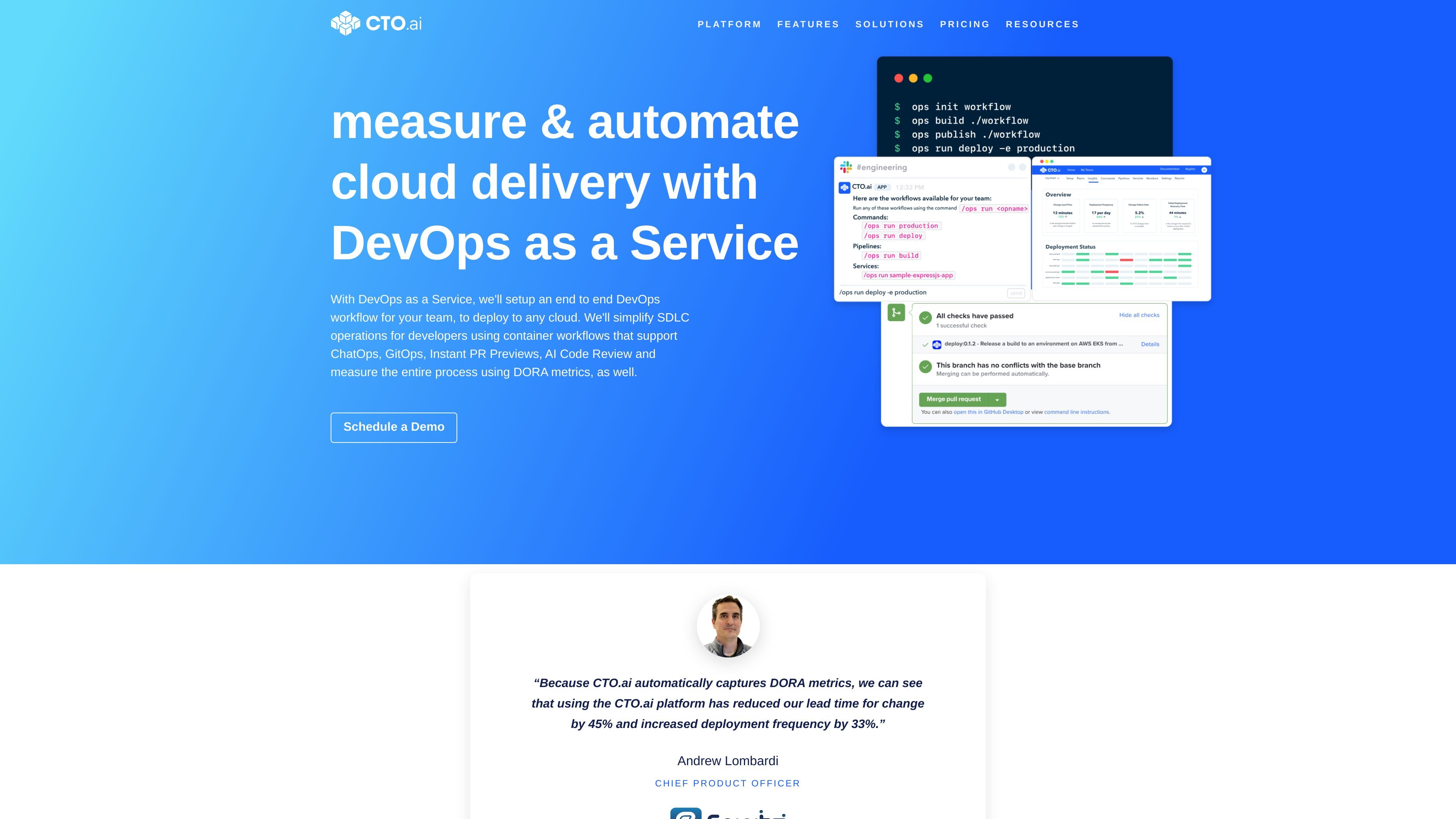
CTO.ai is a DevOps-as-a-Service platform built around a Developer Control Plane for teams that want to automate delivery workflows across cloud infrastructure. It combines CI/CD, workflow automation, and delivery measurement in one system, with an emphasis on measurable software delivery rather than standalone pipelines.
The product centers on Commands, Pipelines, and Services defined as workflow-as-code, and it can be used from the CLI, Slack, or workflow events. Source materials describe support for GitHub-based workflows, GitOps and ChatOps patterns, instant pull request previews, and DORA metrics for tracking delivery performance.
Define Commands, Pipelines, and Services in a single workflow model using YAML and workflow-as-code patterns. The platform is designed to make delivery steps reusable and easier to standardize across a team.
Run workflows in Slack, the CLI, or through workflow events, so delivery actions can happen where developers already work. The platform emphasizes conversational and event-driven automation.
Use the platform to deploy to any cloud, with examples and docs referencing AWS, GCP, Azure, Kubernetes, and DigitalOcean. The docs also mention support for interaction with cloud infrastructure through the control plane.
Measure delivery performance with DORA metrics and lifecycle events, including change lead time, deployment frequency, change failure rate, and failed deployment recovery time. The platform uses these metrics to help teams understand their delivery process.
Create instant previews for application, website, or API releases without adding new servers. The pricing page also lists automatic previews for GitHub pull requests.
Use SDKs and supported languages such as Python, Node.js, Bash, and Golang to codify custom workflows. The site also points to open-source infrastructure templates built with CDK, CDKTF, and Pulumi.
Teams can define repeatable delivery steps as Commands, Pipelines, and Services, then make them available to the rest of the organization through a shared workflow model and registry.
Developers can trigger deployment-related actions from Slack or the CLI, which is useful for teams that want to keep release operations close to their existing collaboration tools.
Organizations can collect DORA metrics and lifecycle events to understand lead time, deployment frequency, change failure rate, and recovery time across the delivery process.
Teams can create instant previews for pull requests, applications, websites, or APIs without provisioning new servers, helping reviewers validate changes earlier in the cycle.
Platform teams can connect existing cloud and IaC tooling to a composable workflow layer instead of rebuilding every automation path from scratch.
CTO.ai provides a Developer Control Plane that helps teams deploy applications on any cloud provider, interact with infrastructure, and automate development workflows. The platform also collects lifecycle events to derive delivery insights.
The source says CTO.ai supports source control providers such as GitHub, Infrastructure-as-Code providers such as Terraform Cloud and CloudFormation, and cloud infrastructure providers such as DigitalOcean and AWS.
Yes. The docs describe Commands, Pipelines, and Services, which can be run from the CLI, Slack, or triggered from workflow events. The platform also mentions GitOps and ChatOps-oriented workflows.
The pricing page says plans start at $3,500 per month, billed annually, and that customers can request a free trial. It also notes that some services and support are additional-cost items.
The source does not present CTO.ai as a drop-in replacement for existing tools. Instead, it says the platform can integrate with existing tools and can replace them only if a team chooses to use it that way.