
Structured context profile
Creed stores personal context as a structured Markdown profile with sections for identity, goals, work, preferences, routines, and optional sections like beliefs, constraints, people, health, and broader context.

Creed is a personal context profile for AI agents, helping them answer consistently across tools. Free self-hosted and hosted plans for individuals and teams.
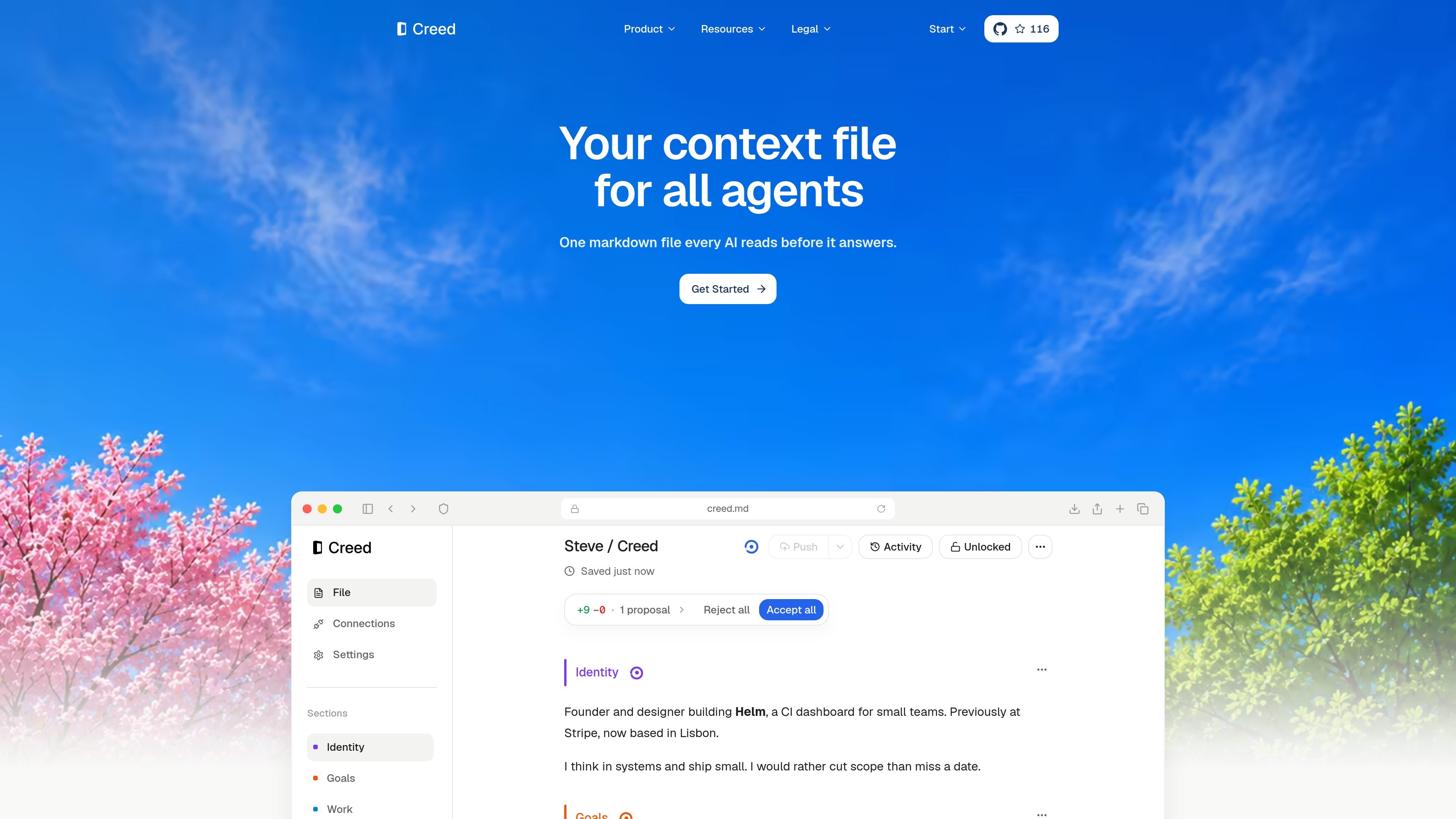
Creed is a personal context file for AI agents. It gives connected tools a shared profile that describes who you are, what you are working toward, how you like AI to respond, and the routines or constraints that should shape its answers.
The product is built around a simple loop: you create a concise Markdown profile, agents read it before they respond, and they can propose small updates when they learn something durable. That keeps the context current without forcing you to repeat yourself in every tool.
Creed stores personal context as a structured Markdown profile with sections for identity, goals, work, preferences, routines, and optional sections like beliefs, constraints, people, health, and broader context.
Connected agents read the profile before answering, so they can use the same background across tools instead of starting from zero in each conversation.
When an agent learns something durable, it can propose a focused edit to the right section rather than rewriting the entire file.
Each section gets a quality score and signal review to help sharpen vague or thin writing over time.
Users can approve proposed changes, reject them, or allow trusted agents to edit directly on selected sections.
Hosted plans add cross-device sync, backups, managed auth and storage, and an OpenRouter BYOK option for model spend.
Set up a concise profile that captures your role, goals, preferences, and routines so agents can answer with the right context from the start.
Connect your everyday tools and let them read the same profile, reducing repeated explanations as you move between assistants.
Use proposal-based edits to let AI capture durable preferences or routines without letting it rewrite the file unchecked.
Give a team one shared Company Creed so every member’s agents follow the same conventions, constraints, and working style.
Keep context current on hosted plans with sync, backups, managed auth and storage, and optional BYOK if you want model spend on your own key.
Creed is a personal context profile: a concise Markdown file that captures who you are, what you are working toward, how you like AI to respond, and the routines and constraints it should respect. It is designed to be read by connected agents before they answer.
You can write the profile yourself through onboarding, then connected agents read it over MCP and propose small updates when they learn something durable. You approve the good changes, or grant direct-edit access to trusted agents on specific sections.
Creed connects to agents such as Claude Code, Codex, Cursor, and ChatGPT over MCP, and it integrates with GitHub for version control. The docs also mention that support for Notion and Obsidian is coming for editing and storage.
Yes. The Company plan adds one shared Company Creed, member roles, section permissions, and an activity view. Members can read the shared file through their own agents, while owners and admins control billing and content.
Hosted plans include usage credits and support BYOK, which means you can use your own OpenRouter key so model spend runs on your account. If you stay within the included allowance, the hosted plan covers the usage; otherwise you can top up or use your own key.