Blaze icon

Blaze

Claim

Blaze is a marketing platform with self-serve software and done-for-you services for content, ads, landing pages, reputation management, and AI SDR.

Blaze

What Blaze does

Blaze is a marketing platform that combines self-serve software with fully managed services. The site positions it as “marketing done for you” across five main pillars: organic content, paid ads, landing pages, reputation management, and AI SDR.

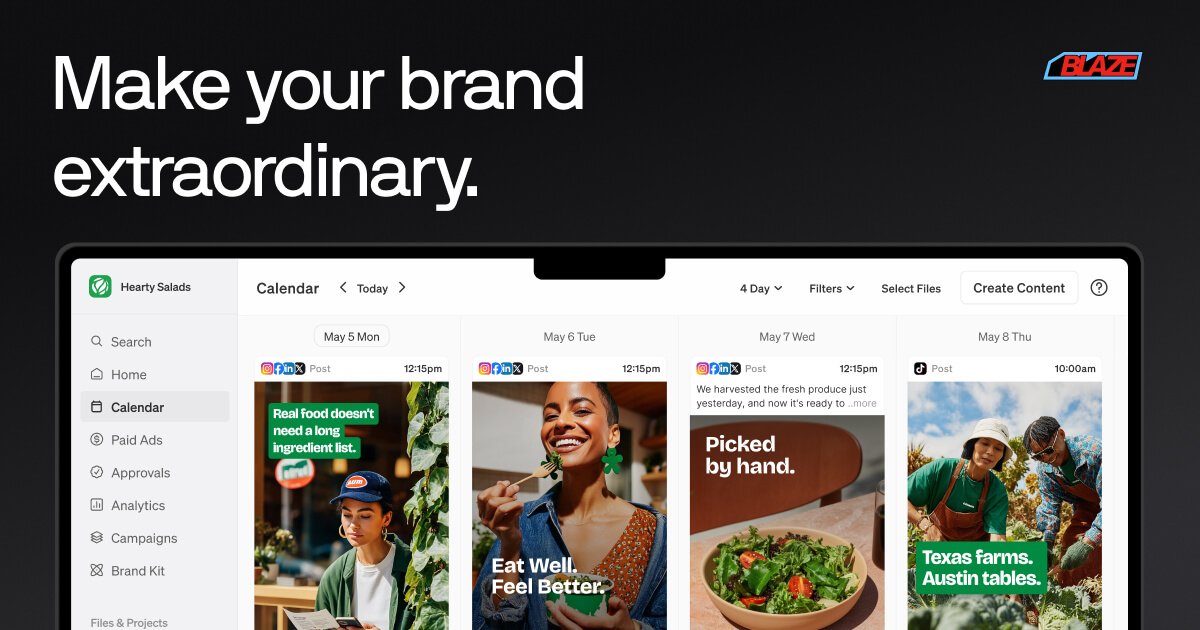
In self-serve mode, Blaze helps users set strategy, generate content, and schedule marketing work from a single platform. The pricing page shows a starter plan for solo founders and small teams, a growth plan for larger teams, and done-for-you packages for businesses that want a dedicated Blaze team to handle strategy, execution, and optimization.

Core capabilities

Organic content production

Blaze can generate and schedule social content, blog posts, email newsletters, and Google My Business content across the organic marketing pillar. The pricing page says the starter and managed packages include defined posting or content limits rather than open-ended publishing.

Paid ads management

The paid ads pillar is built around Google and Meta channels and is described as using what is already working in organic content. Blaze manages strategy, setup, and optimization, while ad spend is paid directly to the platforms.

Landing pages

Landing page services create campaign-specific pages with copy, design, mobile-first build, conversion optimization, pixel and form integration, hosted on the customer’s domain, and one round of revisions per page.

AI SDR follow-up

The AI SDR pillar is designed to answer leads, qualify callers, book meetings, and send quotes quickly so businesses do not miss inquiries outside normal hours.

Review management

Reputation Management monitors reviews across Google, Yelp, Trustpilot, G2, and Facebook, then drafts responses, helps generate fresh reviews, and surfaces crisis alerts and monthly reporting.

Creative production services

The site also offers video editing, ad creative, and UGC packages for businesses that want standalone production help rather than a full managed marketing plan.

When to use Blaze

  • Ongoing organic publishing

    Use Blaze when you want one system to create posts, blogs, emails, and Google Business content without running separate workflows for each channel.

  • Cross-channel paid advertising

    Use it for paid campaigns when you want ad strategy and setup tied back to content that is already performing in organic channels.

  • Landing page creation

    Use Blaze when your website traffic needs campaign-specific landing pages with copy, design, conversion optimization, and form or pixel integration.

  • Lead capture and follow-up

    Use the AI SDR workflow when calls or inquiries arrive after hours and you want automated replies, qualification, booking, and quick quote handling.

  • Review monitoring and response

    Use the reputation tools when you need to watch reviews across major review sites, respond consistently, and collect more fresh reviews from customers.

Pros and Cons

Pros

  • Combines several marketing functions in one product instead of splitting them across separate tools.
  • Offers both self-serve plans and fully managed services, which gives teams a choice in how much work they want to keep in-house.
  • Supports multiple marketing pillars that can inform one another, such as using organic performance to guide ads and reviews to inform landing pages.
  • Includes clear package-level limits on content, accounts, and outputs on the public pricing page.
  • Shows practical channel coverage across social, ads, landing pages, reviews, and lead handling.

Cons

  • The source does not give a full onboarding checklist, so setup details are only partially described.
  • Some services are priced as contact-sales or custom offerings, which means exact scope is not standardized on the public pages.
  • The site references integrations and platform coverage, but not every integration is documented in the available source text.

FAQ

How does Blaze work once you start using it?

Blaze is designed to run ongoing marketing work in weekly cycles. The source says the free trial is intended to set your marketing on autopilot with a stress-free weekly rhythm, and the product can be used with one pillar at a time or across the full marketing stack.

Is Blaze better for individuals or teams?

The source describes Blaze as usable for solo founders and small teams on self-serve plans, and also for teams that want a fully managed option with a dedicated Blaze team. The pricing page shows both do-it-yourself and done-for-you paths.

Does Blaze offer a free trial or demo?

The pricing page shows a free 7-day trial on the self-serve plans, and the site also offers a Book Demo / Talk to Sales path for managed services. The done-for-you packages are positioned as custom or contact-sales offerings.

What kinds of marketing work can Blaze handle?

The source says Blaze can produce organic content, paid ads, landing pages, reputation management, and AI SDR outputs. The done-for-you page also mentions blog posts, social media content, ad copy, and marketing briefs in brand voice.

What happens during setup or onboarding?

The source does not list a full onboarding checklist, but it does mention a brand identity, custom content strategy, and a first full week of marketing content being created during trial setup. For managed plans, Blaze says a US-based senior strategist is assigned to the account and works directly with the customer.

Quick Facts

Category
Marketing platform
Primary use
Organic content, ads, landing pages, reputation management, and AI SDR
Delivery model
Self-serve software plus done-for-you services
Pricing shape
Starter plans begin at $79/mo; managed packages start at $899/mo or are quoted via sales
Source domain
blaze.ai
Audience
Solo founders, small teams, and growing businesses