Beaver logo

Beaver

Claim

Beaver is an AI research assistant for Zotero that helps you search your library, read PDFs, create annotations, and discover new papers from one side panel.

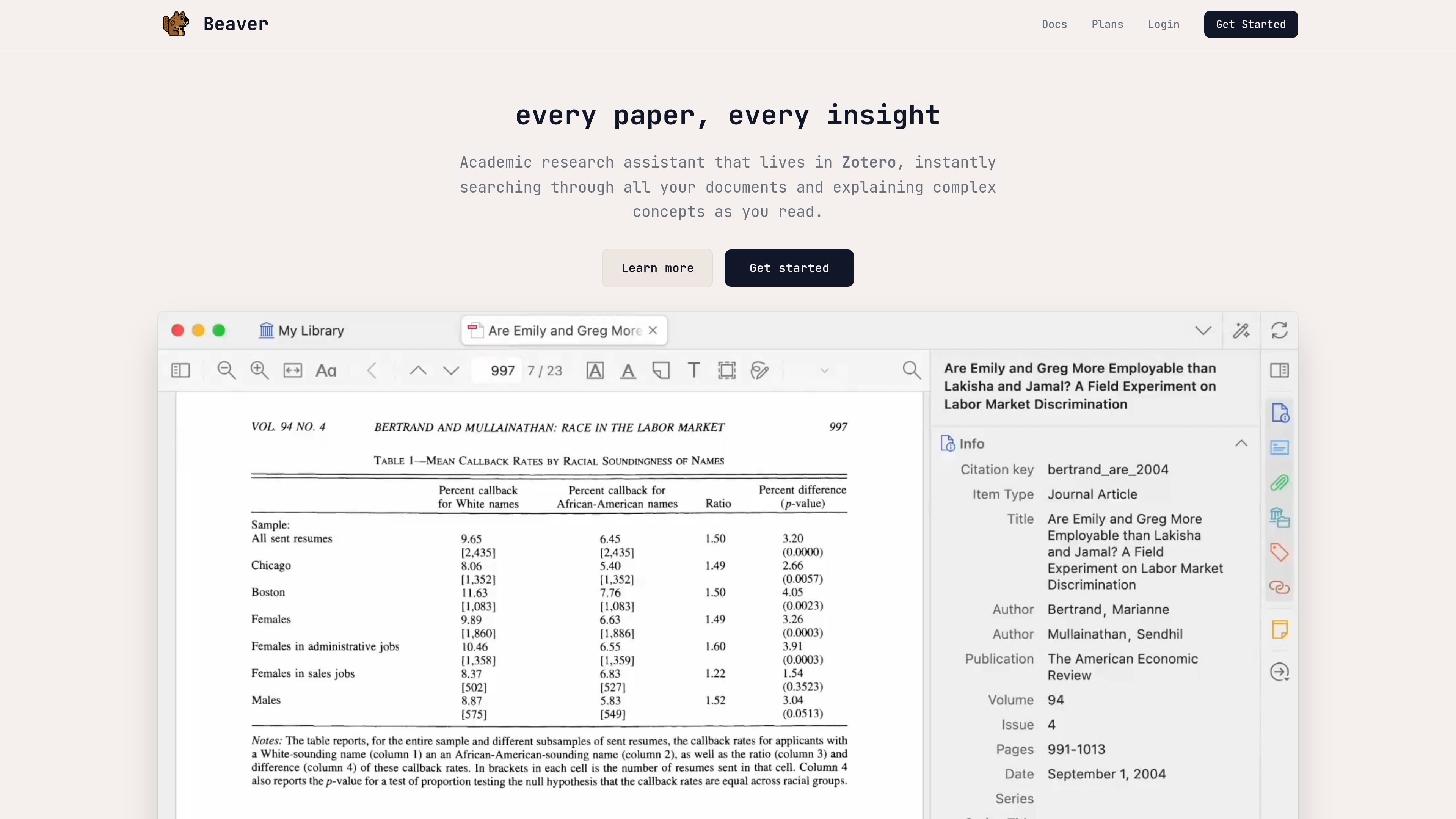
Beaver preview

AI research assistant for Zotero

Beaver is an AI research assistant built for Zotero users who want help searching, reading, annotating, and organizing academic papers without leaving their library. It lives as a side panel in Zotero and is designed to work with the paper you are reading as well as the rest of your collection.

The product combines agentic library search, a reading assistant inside the Zotero PDF reader, note editing, and tools for discovering new scholarly work. Its responses are grounded in the documents you provide and supported with sentence-level citations, so it is aimed at research workflows where traceability matters.

Core capabilities

Multi-stage library search

Search across author names, titles, journal names, abstracts, and full PDF text using Beaver’s agentic search flow. It can combine metadata search, semantic reference search, hybrid full-document search, and search within specific documents.

Reader-side assistant

Works inside the Zotero PDF reader so you can ask about the open paper, inspect figures and tables, and keep the conversation tied to the page you are reading.

Sentence-level citations

Cites claims sentence by sentence and can open the highlighted PDF passage behind a response, making it easier to verify where an answer came from.

PDF annotations and notes

Creates highlights and notes in PDFs, including reviewable annotations such as key findings, comparisons to related studies, and explanations of technical terms.

Library organization support

Helps manage collections, add tags, and fix metadata in your Zotero library, with changes requiring your approval.

Research expansion tools

Searches beyond your local library to discover scholarly works, with pricing-page tools for external search, batch processing, and AI ranking of search results.

Common use cases

  • Search across a literature library

    Ask questions about the papers in your Zotero library and get answers drawn from metadata, abstracts, and full-text PDFs.

  • Work through a paper while reading

    Read an open paper in Zotero, ask for plain-language explanations of methods, equations, figures, or tables, and keep the conversation anchored to the document.

  • Create reviewable annotations

    Add highlights, notes, and comparison annotations directly into PDFs when you want to preserve findings or explain technical passages for later review.

  • Discover new papers

    Look beyond your existing library to find related scholarly works and expand a topic area with new references.

  • Tidy and maintain a library

    Organize an existing Zotero collection by fixing metadata, adding tags, and managing collections with approval-based changes.

Pros and Cons

Pros

  • Works directly inside Zotero, which reduces context switching while reading and searching papers.
  • Uses multiple search modes, including metadata, semantic reference search, hybrid full-text search, and document-level lookup.
  • Provides sentence-level citations and source previews to support verification.
  • Can annotate PDFs and edit notes with approval-based changes, which fits research review workflows.
  • Offers a free start, plus an option to bring your own API key for unlimited usage without credits.

Cons

  • The main workflow is centered on Zotero and PDF-based research, so it is less general-purpose than a standalone chat app.
  • Beaver supports PDFs up to 800 pages and 75 MB, and the source says support for additional attachment types is still coming soon.
  • Some advanced workflows consume credits, so heavy use may require a subscription, credit packs, or your own API key.

FAQ

Who is Beaver for?

Beaver works as a side panel inside Zotero, so it is designed for people who already manage papers in Zotero and want AI help without switching tools.

What can Beaver do in the research workflow?

The source describes Beaver as supporting question answering over your Zotero library, PDF reading and explanation, note creation and editing, library organization, and discovery of new scholarly works.

How does Beaver keep answers grounded?

Beaver is built to stay grounded in your library and the open PDF, and it supports sentence-level citations so you can trace claims back to sources.

Are there any document limits?

The documentation says Beaver supports PDFs up to 800 pages and 75 MB, and it currently works with PDFs; support for additional attachment types is coming soon.

How does pricing work?

Subscription billing is monthly through Stripe, and you can also use your own API key or buy one-time credit packs if you do not want a subscription.

Quick Facts

Category
AI research assistant
Primary platform
Zotero PDF reader
Main users
Researchers, students, and scholars
Website
beaverapp.ai
Pricing model
Free start, subscription, credit packs, or own API key
Core workflow
Search, read, annotate, and organize papers in one side panel