
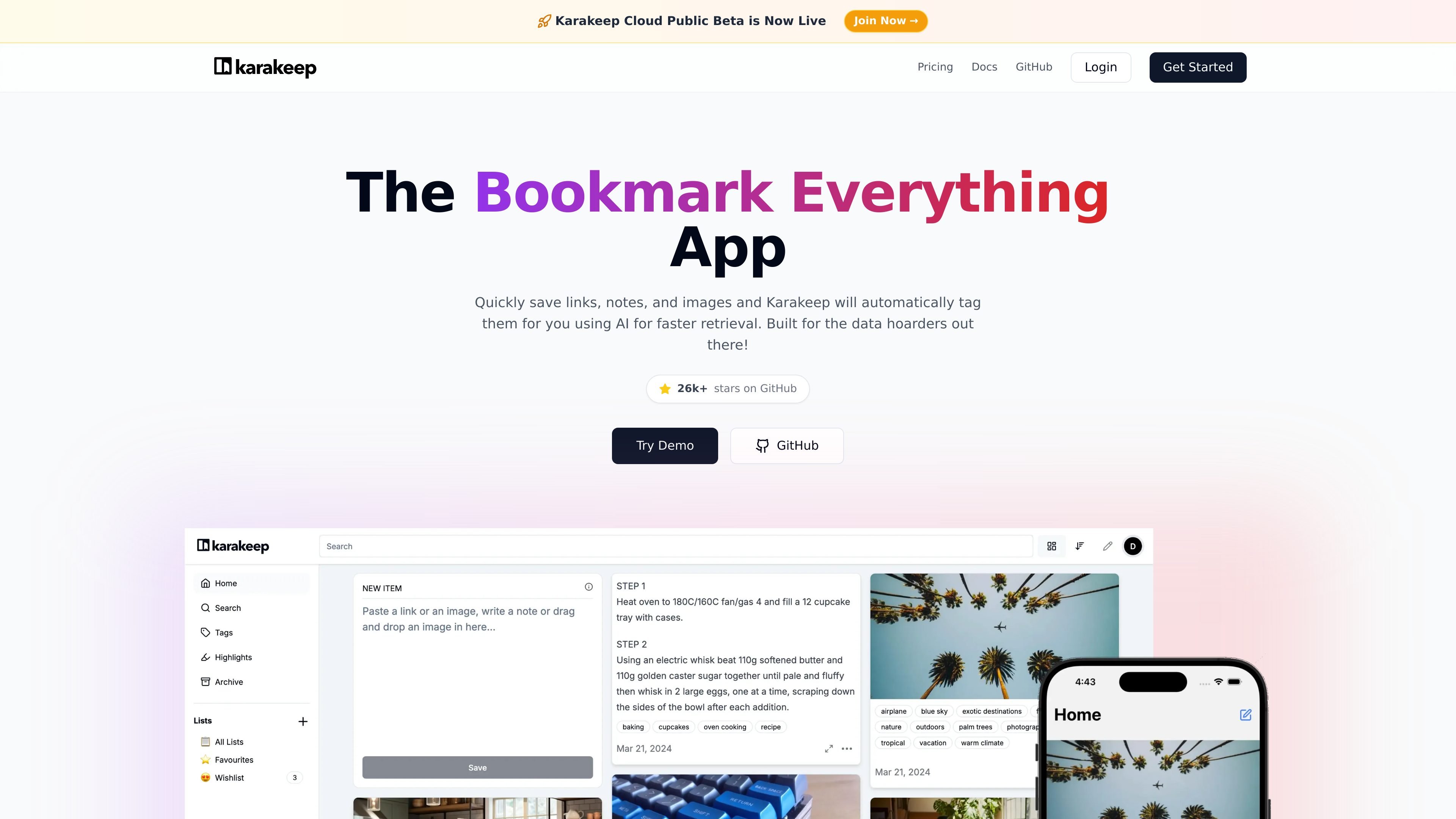
Save multiple content types
Save links, notes, images, and PDFs in one place so different kinds of saved content can live in the same library.

Open-source bookmark manager with AI tagging, search, and self-hosting
Karakeep is an open-source bookmark manager for links, notes, images, and PDFs. It is designed to help people save content quickly, organize it with minimal manual work, and find it again later through tagging and search.
The product supports self-hosting with Docker and also offers Karakeep Cloud. Its feature set includes AI tagging, shared lists, RSS ingestion, highlights, bulk actions, full-text search, and browser/mobile access for saving and reviewing content across devices.
Save links, notes, images, and PDFs in one place so different kinds of saved content can live in the same library.
Automatically tags saved items with AI to make later retrieval easier without manual sorting.
Use shared lists to collect bookmarks with other people for team or group workflows.
Filter and find items with full-text search across your saved bookmarks and notes.
Set up rules, bulk actions, and RSS feeds to automate how content is captured and managed.
Access Karakeep through native apps, browser extensions, a web app, CLI, REST API, and webhooks.
Collect articles, reference pages, images, and notes in a single searchable library instead of scattering them across tabs and apps.
Use shared lists to coordinate links and resources with teammates, making it easier to gather research in one place.
Capture content from RSS feeds and apply rules or bulk actions to keep recurring sources organized automatically.
Self-host the app with Docker when you want to keep data under your own control instead of using the cloud service.
Use browser extensions, mobile apps, or the web app to save and revisit items from different devices.
Karakeep is open source and can be self-hosted. The pricing page says the self-hosted version is free forever, fully featured, and requires you to provide your own hosting infrastructure.
The pricing page says data remains available for 30 days after cancellation, and bookmarks can be exported at any time.
Yes. Karakeep’s pricing page includes a Corporate plan with custom deployment and domain, single sign-on, user management, and priority support.
The pricing page says paid plans include a 7-day money-back guarantee.
Karakeep can be reached at [email protected] according to the pricing page.
Traffic data is for reference only.

unriddle.ai
Anara is an AI research workspace for cited answers, document analysis, and web and library search.

heptabase.com
Heptabase is a visual knowledge base for structured learning with whiteboards, connected notes, source capture, and AI Tutor.

zemith.com
AI workspace for chat, research, writing, and creation

getfreed.ai
AI medical scribe helping clinicians create notes, summaries, codes, letters, and pre-visit context.

scrintal.com
Visual note-taking and research workspace for linked ideas, sources, and writing.
reflect.app
Minimalist notes for linked ideas, fast capture, search, and AI-assisted writing.