
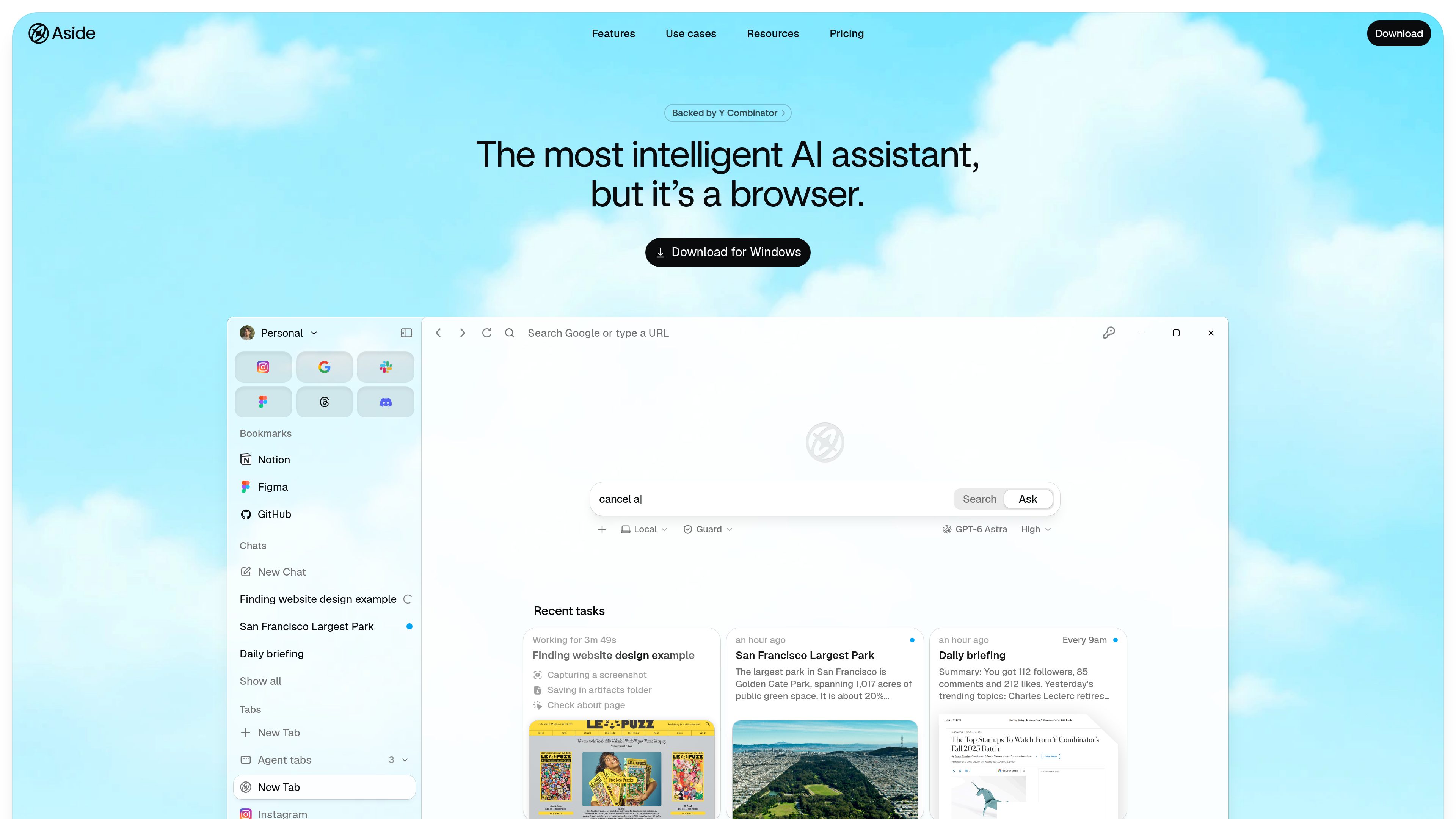
Browser-based task execution
Aside works through websites and accounts directly, including logged-in email, dashboards, and internal tools, rather than requiring a separate integration for every service.

Aside is an AI-powered browser that performs tasks across logged-in websites, accounts, browser history, and local files. It helps with research, communications, account workflows, and other browser-based work.
Aside is an AI-powered browser that performs tasks across logged-in websites, accounts, browser history, and files on a computer. It is intended for people who want an agent to handle work that spans tabs, messages, dashboards, internal tools, and documents.
The browser agent can sign in through saved credentials, carry out communications and research workflows, and pause for human approval before sensitive actions. Aside also provides local memory and an agent-focused password manager, keeping work context and credential controls within the browser workflow.
Aside works through websites and accounts directly, including logged-in email, dashboards, and internal tools, rather than requiring a separate integration for every service.
Ultrabrowse is intended for deep research and complex tasks. The site says it gathers the context needed, handles follow-ups, and continues working until the task is complete.
The agent can handle browser-based comments, replies, and follow-ups, with sensitive messages able to wait for user confirmation.
Aside can work with files directly on the computer, including documents and spreadsheets.
Aside uses browsing history as memory so the agent can retain context about which sites and work are relevant. The site states that memory stays local on the device and is not shared with LLM providers.
Vault autofills credentials into permitted websites without exposing passwords to the agent. It provides scoped access, logs credential use, and supports importing passwords and passkeys from 1Password, Apple Passwords, Bitwarden, Dashlane, LastPass, and Chrome.
Use Ultrabrowse when a question requires gathering context across sites and completing multiple follow-up steps instead of receiving a single short answer.
Delegate browser-based comments, replies, and other follow-up communications while retaining approval control for sensitive messages.
Ask Aside to operate across logged-in dashboards, email, and internal tools where work is spread across multiple browser sessions.
Use the browser agent for workflows that involve files stored on the computer, including working with documents and spreadsheets.
Use Aside Vault when an agent needs to access permitted accounts: credentials are autofilled into the website, while the password remains hidden from the agent and the access is recorded.
Aside is an AI browser that performs work across websites, accounts, browser history, and files on a computer. It is designed for tasks involving logged-in services, communications, research, and internal tools.
Aside Vault autofills saved credentials into websites without exposing the passwords to the AI agent. It supports scoped access controls and logs each credential use.
Yes. The site says you can import passwords and passkeys from 1Password, Apple Passwords, Bitwarden, Dashlane, LastPass, and Chrome.
The site says sensitive actions such as payments, posts, and messages wait for human confirmation. Other task behavior depends on the selected task and permission settings.
The pricing page lists Free, Pro, Max, and Enterprise plans. Free is for daily simple tasks, Pro adds deeper research and complex-task features, Max is for higher-volume automation, and Enterprise adds team administration and shared company-account controls.
Traffic data is for reference only.

www.conscioussai.com
ConscioussAI is an AI execution assistant for macOS, Windows, iOS, and Android. With your permission, it helps operate apps, browsers, files, messages, and workflows, turning instructions and conversations into completed tasks across your phone and computer.

relic.space
Relic is a clipboard manager that saves what you copy, makes it searchable, and syncs your history across computers and phones. It is designed for people who need to recover text, files, images, links, and other copied material without sending it to themselves manually.

bevell.app
Bevell is a browser-based converter that turns photos, sketches, scans, and PDF drawings into editable DXF and SVG files for CAD, CNC, laser cutting, and related workflows. It supports true-scale output from a known reference dimension and offers free previews before downloads.

www.bzgapps.com
Coherence X turns websites into standalone macOS apps powered by Chrome and other supported Chromium-based browsers. It is designed for Mac users who want separate Dock-accessible apps, browser profiles, extensions, and link behavior for web services.

uxarmy.com
A user research platform for testing prototypes, websites and mobile apps with remote participants.

palettemaker.com
Create color palettes and preview them across logo, UI, illustration, and other design examples.