
Paged SSD KV caching
Stores KV cache blocks in safetensors format, keeping hot blocks in RAM and moving colder blocks to SSD with an LRU policy. Cached prefixes can be restored across requests and server restarts.

oMLX는 MLX 기반의 macOS 네이티브 LLM 추론 서버로, Apple Silicon에서 호환되는 언어, 비전-언어, 임베딩, 리랭커 모델을 로컬로 실행합니다. 코딩 에이전트 워크플로에 맞춰 설계되었으며 Claude Code, OpenClaw, Cursor 및 OpenAI 호환 클라이언트와 함께 사용할 수 있습니다.
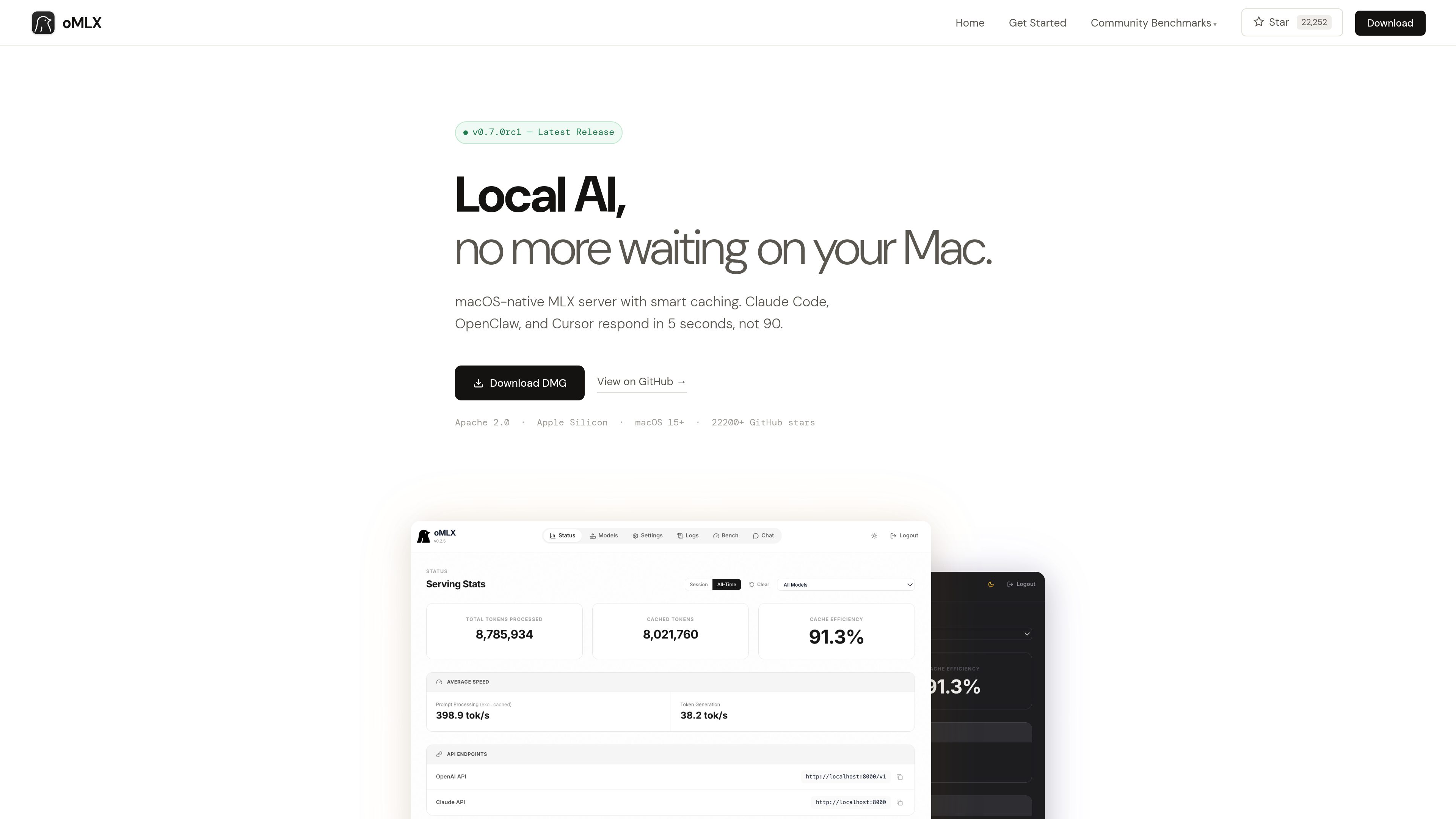
oMLX is a native macOS inference server built on MLX for running MLX-format AI models locally on Apple Silicon. It provides a dashboard for managing models, chatting with them, and monitoring server metrics, while supporting LLM, vision-language, embedding, and reranker models.
The product is designed especially for coding-agent sessions in which the conversation context changes repeatedly. Its paged SSD KV cache can preserve cache blocks across requests and server restarts, reducing the need to recompute previously seen prefixes.
Stores KV cache blocks in safetensors format, keeping hot blocks in RAM and moving colder blocks to SSD with an LRU policy. Cached prefixes can be restored across requests and server restarts.
Uses mlx-lm’s BatchGenerator to handle concurrent requests instead of processing every request strictly one at a time. The site reports up to a 4.14× generation speedup at eight-way concurrency in its published benchmark.
Loads LLM, vision-language, embedding, and reranker models simultaneously, with LRU eviction available when memory runs low. Models can be browsed and downloaded from the administration dashboard.
Provides `/v1/chat/completions` and `/v1/messages` endpoints for compatible clients, including Claude Code, OpenClaw, Cursor, and other OpenAI-compatible applications.
The native menu bar app can start, stop, and monitor the server. Its web dashboard includes model management, chat, and real-time metrics; the app is signed, notarized, and includes in-app auto-update.
Supports JSON, Qwen, Gemma, GLM, and MiniMax tool-calling formats, plus MCP tool integration and configurable trimming of oversized tool results on a per-model basis.
Use oMLX as a local backend for Claude Code, OpenClaw, or Cursor when an agent repeatedly revisits or changes context during a coding session.
Serve multiple requests through continuous batching when several local clients or workflows need model generation at the same time.
Manage and test MLX-format models from Hugging Face through the dashboard, including language, vision-language, embedding, and reranker models.
Connect models to applications that use tool calling or MCP, with support for several model-specific tool formats and optional tool-result trimming.
oMLX requires an Apple Silicon Mac, from M1 onward, running macOS 15 or later. The site lists 16GB of RAM as the minimum and recommends 64GB or more for comfortable use with larger models.
Yes. It provides OpenAI-compatible `/v1/chat/completions` and Anthropic-compatible `/v1/messages` endpoints. Its dashboard can generate configuration commands for the supported tools.
Not necessarily. oMLX can read the standard Hugging Face cache, an LM Studio folder, and custom directories. The dashboard also includes a Hugging Face downloader for new models.
The site states that oMLX supports MLX-format models from Hugging Face, including Qwen, LLaMA, Mistral, Gemma, DeepSeek, MiniMax, and GLM. Vision-language models are supported, and reasoning-model handling includes automatic `<think>` tag support.
Users can download the macOS DMG or install from source. The source workflow requires Python 3.10 or later and Apple Silicon; the documented server example connects to compatible clients on localhost:8000.
트래픽 데이터는 참고용으로만 확인하세요.

tablo-cat.netlify.app
tablo는 화면 한쪽 구석에서 Claude Code와 OpenAI Codex 세션을 모니터링하는 데스크톱 고양이 위젯입니다. 실시간 컨텍스트 사용량, 권한 요청, 알림, 세션별 활동 미리보기를 확인하세요.

www.tryport22.com
port22는 터미널에서 실행 중인 코딩 에이전트 세션을 모니터링하고 제어하는 iOS 앱 및 macOS 에이전트입니다. 실시간 기록을 iPhone으로 스트리밍하고 입력이 필요할 때 알림을 보내며 Claude Code, Codex, OpenCode를 지원합니다.

blackflare.dev
BlackFlare는 Claude Code와 Codex를 위한 macOS 메뉴 막대 앱으로, 활성 세션이 절전 상태가 되지 않도록 하고 완료 또는 입력 필요 알림과 사용량을 표시합니다. Telegram이나 Slack으로 알림을 전달하고 설정 파일을 직접 편집하지 않고 기본값을 변경할 수도 있습니다.

agentmgr.app
AgentManager는 플로팅 창에서 Claude Code 세션을 모니터링하는 macOS 앱입니다. 주의가 필요한 세션을 확인하고 해당 터미널이나 IDE 컨텍스트로 바로 돌아갈 수 있습니다.

evlat.kalaomer.com
Evlat is a quiet macOS status strip for monitoring Claude Code, Codex, and Antigravity sessions, plus long-running commands. It highlights sessions that need your response and shows activity from local or SSH-connected machines.