
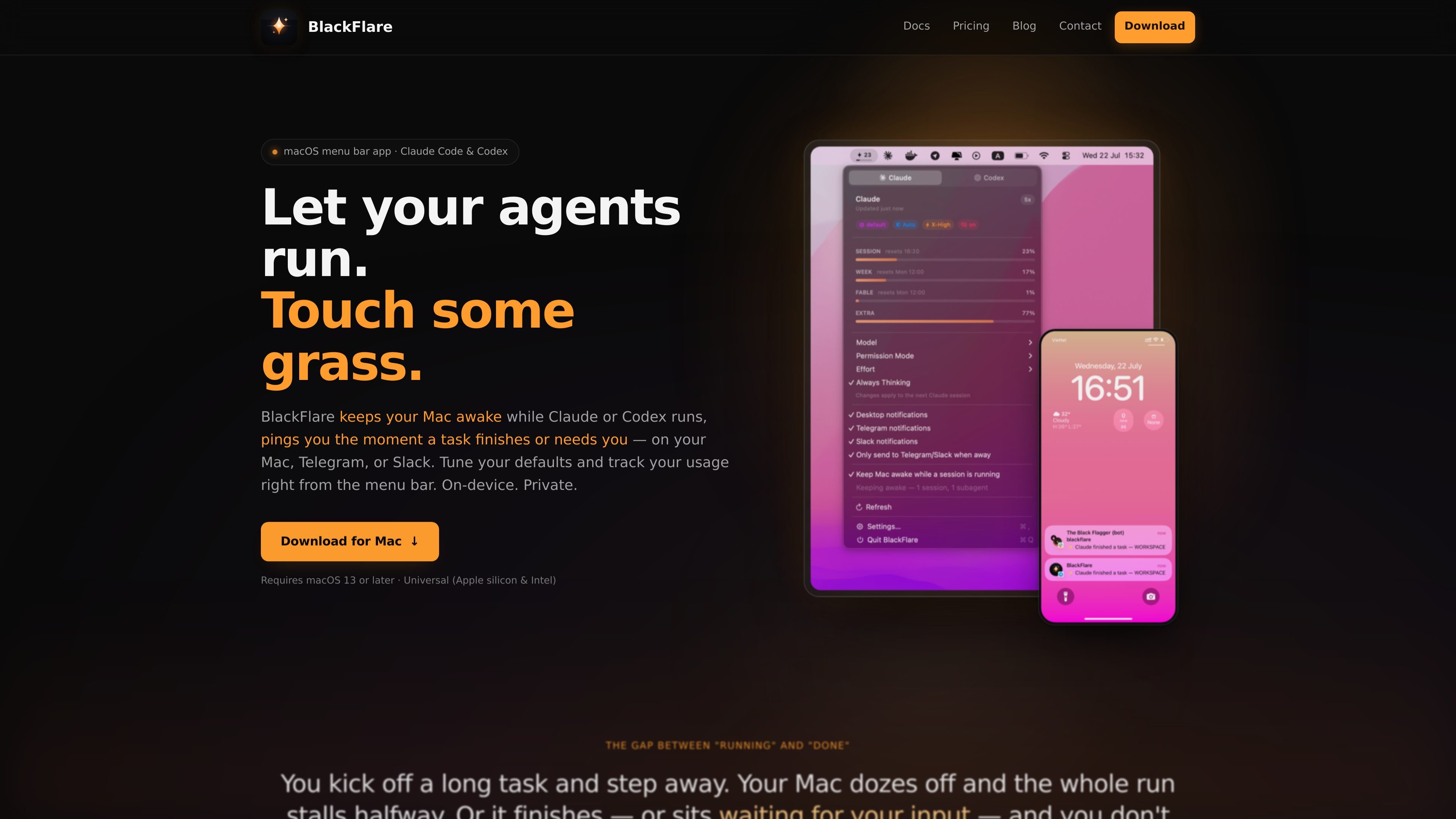
Session-aware notifications
BlackFlare watches Claude Code and Codex sessions in the terminal, VS Code, and JetBrains, and sends a notification when a turn finishes or waits for input.
BlackFlare는 Claude Code와 Codex를 위한 macOS 메뉴 막대 앱으로, 활성 세션이 절전 상태가 되지 않도록 하고 완료 또는 입력 필요 알림과 사용량을 표시합니다. Telegram이나 Slack으로 알림을 전달하고 설정 파일을 직접 편집하지 않고 기본값을 변경할 수도 있습니다.
BlackFlare is a macOS menu bar app for Claude Code and Codex that helps long-running agent sessions finish without interruption. It keeps your Mac awake while a session is active, then restores normal sleep behavior when the work is done.
It also notifies you when a session finishes or needs input, whether you are using the CLI, VS Code, or JetBrains. From the menu bar, you can adjust default model and permission settings, track usage, and forward alerts to Telegram or Slack if you want updates away from your desk.
BlackFlare watches Claude Code and Codex sessions in the terminal, VS Code, and JetBrains, and sends a notification when a turn finishes or waits for input.
The app can hold a power assertion while a session is running, which keeps the Mac from idling to sleep during long tasks. Sleep returns to normal automatically when the session ends.
Notifications can stay on the Mac or be forwarded to Telegram or Slack. An "only when away" mode reduces duplicate alerts when you are already at your desk.
From the menu bar, you can set your default model, permission mode, effort level, and thinking mode for the next session. BlackFlare applies those settings by editing each tool's own config file.
Usage tracking shows Claude and Codex plan usage in the menu and menu bar icon, with separate bars per model and alerts when a threshold is crossed.
The app runs on-device and asks for read-only Keychain access to your Claude token so it can display exact usage.
Start a long refactor, test run, or other agent task and let BlackFlare keep the Mac awake so the session does not stall midway through sleep.
Work in VS Code or JetBrains and get a banner when Claude Code or Codex finishes or needs input, so you can step back in at the right time.
Forward alerts to Telegram or Slack when you are away from your desk, and use the away-only mode to avoid duplicate notifications while you are nearby.
Set model, permission, effort, and thinking defaults from the menu bar before starting a session, instead of editing config files or remembering flags.
Watch Claude and Codex usage side by side in the menu bar and set a threshold alert before you cross your plan limits.
Yes. BlackFlare watches Claude Code and Codex sessions whether they run in the terminal or inside VS Code and JetBrains IDEs.
BlackFlare can send native notifications on your Mac and forward the same alerts to Telegram or Slack. It also supports an "only when away" mode so you are not notified twice while sitting at your desk.
BlackFlare reads your Claude token from the macOS Keychain in read-only mode to show usage. The token is not written or sent anywhere except Anthropic.
BlackFlare keeps your Mac awake only while a Claude Code or Codex session is running. When the session ends, normal sleep behavior resumes automatically.
BlackFlare requires a Mac running macOS 13 or later. The app is a universal build for both Apple silicon and Intel Macs.
트래픽 데이터는 참고용으로만 확인하세요.

www.tryport22.com
port22는 터미널에서 실행 중인 코딩 에이전트 세션을 모니터링하고 제어하는 iOS 앱 및 macOS 에이전트입니다. 실시간 기록을 iPhone으로 스트리밍하고 입력이 필요할 때 알림을 보내며 Claude Code, Codex, OpenCode를 지원합니다.

evlat.kalaomer.com
Evlat is a quiet macOS status strip for monitoring Claude Code, Codex, and Antigravity sessions, plus long-running commands. It highlights sessions that need your response and shows activity from local or SSH-connected machines.
tablo-cat.netlify.app
tablo는 화면 한쪽 구석에서 Claude Code와 OpenAI Codex 세션을 모니터링하는 데스크톱 고양이 위젯입니다. 실시간 컨텍스트 사용량, 권한 요청, 알림, 세션별 활동 미리보기를 확인하세요.

skillsmp.com
SkillsMP는 공개 GitHub 저장소에서 오픈 소스 에이전트 스킬을 찾는 무료 마켓플레이스입니다. 검색, 탐색, REST API와 MCP를 지원하며 Claude Code, Codex CLI, ChatGPT에서 사용할 수 있습니다.

omlx.ai
oMLX는 MLX 기반의 macOS 네이티브 LLM 추론 서버로, Apple Silicon에서 호환되는 언어, 비전-언어, 임베딩, 리랭커 모델을 로컬로 실행합니다. 코딩 에이전트 워크플로에 맞춰 설계되었으며 Claude Code, OpenClaw, Cursor 및 OpenAI 호환 클라이언트와 함께 사용할 수 있습니다.

murmell.com
Murmell은 공유 클라우드 샌드박스에서 AI 코딩 에이전트를 실행하는 브라우저 기반 캔버스입니다. 로컬 설정이나 파일 충돌 없이 하나의 프로젝트에서 Claude Code, Codex, Kimi, OpenCode를 조율할 수 있습니다.