
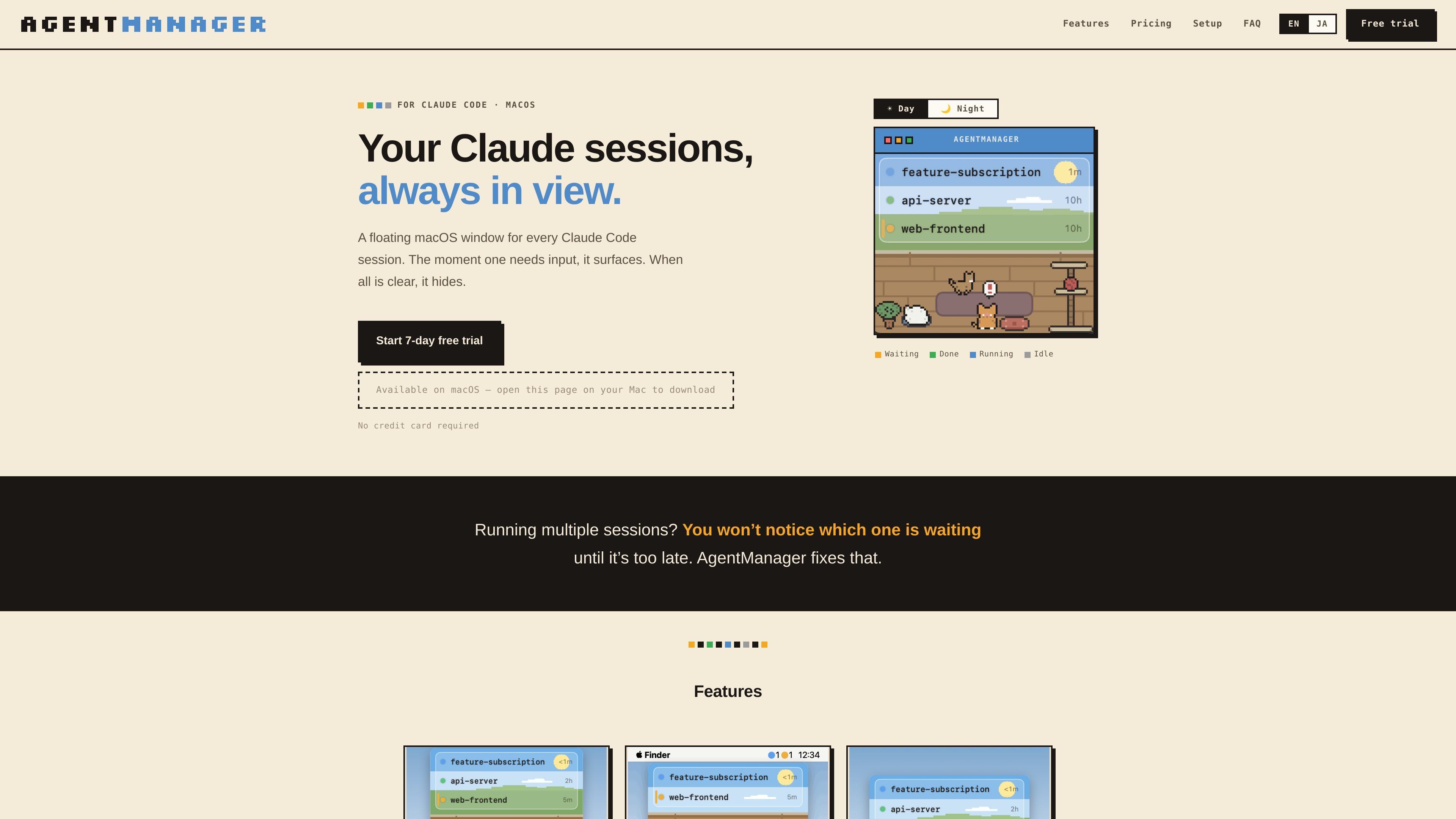
Status at a glance
Shows which sessions are running, waiting for input, done, or idle, plus how long each has been in that state.

AgentManager는 플로팅 창에서 Claude Code 세션을 모니터링하는 macOS 앱입니다. 주의가 필요한 세션을 확인하고 해당 터미널이나 IDE 컨텍스트로 바로 돌아갈 수 있습니다.
AgentManager is a macOS app for Claude Code sessions. It keeps a floating window for your sessions so you can see when one is waiting, running, or finished without constantly checking the terminal.
The app is built for people who run multiple Claude sessions and need a clearer way to notice when one requires input. It uses Claude Code hooks to detect sessions automatically, then shows a window, menu-bar status, and jump controls for moving back to the right terminal or IDE context.
Shows which sessions are running, waiting for input, done, or idle, plus how long each has been in that state.
Brings the window forward as soon as any Claude session needs input, then hides it again when everything is clear.
Lets you click a session row to jump to the right pane, tab, or project window depending on the host app.
Supports keyboard-first control with a configurable window toggle and navigation for switching between sessions.
Displays status counts as colored dots in the menu bar so you can check activity without opening the window.
Includes optional cat sound alerts, a day/night pixel-art cat room, and a simple mode that hides the illustration for a list-only view.
Useful when you keep several Claude sessions open and need to see which one is waiting for input without checking each terminal manually.
Helps when you step away from the keyboard: the window appears when a session needs input, and the cat alert can notify you even if you are not watching the screen.
Supports workflows where Claude Code is launched from a terminal or IDE and you want to jump back to the exact pane, tab, or project window quickly.
Works for users who prefer keyboard-driven control and want to toggle the window, navigate sessions, and jump without using the mouse.
AgentManager is designed for macOS 13 Ventura or later and requires Claude Code (the claude CLI) to be installed.
Detection works in any terminal because it uses Claude Code hooks. Jump behavior varies by app: it can jump precisely to panes or tabs in iTerm2, Terminal, and Ghostty, and it can jump to the project window in supported IDEs such as VS Code, Cursor, Android Studio, and JetBrains IDEs.
No special permissions are needed for session detection. Jumping may require Automation permission for iTerm2, Terminal, or Ghostty, and Accessibility permission for Android Studio and similar IDEs. Some apps, including VS Code, Cursor, Zed, Warp, kitty, WezTerm, and Alacritty, do not require additional permissions for jumping.
During onboarding, AgentManager registers a Claude Code hook in ~/.claude/settings.json and creates a .bak backup first. After that, every Claude session appears automatically in the list.
Yes. The app offers a 7-day free trial with all features unlocked and no credit card required. After the trial, pricing on the homepage shows monthly and annual paid plans.
트래픽 데이터는 참고용으로만 확인하세요.

evlat.kalaomer.com
Evlat is a quiet macOS status strip for monitoring Claude Code, Codex, and Antigravity sessions, plus long-running commands. It highlights sessions that need your response and shows activity from local or SSH-connected machines.

omlx.ai
oMLX는 MLX 기반의 macOS 네이티브 LLM 추론 서버로, Apple Silicon에서 호환되는 언어, 비전-언어, 임베딩, 리랭커 모델을 로컬로 실행합니다. 코딩 에이전트 워크플로에 맞춰 설계되었으며 Claude Code, OpenClaw, Cursor 및 OpenAI 호환 클라이언트와 함께 사용할 수 있습니다.

www.tryport22.com
port22는 터미널에서 실행 중인 코딩 에이전트 세션을 모니터링하고 제어하는 iOS 앱 및 macOS 에이전트입니다. 실시간 기록을 iPhone으로 스트리밍하고 입력이 필요할 때 알림을 보내며 Claude Code, Codex, OpenCode를 지원합니다.

blackflare.dev
BlackFlare는 Claude Code와 Codex를 위한 macOS 메뉴 막대 앱으로, 활성 세션이 절전 상태가 되지 않도록 하고 완료 또는 입력 필요 알림과 사용량을 표시합니다. Telegram이나 Slack으로 알림을 전달하고 설정 파일을 직접 편집하지 않고 기본값을 변경할 수도 있습니다.