
Text-to-speech conversion
Convert written text into speech in the browser using the text box and conversion controls shown on the homepage.

TTSVox is a web-based text-to-speech tool that turns text into spoken audio in the browser, with multiple languages, voice options, and MP3/WAV downloads.
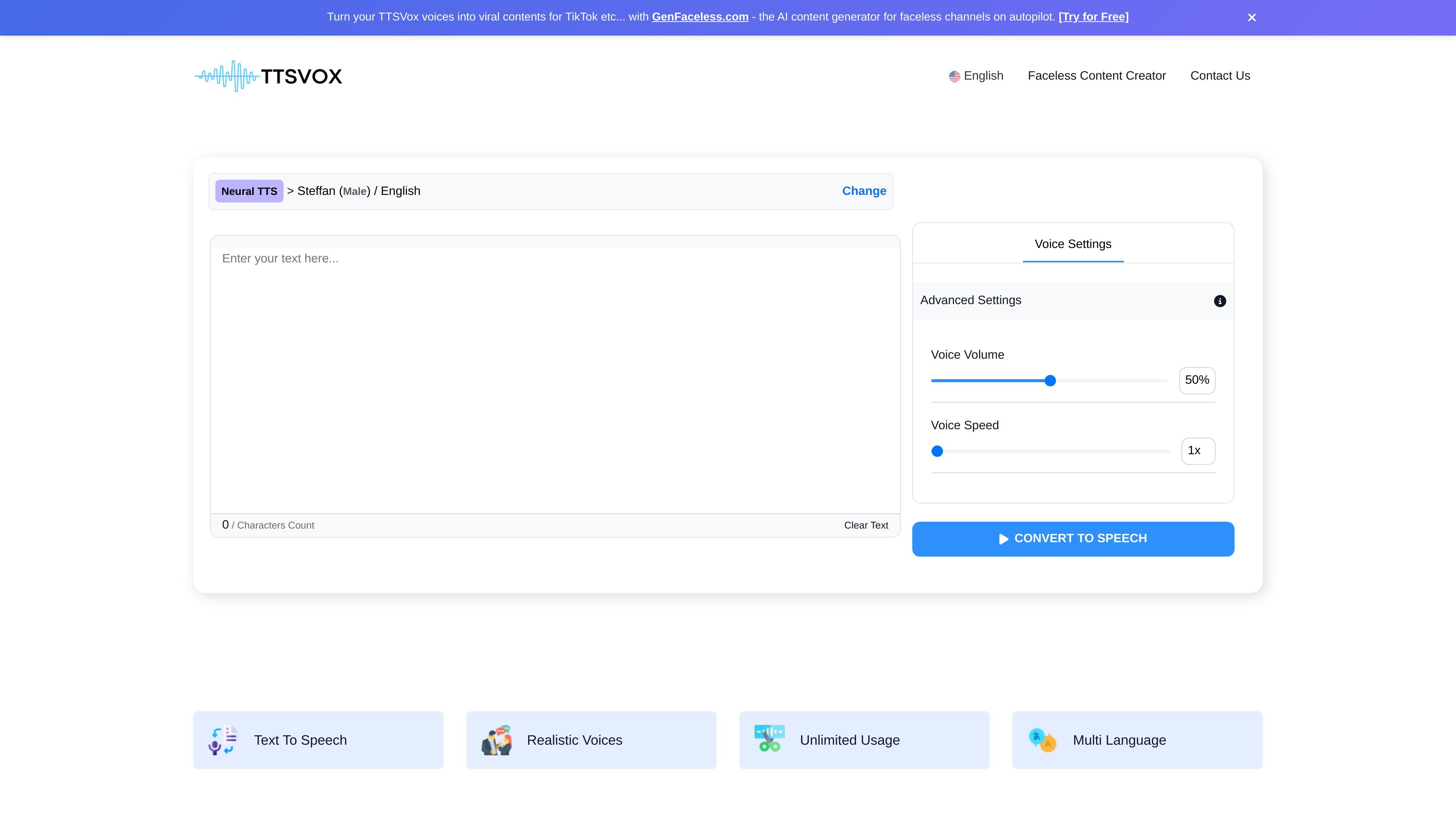
TTSVox is an online text-to-speech tool that turns written text into spoken audio. The homepage shows a browser-based workflow where users enter text, choose a voice, adjust basic settings, and convert the text without installing software.
The site presents TTSVox as a multilingual voice generator for content creation, accessibility, and spoken delivery. It highlights natural-sounding voices, multiple language and region options, and use cases such as videos, e-learning, IVR systems, and audio articles.
Convert written text into speech in the browser using the text box and conversion controls shown on the homepage.
Pick from male and female voices and search by language or region to match the output to the target audience.
Adjust voice settings such as volume and speed before converting text.
The homepage describes the service as offering unlimited text-to-speech usage, and the signup page references plans for unlimited access.
The site says TTSVox supports multiple languages and lists 100+ languages, accents, and 350+ voices on the signup page.
The homepage says generated audio can be downloaded as MP3 and WAV files.
Use TTSVox to turn scripts, captions, or narration copy into voice tracks for video content. The homepage specifically mentions videos as a use case for lifelike narration and commentary.
Convert lesson text or course material into audio to support listening-based learning and accessibility. The site lists e-learning as a use case and positions the tool for natural-sounding speech.
Generate spoken prompts for IVR or phone menu systems where clear audio matters. TTSVox explicitly lists IVR systems among its use cases.
Turn written articles into audio for listeners who prefer spoken content or need hands-free consumption. The homepage describes this as a way to create audio articles.
TTSVox is an online text-to-speech tool that converts written text into spoken audio in the browser. The homepage presents it as a way to enter text, choose a voice, adjust basic voice settings, and convert the text to speech.
The homepage says TTSVox offers unlimited text-to-speech usage, and the signup page notes that users are not currently subscribed to one of the plans and can start by purchasing a plan for unlimited access. The pricing page itself was not available.
The site shows voice selection by language and region, along with voice settings such as volume and speed. It also says the product supports multiple languages and 100+ languages, accents, and 350+ voices.
The rendered homepage shows a text input with a character count and a note that text length should not be longer than 1000 characters. It also mentions downloading audio as MP3 and WAV files.
The site includes use cases for videos, e-learning, IVR systems, and audio articles. It is positioned for people who want to turn text into natural-sounding speech for content, accessibility, or spoken delivery.