
Text-to-Speech and Online Playback
Supports direct voice generation after entering text, with online playback or download as an audio file, suitable for quickly completing draft dubbing and final exports.

TTSMaker is a free online text-to-speech platform for converting text into voice, with online playback and download for multilingual dubbing and dialogue.
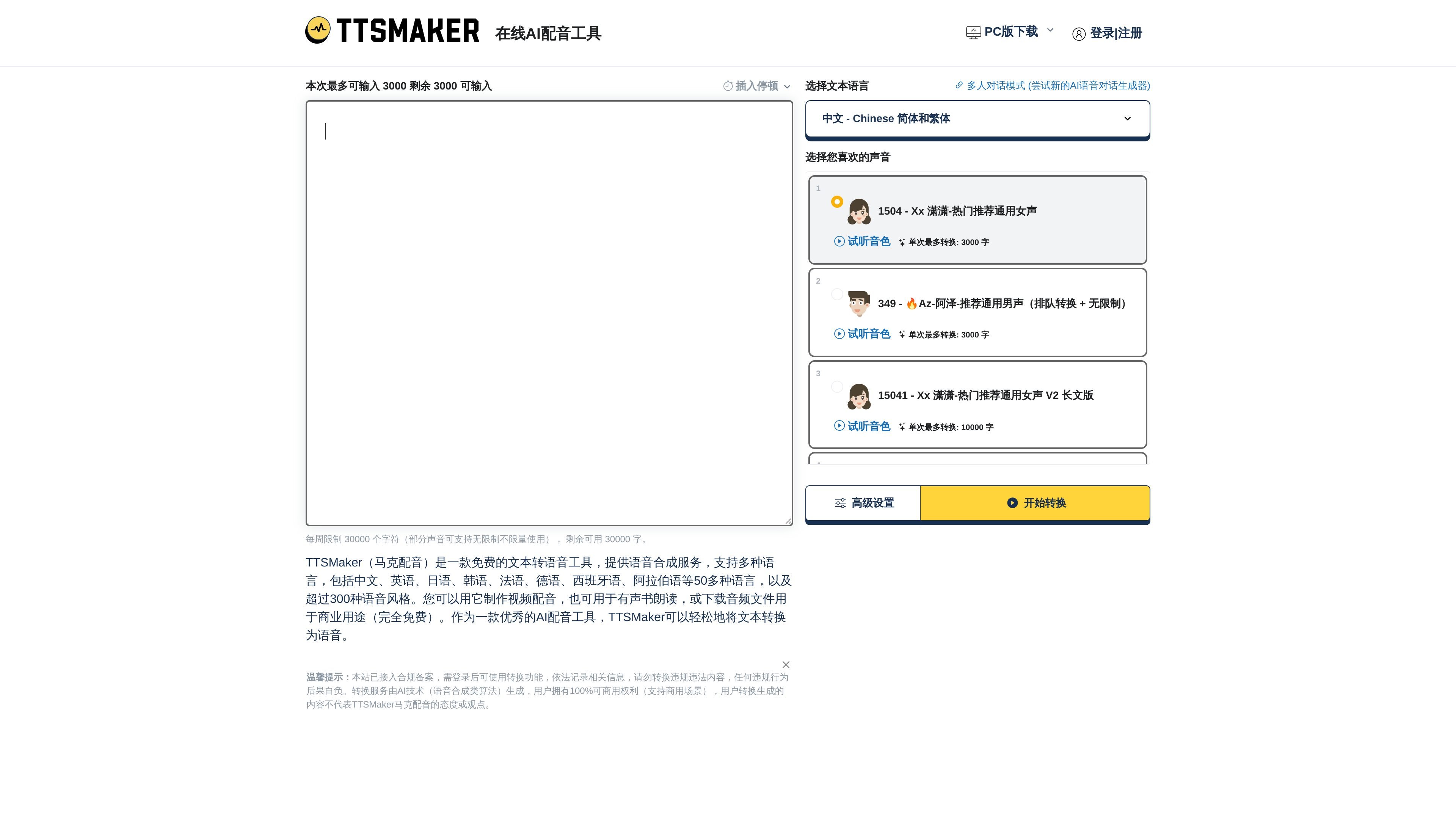
TTSMaker (马克配音) is a free online text-to-speech tool whose main purpose is to turn user-entered text into playable, downloadable audio files. It is aimed at users who need to quickly generate voiceovers, audio content, or reading audio, and the page directly provides online playback and multiple audio download formats.
The site says it supports more than 50 languages and more than 300 voice styles, and emphasizes the use of AI neural networks to make synthesized speech sound more natural. In addition to single-speaker text-to-speech, TTSMaker also offers a multi-speaker dialogue mode, allowing multiple dialogue blocks to be configured separately and then combined into one audio track.
The product page also provides basic and advanced controls, including inserting pauses, adjusting speaking speed, volume, pitch, paragraph spacing, preview mode, and background music. The page notes that the audio can be used for lawful and commercial purposes, but users must ensure that the input content complies with the rules and follow the site’s usage policies and character limits.
Supports direct voice generation after entering text, with online playback or download as an audio file, suitable for quickly completing draft dubbing and final exports.
Offers a variety of language and voice style options, with the page listing more than 50 languages and more than 300 voice pack styles, making it suitable for cross-language content creation.
Supports inserting pause tags and adjusting speaking rate, volume, pitch, and paragraph pauses, making it easy to control reading rhythm and delivery.
You can choose download formats such as mp3, OGG, AAC, OPUS, and WAV, and the page also provides standard and high-quality MP3 options.
Provides a multi-speaker dialogue mode that lets you set the language, voice, and parameters for different dialogue blocks separately, then merge them into one audio file.
Supports background music upload and management, making it easier to combine dubbing with audio materials.
Suitable for quickly generating voiceovers for short videos, platform videos, or explanatory content; the page explicitly mentions use cases related to Douyin, Kuaishou, and Bilibili.
Suitable for turning novels, stories, or long-form text into natural-sounding speech, making it easier to create audio content that can be listened to.
Suitable for foreign language learning, teaching demos, or announcement playback by converting text into speech in a specified language, helping users hear pronunciation and rhythm.
Suitable for cross-border e-commerce, product introductions, and marketing content creation, using multilingual and multi-voice output for localized dubbing.
Suitable for multi-character dialogue, training scripts, or interactive story production, using dialogue blocks configured separately for each voice before merging and exporting.
TTSMaker (马克配音) is an online text-to-speech platform that converts input text into voice and supports online playback or downloading audio files.
The basic process is to enter text, choose a language and voice pack, then click to start conversion. The page also provides advanced settings such as speaking rate, volume, pitch, pauses, and download formats.
The site states that it offers a free version on an ongoing basis; some voices can also be used without limits and do not count toward the weekly character quota.
Yes. The page states that generated audio files can be used for any lawful purpose, including commercial use, but users must ensure their content complies with the rules and does not infringe third-party rights.
You can leave feedback through the Contact Us page; if you need more character quota, you can submit a request through the temporary quota application form and wait for review.