
Grouped tool library
TinyWow organizes its tools into PDF, image, video, AI writing, converter, and other utility categories, making it easier to find a specific workflow without searching through unrelated features.

TinyWow is a browser-based collection of free online tools for PDFs, images, video, file conversion, and AI writing—no software install needed.
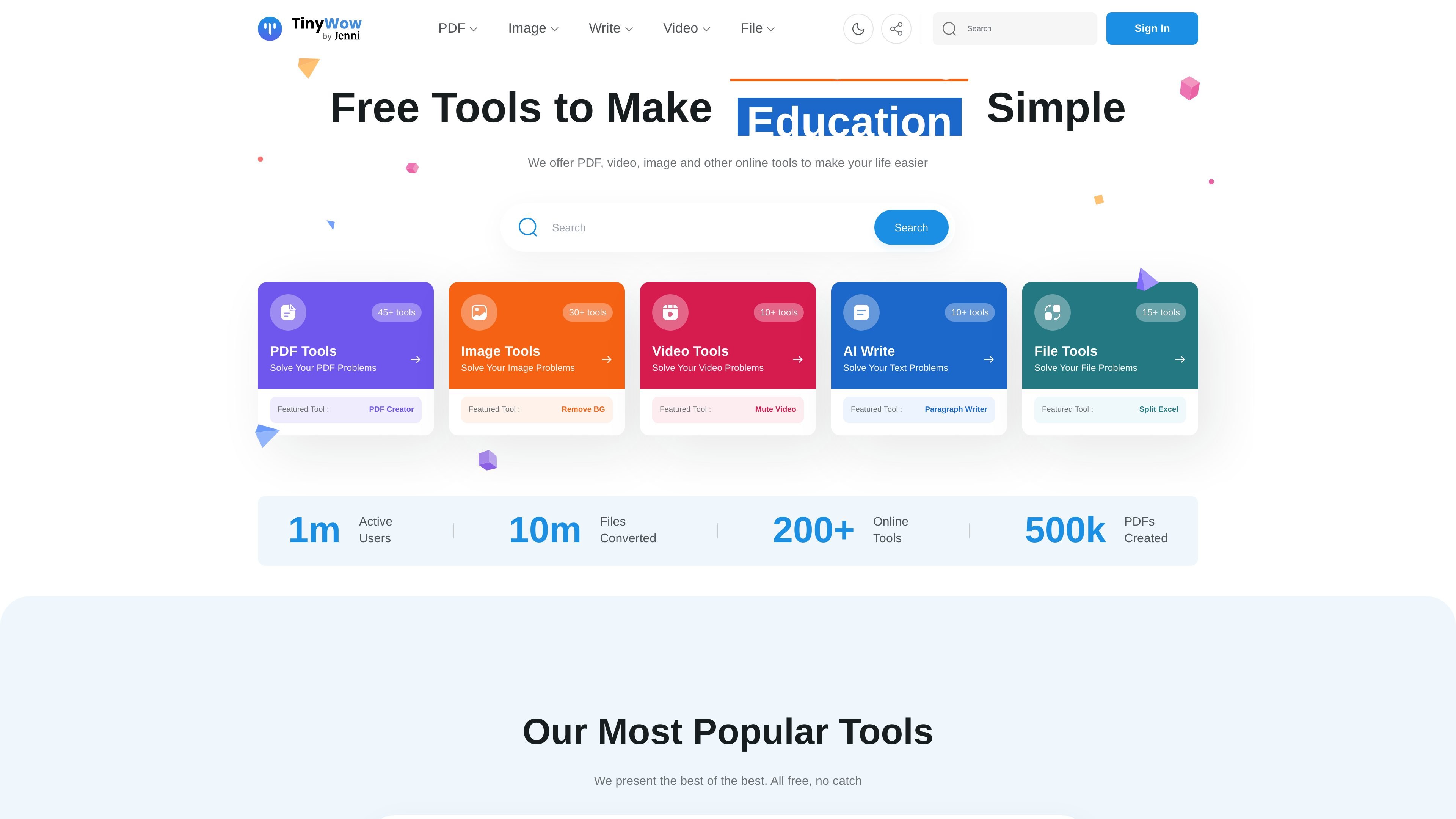
TinyWow is a browser-based collection of free online tools for working with PDFs, images, video, files, and AI writing tasks. The site is organized around quick, self-serve utilities such as PDF editing, PDF conversion, background removal, transcription, and text generation.
Its core purpose is to let users complete common file and content tasks without installing desktop software. The product pages emphasize simple upload-and-download workflows, no-sign-up access for featured tools, and a premium option for users who want ad-free, unlimited, faster processing.
TinyWow organizes its tools into PDF, image, video, AI writing, converter, and other utility categories, making it easier to find a specific workflow without searching through unrelated features.
The PDF editor supports text changes, highlighting, underlining, strike-through, sticky notes, annotations, shapes, signatures, images, and date or time insertion directly in the browser.
The PDF to Word tool converts a PDF into a Word document and also mentions OCR-based text extraction from PDFs.
The background remover lets users upload an image, remove the background, refine the result with an eraser, choose a new background color or image, and download the processed file.
The homepage lists many additional utilities, including PDF merging, compression, splitting, image upscaling, watermark removal, transcription, and file conversion tools.
The site shows free tool access alongside a premium option that removes ads, allows unlimited usage, and speeds up processing.
Use the PDF editor to fix typos, add comments, place signatures, insert shapes, or fill in forms without switching to desktop software.
Use the conversion tools when you need a PDF turned into a Word document for further editing or text extraction.
Use the background remover when preparing product photos, profile images, or other visuals that need a transparent or replacement background.
Use the homepage’s broader tool set when you need quick one-off tasks such as merging, splitting, compressing, or converting files.
Use the AI writing utilities when you need help drafting, rewriting, summarizing, or generating text from a prompt or source passage.
Yes. The homepage says TinyWow offers free online tools and the PDF editor page says you can edit PDFs in the browser with no software installation required. The PDF-to-Word page also shows a simple upload, process, and download flow.
The source does not show a single unified account requirement for all tools. The homepage emphasizes no sign-up for featured tools, while some pages display a free trial prompt for broader access to premium tools.
The product pages show browser-based workflows for PDF editing, PDF to Word conversion, and image background removal. That suggests it is designed for individual, self-serve tasks rather than team collaboration features.
The source explicitly shows output formats such as Word documents from PDF conversion and downloadable edited PDFs or processed images. It also mentions additional file conversions like PDF to JPG and JPG to PDF on the homepage.
The homepage lists premium access with ad-free use, unlimited usage, and faster processing for $9 a month. However, the pricing page itself was unavailable and returned a page-not-found response, so plan details should be confirmed on-site.
트래픽 데이터는 참고용으로만 확인하세요.
| 4월 | 2411576 |
|---|---|
| 5월 | 2426818 |
| 6월 | 2074665 |
아직 트래픽 분석 데이터가 없습니다.
아직 트래픽 분석 데이터가 없습니다.