
User story mapping
Build a structured map of user journeys, personas, stories, decisions, and release context so product knowledge stays in one place.

StoriesOnBoard is a web-based user story mapping and product management tool for software teams. It helps business analysts, product owners, and product managers organize requirements, roadmaps, feedback, and AI-assisted specifications in one shared workspace.
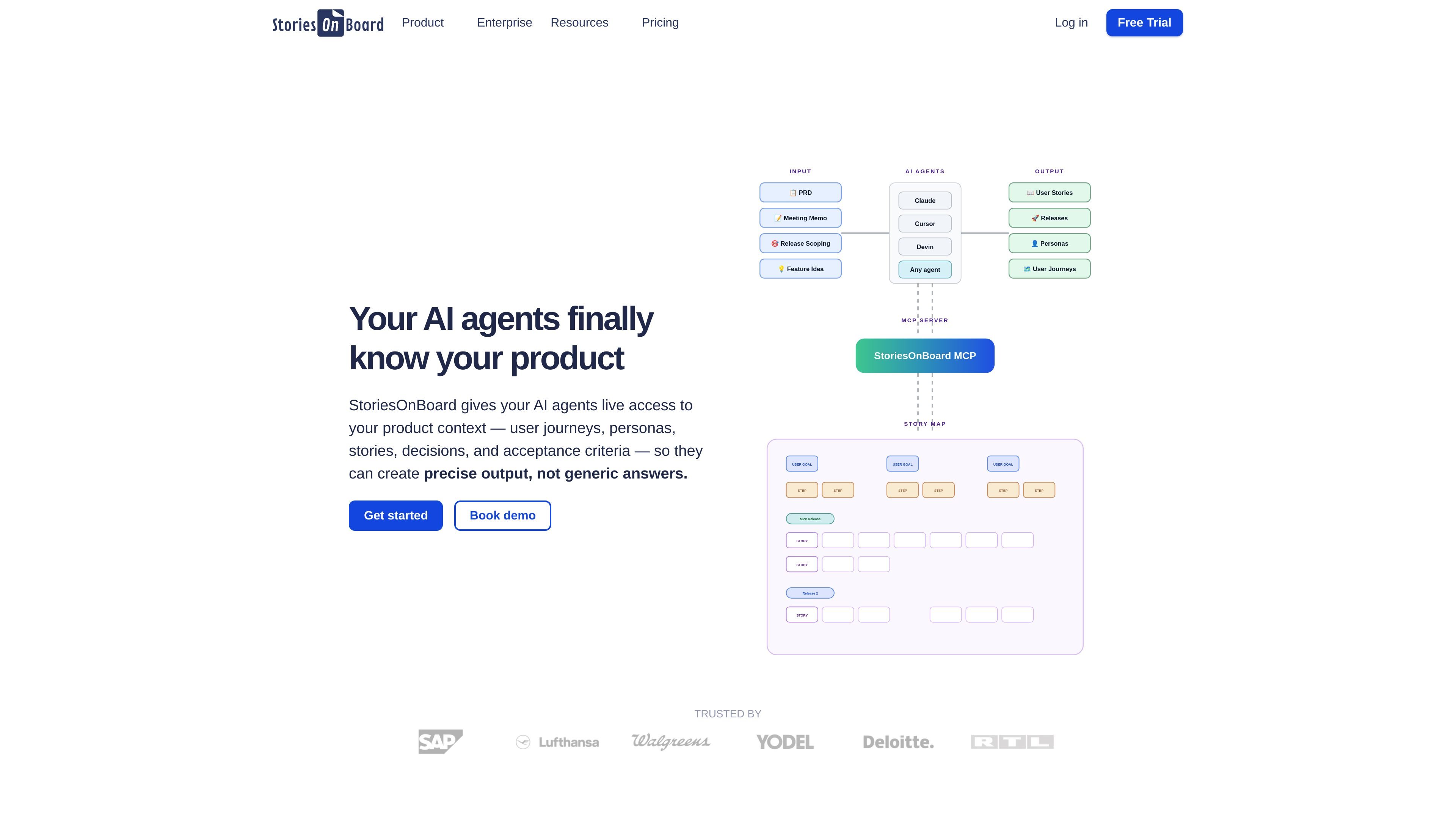
StoriesOnBoard is a user story mapping tool for software projects. It helps business analysts, product owners, and product teams create and manage product specifications and requirements around a shared story map.
The product centers on a structured map of the user journey, personas, stories, decisions, and release context. The site also positions StoriesOnBoard as a collaboration layer for AI-assisted product work, where agents can read and write product context instead of working from isolated prompts.
Beyond story mapping, the site presents a broader product management platform with feedback management, roadmaps, prioritization, and AI-supported specification writing. Enterprise pages add collaboration, security, and support options for larger organizations.
Build a structured map of user journeys, personas, stories, decisions, and release context so product knowledge stays in one place.
Use the map as a shared source of product context for humans and AI agents, with live read and write access through the MCP server.
Draft user stories, acceptance criteria, test cases, release summaries, and release announcements with AI assistance.
Collect product ideas and feedback in a repository, then organize and validate what to develop next.
Create roadmap views for product vision, milestones, and stakeholder communication across projects.
Rank features with prioritization frameworks and compare stakeholder input to align development decisions.
Map user journeys, personas, stories, and release context before development starts so the team can agree on scope and sequence.
Turn stakeholder feedback into an organized repository, then refine it into stories and feature concepts ready for planning.
Create roadmaps and release views to communicate priorities, milestones, and product direction to stakeholders.
Use the MCP server and AI writing tools to analyze PRDs, find missing scope, and draft clearer stories and acceptance criteria.
Use enterprise controls such as SSO, access management, audit logging, and private cloud services for larger teams.
StoriesOnBoard is designed for teams that plan software work with user story mapping. The source describes it as a visual and collaborative environment for agile teams, with story maps that capture user journeys, personas, stories, decisions, and release context in one place.
The source shows StoriesOnBoard can be used to create story maps, organize product specifications, manage requirements, prioritize work, and support release planning. It also highlights AI-assisted writing for user stories, acceptance criteria, and test cases.
The product page presents StoriesOnBoard as a collaborative web platform. It also references an MCP server that gives AI agents live read and write access to the story map, and a pricing page with trial and subscription plans.
The published source does not provide a full integration list on the main site, but it does mention Slack, Email, Intercom, Zapier, Jira Cloud and Server, Azure DevOps and TFS, Trello, GitHub, Pivotal Tracker, and two-way integrations on the pricing page.
The site describes StoriesOnBoard as suitable for product owners, business analysts, product managers, and agile teams. It is positioned around collaborative planning and shared product context rather than a single-user note-taking tool.