
Natural-language spreadsheet automation
Shortcut automates spreadsheet work from natural-language instructions, with the site positioning it as an AI agent for Excel rather than a general chat assistant.

Shortcut is an AI spreadsheet automation product for Excel work. It helps individuals, teams, and enterprises turn natural-language instructions into spreadsheet edits and financial models.
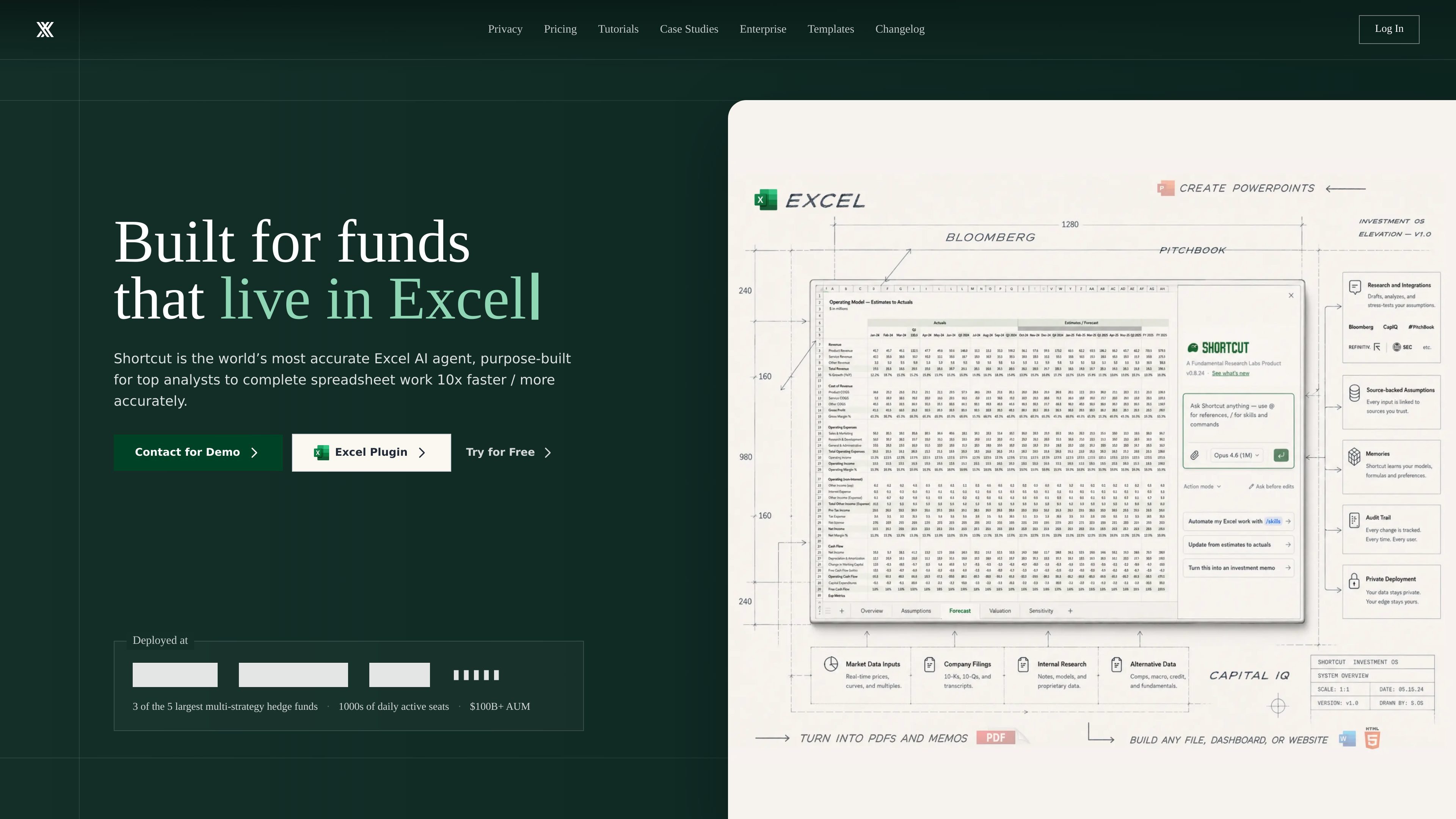
Shortcut is an AI spreadsheet automation product focused on Excel work. The site positions it as a superhuman AI Excel agent that helps users complete spreadsheet tasks faster by turning natural-language instructions into spreadsheet edits and model work.
It is aimed at people who build or maintain financial models and other complex spreadsheets, including LBOs, DCFs, and 3-statement models. Shortcut runs on the web, desktop app, Excel plugin, and Google Sheets plugin, and the company also offers Teams and Enterprise plans for organizations that need shared access, security controls, and administrative management.
The product emphasizes Excel compatibility, formula-driven outputs, and auditable changes. The site also highlights enterprise security features, support for team collaboration, and custom options for larger organizations.
Shortcut automates spreadsheet work from natural-language instructions, with the site positioning it as an AI agent for Excel rather than a general chat assistant.
The product is presented as a tool for building financial models such as LBOs, DCFs, and 3-statement models in minutes.
Shortcut works as an Excel plug-in and also as a standalone web or desktop app, so users can choose the interface that fits their workflow.
The product emphasizes formula-driven outputs, so changes update dynamically when inputs change instead of relying on static hard-coded values.
Shortcut shows changed cells and lets users revert, restore, or undo changes in the action sequence, which helps with review and auditability.
The pricing and enterprise pages describe pooled credits, shared resources, usage statistics, and group-based access control for teams.
Use Shortcut to draft or update LBO, DCF, and 3-statement models from instructions instead of editing formulas and cells manually.
Use the Excel plugin when you want AI assistance inside a familiar workbook environment without leaving Excel.
Use the web or desktop app when you need another way to access the same spreadsheet automation workflow outside the plugin.
Use Teams features to share prompts, templates, AI rules, and pooled credits across a group that works on spreadsheets together.
Use Enterprise options when your organization needs SSO, MFA, access controls, custom integrations, and dedicated support.
Shortcut offers a Free plan and paid plans for individual users, teams, and enterprises. The pricing page also says Teams can sign up self-service, while Enterprise uses custom pricing and a demo flow.
The pricing page says you can use Shortcut on the web, desktop app, Excel plugin, and Google Sheets plugin. The home page also presents Shortcut as an Excel native plugin and standalone app.
The site describes Shortcut as an AI spreadsheet agent for Excel work such as financial models, including LBOs, DCFs, and 3-statement models.
Teams under 15 seats can start self-service, invite teammates, and collaborate with shared credits, prompts, templates, and AI rules. Enterprise is positioned for larger organizations that need custom integrations, SLAs, and dedicated support.
The support page says users can contact the team through a form, and can also join the Discord community for quick help, tips, and feature requests.