
Planner and time blocking
Plan tasks and events on one screen, then drag work into the calendar to reserve time for it.

Routine is an AI-powered workspace for tasks, calendars, notes, contacts, and automations in one app. Plan your day, capture work, and connect data across tools.
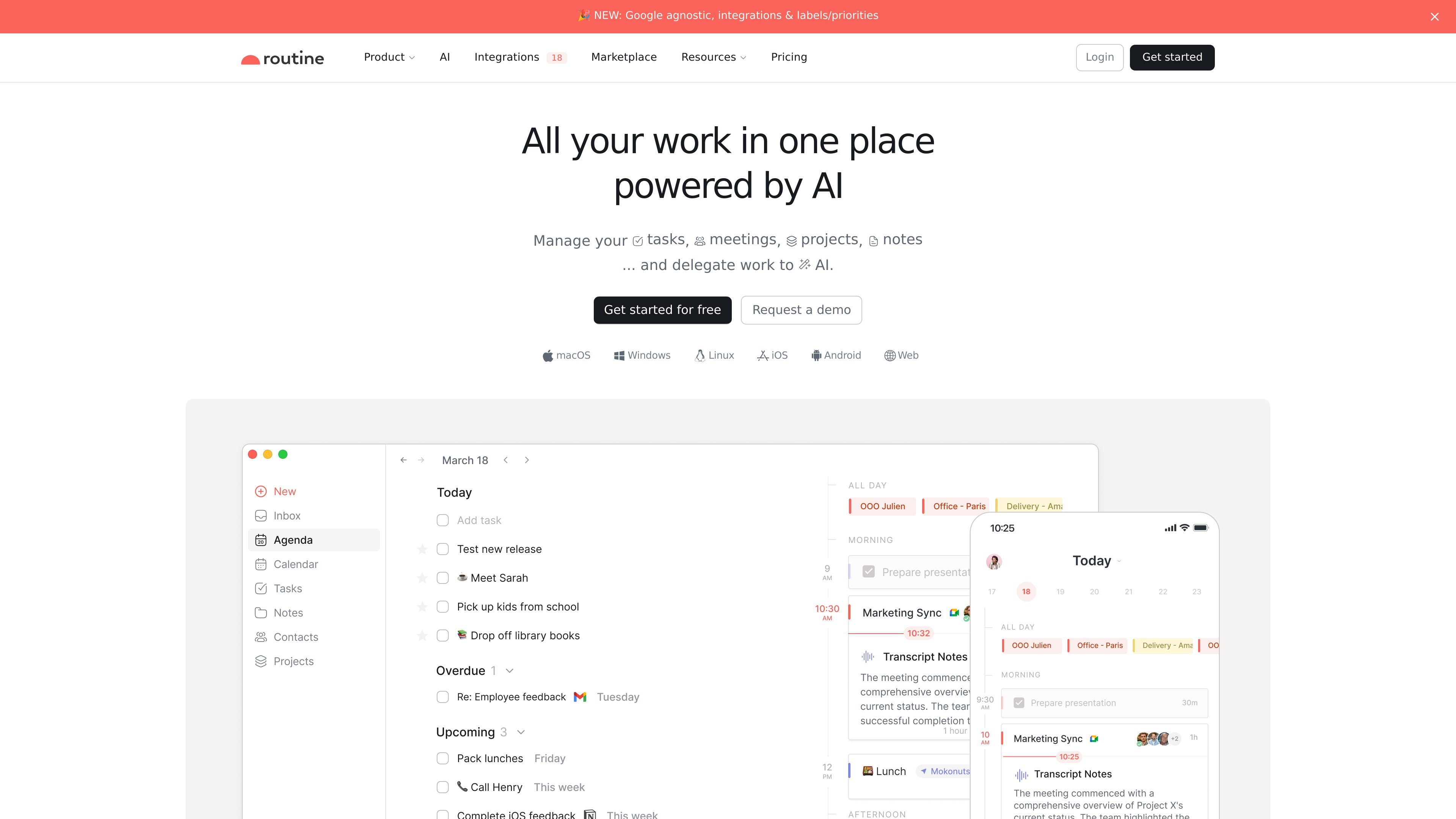
Routine is an AI-powered workspace for tasks, calendars, notes, contacts, and related work objects. It brings planning, capture, and reference material into one app so users can manage day-to-day work without switching between separate tools.
The product centers on a single planning surface, a universal inbox, and AI features for meeting notes, voice commands, agents, and automations. It is available on multiple platforms and includes both individual and team-oriented plans, with collaboration and organization controls added in higher tiers.
Plan tasks and events on one screen, then drag work into the calendar to reserve time for it.
Capture tasks, reminders, meetings, and notes in a single inbox so items from different sources do not get lost.
Create custom databases and types with properties and relations to model the objects your team works with.
Use AI to capture action items, summarize meetings, draft work, and automate repetitive tasks or workflows.
Connect services like Gmail, Google Calendar, Slack, Notion, Todoist, Asana, and Zapier to centralize data across tools.
Work across desktop, web, and mobile, with offline mode and synchronization across devices.
Keep tasks, meetings, and reference notes in one place while planning the day on a single screen and time-blocking important work.
Capture meeting notes, summarize discussions, and turn action items into tasks without relying on a meeting bot.
Centralize work from tools like Gmail, Slack, Notion, Todoist, and Asana into a shared workflow for a team or organization.
Model company-specific objects such as customers, candidates, bug reports, or projects with custom databases and types.
Use AI agents and automations to delegate repetitive research, structuring, and operational tasks.
Routine offers a free plan, and its paid plans add features such as AI meeting notes, AI agents, automations, workspaces, access control, and extended history depending on the tier.
Routine is available on Android, iPhone, Linux, macOS, Web, and Windows. The pricing page also lists Apple Watch and iPad as coming soon.
Routine includes integrations with services such as Gmail, Google Calendar, Google Meet, Google Workspace, Microsoft Outlook, Notion, Slack, Todoist, Asana, Google Contacts, Intercom, Microsoft To Do, Perplexity, Zapier, ChatGPT, Claude, and Cursor, plus many more listed on its integrations page.
Routine is built around tasks, calendars, notes, contacts, databases, and AI-powered workflows such as capture, meeting notes, planning, and automation.
Routine uses a unified workspace model, so the free and paid plans differ mainly by collaboration, security, AI, workspace, and administration features rather than by the basic task-and-calendar workflow.