
Chat with PDFs
Ask questions about a PDF, get summaries, and search for specific information through the chat interface.

PDF.ai lets users chat with PDFs to ask questions, get summaries, and find information, while also offering API tools to parse, extract, and split documents. It includes a Chrome extension and developer-facing document processing endpoints.
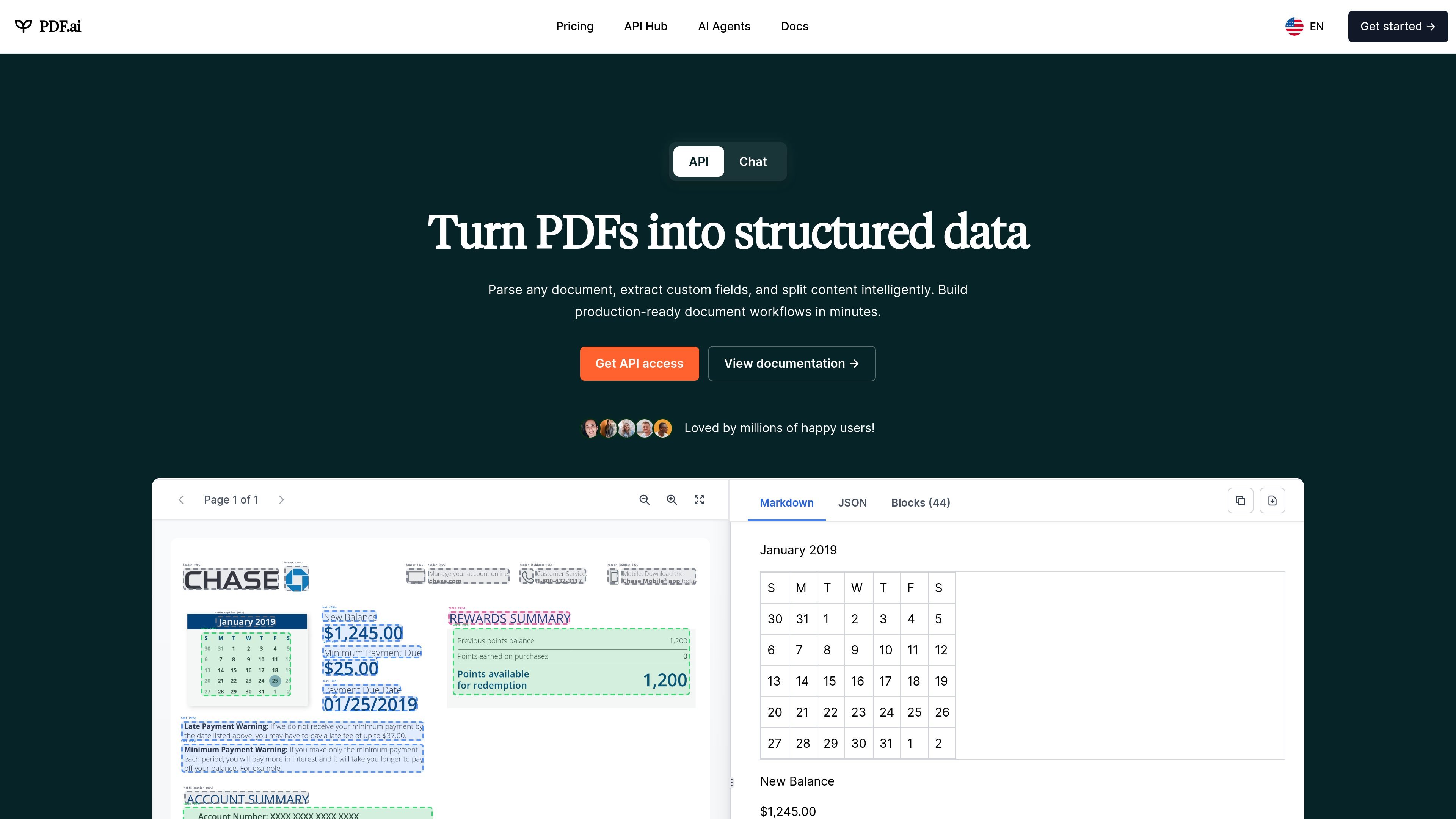
PDF.ai is a PDF chat and document-processing product that combines a web app, API Hub, and Chrome extension. Its main job is to let users ask questions about PDFs while also providing developer tools for parsing, field extraction, and document splitting.
On the consumer side, the site focuses on chatting with PDFs to get answers, summaries, and useful information faster. On the developer side, it exposes endpoints for parse, extract, and split workflows, with documentation and code examples for building structured document automation.
The product also includes a browser extension for interacting with PDFs in Chrome, plus integrations for PDFs stored in Google Drive and Dropbox. Pricing pages show free and paid plans, an enterprise option, and a separate commercial API add-on structure for higher-volume usage.
Ask questions about a PDF, get summaries, and search for specific information through the chat interface.
Parse PDFs into structured JSON using OCR and layout detection, including headings, paragraphs, tables, and figures.
Use AI-powered extraction to pull out custom fields such as names, dates, amounts, invoices, and other specific data points.
Split PDFs by pages, ranges, or AI-defined sections so documents can be broken into manageable parts.
Use the single REST API endpoint workflow shown in the docs to send a file URL and receive parsed output without an SDK.
Use the Chrome extension to chat with PDFs directly in the browser, including files from local or external sources and cloud drives.
Ask questions about a contract, report, or research paper to find specific answers without manually scanning the file.
Convert incoming PDFs into structured data for downstream automation, reporting, or database entry.
Pull out target fields like dates, amounts, names, or invoice details using custom extraction prompts.
Split long PDFs into sections, pages, or ranges before sharing them with teammates or processing them separately.
Use the Chrome extension to chat with PDFs in the browser, including files opened from local storage, the web, Google Drive, or Dropbox.
PDF.ai is positioned as a tool for chatting with PDFs and for document-processing workflows through its API. The site describes it as useful for asking questions, getting summaries, finding information, parsing documents, extracting data, and splitting PDFs.
The source shows a web app, an API Hub, and a Chrome extension. The extension can work on PDFs in the browser, including files from Google Drive and Dropbox, while the API is used for parsing, extraction, and splitting workflows.
The pricing page shows a free plan, paid individual plans, an enterprise option, and an additional commercial API add-on plan. The web app is described as having no limits on the Ultimate plan API only for non-commercial use, while paid API usage is metered by credits.
The API Hub documents endpoints such as `/api/v2/parse`, `/api/v2/extract`, and `/api/v2/split`. The site also shows example requests for parsing PDFs and chatting with documents through the API.
The Chrome extension is described as popping up automatically on PDFs opened in the browser and supporting PDFs from external or local sources, plus Google Drive and Dropbox integrations.